Tag Archives: SDK

Intel gestures toward the future with Omek buy

Put your hands in the air—Intel has made another major push into the world of touch-free computing. The chip maker confirmed on Tuesday that it bought Israel-based Omek Interactive, a gesture-recognition firm. Omek (which means ‘depth’ in Hebrew) offers gesture-recognition products for computer and software makers that can track full-body movements as well as finer detail hand and finger gestures.

Under Intel, Omek will help the chip maker in its ongoing push to popularize perceptual computing, Intel’s vision for the future where we interact with our PCs and other devices using hand gestures, voice commands, and facial tracking. “The acquisition of Omek Interactive will help increase Intel’s capabilities in the delivery of more immersive perceptual computing experiences,” Intel spokesperson Guy Grimland said.

Perceptual push

Intel representatives show off the company’s perceptual computing efforts at the Game Developers Conference in San Francisco this past March.

Intel hopes to see perceptual computing go mainstream in the near future. In March, Intel was at the Game Developers Conference in San Francisco talking up its perceptual computing platform. In June, the company’s investment arm, Intel Capital, announced a $100 million fund to invest in software and application projects involving perceptual computing. In late 2012, the company released a software development kit (SDK) to help developers take advantage of Intel’s new interactive capabilities. Intel also recently closed the submission process for its Perceptual Computing Challenge, a contest with a $100,000 grand prize for the best use of the company’s new technology.

To read this article in full or to leave a comment, please click here

…read more

Source: FULL ARTICLE at PCWorld

1 Million Reasons Shorting Salesforce Stock Is More Dangerous Now

By Tim Beyers and Erin Miller, The Motley Fool

Filed under:

In what might be characterized as a celebration of 1 million developers using its platform for hosting Web-based software, salesforce.com announced new software development packages meant to broaden its appeal for apps targeted at mobile devices.

Executives will tout the new SDK, which supports iOS and Android as well as HTML5 for pure Web apps, during a 37-city tour. Salesforce stock fell slightly following the news as Rackspace Hosting pitched similar mobile “stacks” to help developers create and deploy apps quickly.

Both efforts have merit, Tim Beyers of Motley Fool Rule Breakers and Motley Fool Supernova says in the following interview with The Motley Fool’s Erin Miller. At the very least, Tim says, those shorting Salesforce stock need to be watching how developers take to the new SDK. Their returns (or lack thereof) depend upon it.

Please watch this short video to get Tim’s full take, and then leave a comment to let us know whether you believe Salesforce stock is a buy, sell, or short right now.

The mobile revolution is still in its infancy, but with so many different companies, it can be daunting to know how to profit in the space. Fortunately, The Motley Fool has released a free report on mobile named “The Next Trillion-Dollar Revolution” that tells you how. The report describes why this seismic shift will dwarf any other technology revolution seen before it and also names the company at the forefront of the trend. You can access this report today by clicking here — it’s free.

The article 1 Million Reasons Shorting Salesforce Stock Is More Dangerous Now originally appeared on Fool.com.

Fool contributor Tim Beyers is a member of the 
Motley Fool Rule Breakers
stock-picking team and the Motley Fool Supernova Odyssey I mission. He owned shares of Rackspace Hosting and salesforce.com at the time of publication. Erin Miller didn’t own shares in any of the companies mentioned. Check out Tim’s Web home and portfolio holdings, or connect with him on Google+Tumblr, or Twitter, where he goes by @milehighfool. You can also get his insights delivered directly to your RSS reader.The Motley Fool recommends Rackspace Hosting and salesforce.com. Try any of our Foolish newsletter services free for 30 days. We Fools don’t all hold the same opinions, but we all believe that considering a diverse range of insights makes us better investors. The Motley Fool has a disclosure policy.

Copyright © 1995 – 2013 The Motley Fool, LLC. All rights reserved. The Motley Fool has a disclosure policy.

(function(c,a){window.mixpanel=a;var b,d,h,e;b=c.createElement(“script”);
b.type=”text/javascript”;b.async=!0;b.src=(“https:”===c.location.protocol?”https:”:”http:”)+
‘//cdn.mxpnl.com/libs/mixpanel-2.2.min.js’;d=c.getElementsByTagName(“script”)[0];
d.parentNode.insertBefore(b,d);a._i=[];a.init=function(b,c,f){function d(a,b){
var c=b.split(“.”);2==c.length&&(a=a[c[0]],b=c[1]);a[b]=function(){a.push([b].concat(
Array.prototype.slice.call(arguments,0)))}}var g=a;”undefined”!==typeof f?g=a[f]=[]:
f=”mixpanel”;g.people=g.people||[];h=[‘disable’,’track’,’track_pageview’,’track_links’,
‘track_forms’,’register’,’register_once’,’unregister’,’identify’,’alias’,’name_tag’,
‘set_config’,’people.set’,’people.increment’];for(e=0;e<h.length;e++)d(g,h[e]);
a._i.push([b,c,f])};a.__SV=1.2;})(document,window.mixpanel||[]);
…read more

Source: FULL ARTICLE at DailyFinance

Alan Pope: Discussing Ubuntu Touch Apps

I’ve been reading with great interest the blog posts from Michael Hall highlighting all the activity in the Ubuntu Touch developer community. It’s exciting to see people have started poking at our fledgling SDK and have already created some cool applications. Likewise, internally at Canonical developers are working hard on the infrastructure, platform and SDK to make it easy, fun and robust to create applications for Ubuntu Touch.

We’re keen to keep lines of communication between the developer community and platform developers wide open, while allowing everyone to get on with their work. From the Canonical side we’ll shortly be publishing more details of our plans for the platform so developers have a better understanding of our roadmap and can set their own expectations accordingly.

On the flip-side we’re also keen to get feedback from developers. We’ve scheduled regular check-up meetings with developers of the Core Apps which are listed on the wiki. Everyone is welcome to attend and join in, but the primary goal of each is to allow us to help Core Apps developers.

It’s great to see that new contributors, hackers and people just having a play with Ubuntu Touch Developer Preview are coming to #ubuntu-touch at all hours of the day and night to get and give help and discuss what they’re doing.

We have noticed though that sometimes people aren’t getting answers to their questions, usually because they ask when many core contributors are asleep or just busy doing other things. This is the nature of IRC, and we’re not looking to force people to only come to the channel at certain times.

We do though want to improve our communication by having a specific time when developers and other experts will actually be around, and if we can’t get an answer immediately, make a note of it so we can get back to people later.

So every Wednesday we’re also holding a regular open “Ubuntu Touch Weekly Clinic” in #ubuntu-touch on freenode IRC at 13:00 UTC. Feel free to ping myself (popey) or Michael Hall (mhall119) on IRC to get our attention

We picked a time when it seems most core contributors are available, covering European afternoon and American morning. Everyone is of course welcome at any time in the channel, this gives us a focal point for our users. This isn’t a formal “Q&A” like the Ubuntu On Air sessions, but simply an accessible-for-most slot when we can guarantee people will be around.

So come along on Wednesday to the “Ubuntu Touch Weekly Clinic” in #ubuntu-touch on freenode IRC at 13:00 UTC

              <a target=_blank …read more

Source: FULL ARTICLE at Planet Ubuntu

Michael Hall: Building an Ubuntu SDK App: rev 1

This is going to be the first in a series of articles about my journey into the wonderful world of Ubuntu SDK app development.  I’m no stranger to programming, or even app development on Ubuntu, but I am a stranger to Qt and QML.  Or at least I was.

Why build a Reddit client?

I started uReadIt for two primary reasons:

  1. I missed browsing Reddit in bed from my Nexus 7 (/r/science/ is nice when the “educational” channels in the US are playing crap), which I could do when it was running Android.  But even more importantly…
  2. I wanted to learn to write apps using the new Ubuntu SDK, and I always learn best by building something real.

The first of these was remarkably easy, I has a way of browsing my favorite subreddits within a day.  It’s the second reason, now, that is driving this development.  That’s important to remember, because it means I may choose to add features so that I can learn a part of the SDK, not necessarily because it’s an overly useful feature.  It also means I probably won’t be adding features that would make for an awesome Reddit app, unless they provide a way for me to try something new.

Tabs or PageStack?  That is the question

The Ubuntu SDK uses QtCreator, and adds plugins for integration with Ubuntu Devices, the Ubuntu Components, and also a set of Ubuntu App templates.  The QML templates both use the Ubuntu MainView component as it’s top-level element, but where they immediately differ is on the second-level components used for managing multiple “pages” in your app.

The first option is Tabs, which allows the user to switch between pages using an Ubuntu-themed tab-bar at the top.  This is what the Core Apps are using, and also what is used by default apps included in the Ubuntu Touch devices images, such as the Phone and Gallery apps.  Tabs are an easy way to provide flat navigation that the user can switch between any time.

The second option uses the PageStack component, which as the name implies manages a stack of pages.  PageStack doesn’t give you automatic navigation like Tabs do, you have to write the code to push pages to the stack (such as onClicked event handlers on a ListView itemm more on that later).  But it will automatically put a “Back” toolbar button in the bottom toolbar for you when when you push more than one page onto the stack, and clicking that will bring the user to the previous page in the stack.

I started out with Tabs, but decided that PageStack made more sense for what I wanted.

Putting it all together

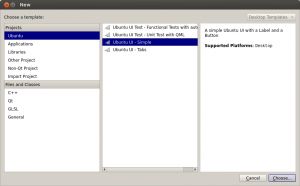
So, to get started I created a new project in QtCreator, using the Ubuntu UI – Simple template (this is the PageStack one).  This gave me MainView, PageStack, and a single Page components in my uReadIt.qml file.  I knew I wanted the first page to be my subreddit list of articles, so I gave it an …read more

Source: FULL ARTICLE at Planet Ubuntu

Nuance Pushes Mobile&nbsp;Ads You Can Talk To

By Parmy Olson, Forbes Staff

Advertisers have been struggling for years to crack the mobile problem: while smartphones penetration is exploding, ads on smartphones still run relatively cheap and it’s unclear how effective they are. Nuance thinks it has an answer. The voice-recognition company has started giving out a software development kit (SDK) to advertising agencies, allowing them to create mobile ads that can hold a basic conversation with consumers. …read more
Source: FULL ARTICLE at Forbes Latest

Nuance Pushes Mobile?Ads You Can Talk To

By Parmy Olson

Advertisers have been struggling for years to crack the mobile problem: while smartphones penetration is exploding, ads on smartphones still run relatively cheap and it’s unclear how effective they are. Nuance thinks it has an answer. The voice-recognition company has started giving out a software development kit (SDK) to advertising agencies, allowing them to create mobile ads that can hold a basic conversation with consumers. …read more
Source: FULL ARTICLE at Forbes IT

Daniel Holbach: Ubuntu Touch summary (week 11)

I’m posting this on behalf of the Ubuntu Touch team. (Originally posted here.)


The interest in Ubuntu Touch is still going strong, many work on apps, many helped with porting, some started fixing bugs in Ubuntu Touch, so here’s a few highlights of Ubuntu Touch development of the last week:

  • Jim Hodapp worked on enabling Qt multithreaded rendering in the camera app.
  • The media app received a number of updates. Jim also enabled Qt multithreaded rendering here and greatly simplified the UI orientation/rotation support. It’s based on Screen.orientation instead of directly using QtSensors now. Renato Filho added some autopilot tests.
  • qtubuntu-media-signals (a library that coordinates qtvideo-node, qtubuntu-camera and qtubuntu-media across thread contexts) was added by Jim and Francis Ginther.
  • Gustavo Boiko put quite a bit of work into the telephony app, which was optimised to load data from telepathy-logger by reading it just once and dispatching the events to the correct model. Also some unit tests were added, the autopilot tests now pass as well. HUD actions were added and the app now uses the toolbar from the SDK.
  • Guenter Schwann worked on the gallery app, which had its event view updated to use Listview. Also “Add album” and opening the photos view from the album view were reenabled.
  • The Platform API was updated by Jim and Ricardo Mendoza to read the resolution and getting the updated rates of sensors. The accelerometer support was refactored so that it supports calling more than one observer listener per Sensor instance. Sessions can now be tracked in a different namespace than the app manager. Various tests were fixed.
  • ubuntu-session had support added for SMDK4210 (Samsung GT-I9100) by Oliver Grawert.

Many other fixes have gone into the lower levels of the stack which were not considered for this update.

The ports team was busy as well and many Ubuntu Touch ports received updates. Some of them regularly and daily (just like the normal images on cdimage.u.c). Newly added ports are:

  • working: Samsung Galaxy Tab 7.7 (GT-P6800)
  • work in progress: HTC Sensation XL, SGS III (Qualcomm AT&T), Toshiba AC100

Thanks to everyone involved for your fantastic work!

—-

Ubuntu Touch runs on tablets, phones and other devices. We are open to suggestions, fixes and new crazy ideas. If you want go get involved, please get in touch: https://wiki.ubuntu.com/Touch/Contribute

…read more
Source: FULL ARTICLE at Planet Ubuntu

Microsoft offers new version of Kinect for Windows SDK

(Phys.org) —Monday, March 18, for Microsoft goes down in Kinect for Windows history as the day the new Kinect for Windows SDK 1.7 arrives for developers, which, according to its team, is the most significant update for the SDK since its first version over a year ago. Developers as of March 18 can download the kit and interface guidelines from the website, said Bob Heddle, director, Kinect for Windows. Heddle made use of Engadget’s Expand event in San Francisco to make the announcement last week. …read more
Source: FULL ARTICLE at Phys.org

Michael Hall: Ubuntu SDK Apps are coming

The Ubuntu SDK preview is just over 2 months old, but we’ve already seen a lot of development starting with it.  Read below for a high-level look at some of the apps that are currently being written.

Core Apps

Shortly after making Ubuntu Touch and the SDK preview announcements, we kicked off an effort to develop the core applications for Ubuntu devices in the open with full community involvement.  We identified a number of desired applications, recruited interested community contributors, and dedicated design and project management resources from Canonical staff.

The actual development phase for these apps has only recently started, but some of them have shown a huge amount of progress already.

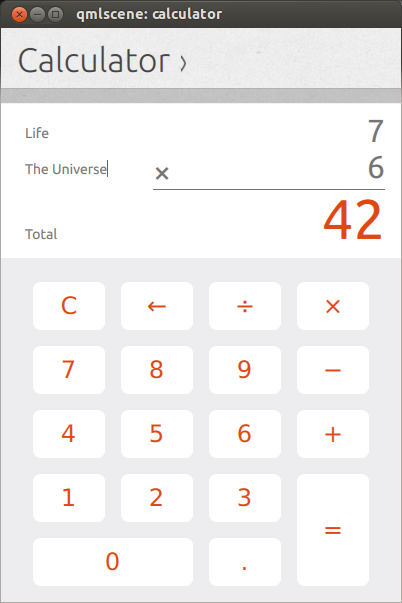
Calculator

The Calculator app has made huge progress, and has been working closely with Canonical designers to work out the user interface and user experience.

Click for video

Calendar

Likewise,the Calendar app developers have been iterating over their UI/UX with the design team, and are making fast progress on the front-end.

Click for video

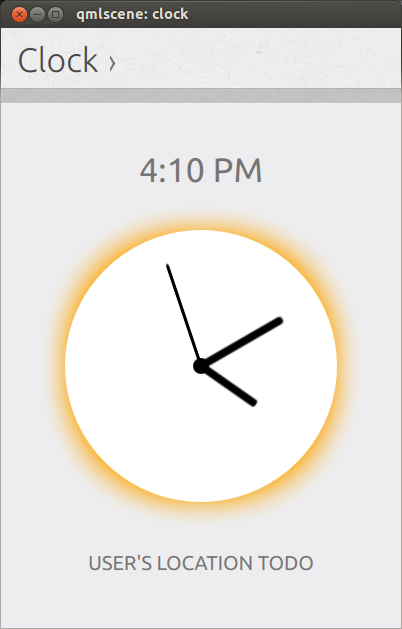
Clock

The Clock app is also sporting a functional, stylish analog dial that shows your current time, with screens staged for more features to come.

Click for video

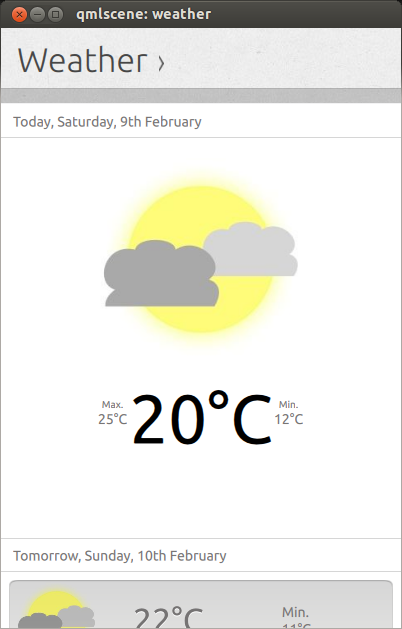
Weather

Even the weather app has seen some UI work recently

Click for video

But wait! There’s more!

The Core Apps developers aren’t the only ones working with the Ubuntu SDK preview, we’ve seen a number of 2nd and 3rd party app developers writing new apps or porting existing ones.  Here’s a short list of the ones that I’ve seen in development:

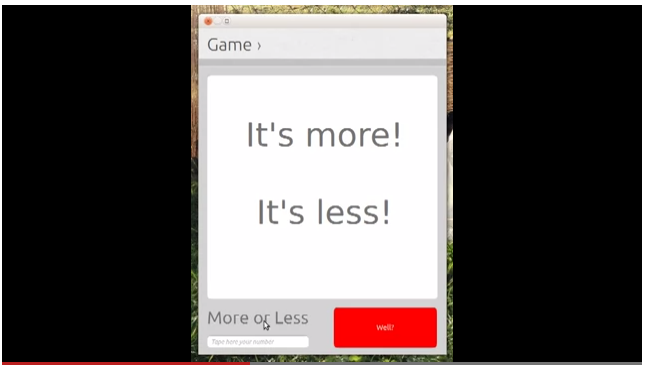
More or Less

A simple number guessing game

Click for story

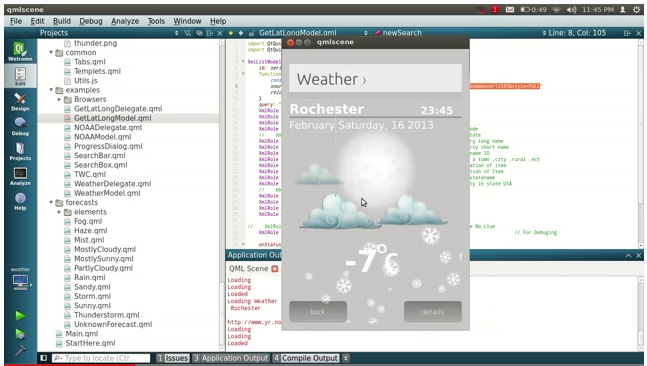
Alternative Weather App

Community developer Joseph Mills independently created another Weather app

Click for story

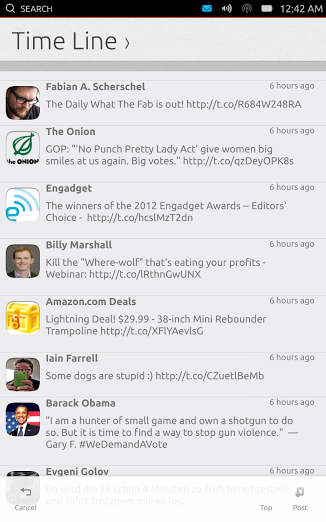
Gwibber/Friends

Gwibber microblogging client developer Ken Vandine has started porting it to a QML front-end using the Ubuntu SDK

Click for story

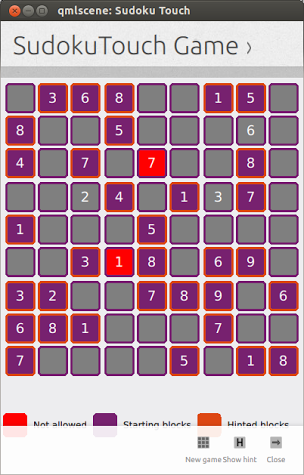
 Sudoku Touch

Everybody’s favorite number puzzle, you can now play Sudoku on Ubuntu Touch using the SDK components.

Click for story

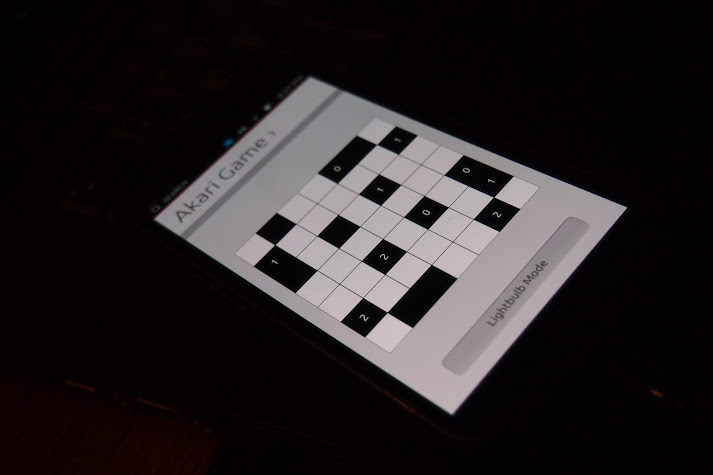
Akari

Or the lesser known number puzzle: Akari

Click for story

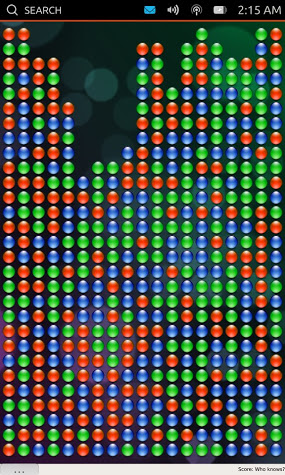
SameGame

If number puzzles aren’t your thing, you can always group and pop some bubbles with SameGame

Click for story

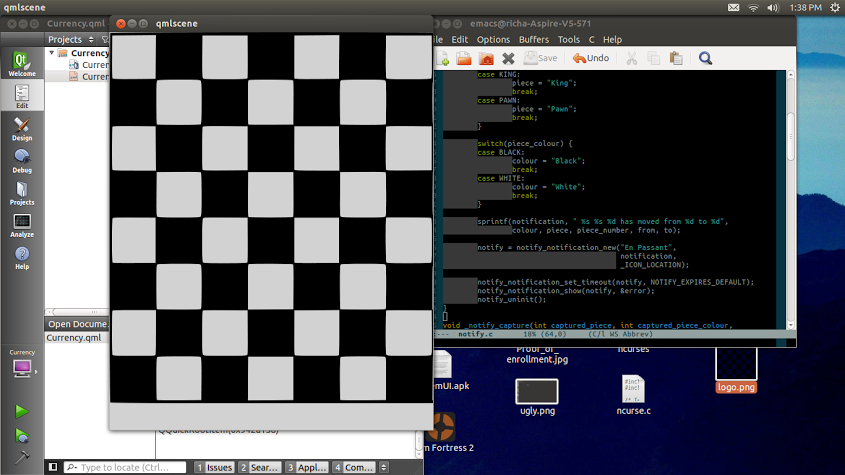
Chess Engine

Vibhav Pant gives us hope that a mobile chess app will be available soon, by porting his chess engine to the Ubuntu SDK

Click for story

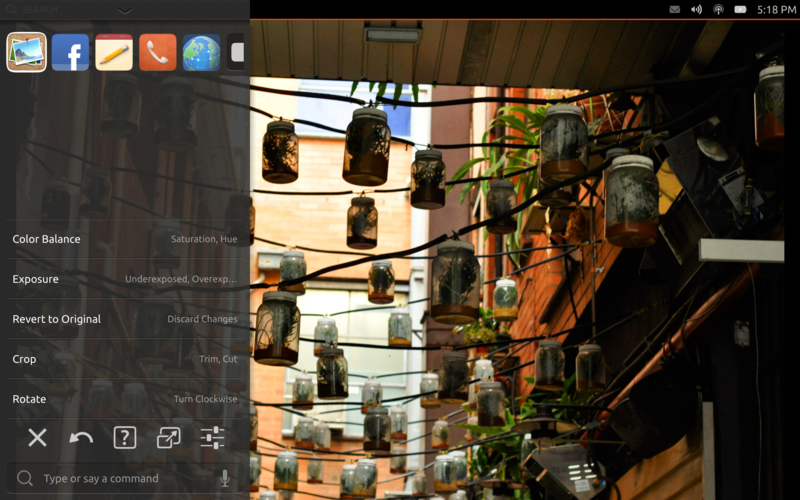
Novacut

Speaking of …read more
Source: FULL ARTICLE at Planet Ubuntu

Ted Gould: Introducing HUD 2.0

Screenshot of HUD

As you might have noticed in the tablet information we’ve put some time and effort into imaging the next steps for the HUD. For the last few months I’ve been leading a team to bring that into a reality on the tablet.


Managing complexity

One of the problems facing application developers on a device like a tablet is adding functionality without making the entire interface feel cluttered. We even made the problem harder by emphasizing a content focused strategy in our SDK. Where do you put controls? There are various tools including toolbars, but none of them scale to even a moderately complex application. With the power of today’s devices ever increasing, it’s clear that tablet applications are going to become more complex.

We could just tell application authors not to do it. Save that complexity for your desktop UI. But that wouldn’t be convergence, that’d be creating silos for you applications to live in.

By using HUD we allow applications to expose rich functionality that is available to the user via search. Users can search through the actions exposed by the application to find the functionality that they need. We combine that with historical usage and recently used items to take into account what functionality the user uses in the application. It’s the rich functionality of your application, customized for the individual user.


Designed for HUD

One of the things we realized early in the HUD 2.0 efforts is that we can no longer just passively take data from applications and make things better. We needed to go beyond menu sucking to having applications actively targeting the HUD. We’re building HUD functionality directly into the SDK making it easily available for application developers to add actions that are visible in the HUD.

By providing a way for applications to export both actions and their descriptions to the HUD directly we can make that interaction much richer. We can do things like get the keywords pragmatically so that they’re included next to the original item definitions. This also allows us to define actions that have additional properties that can be adjusted with UI elements, we’re calling these parameterized actions.


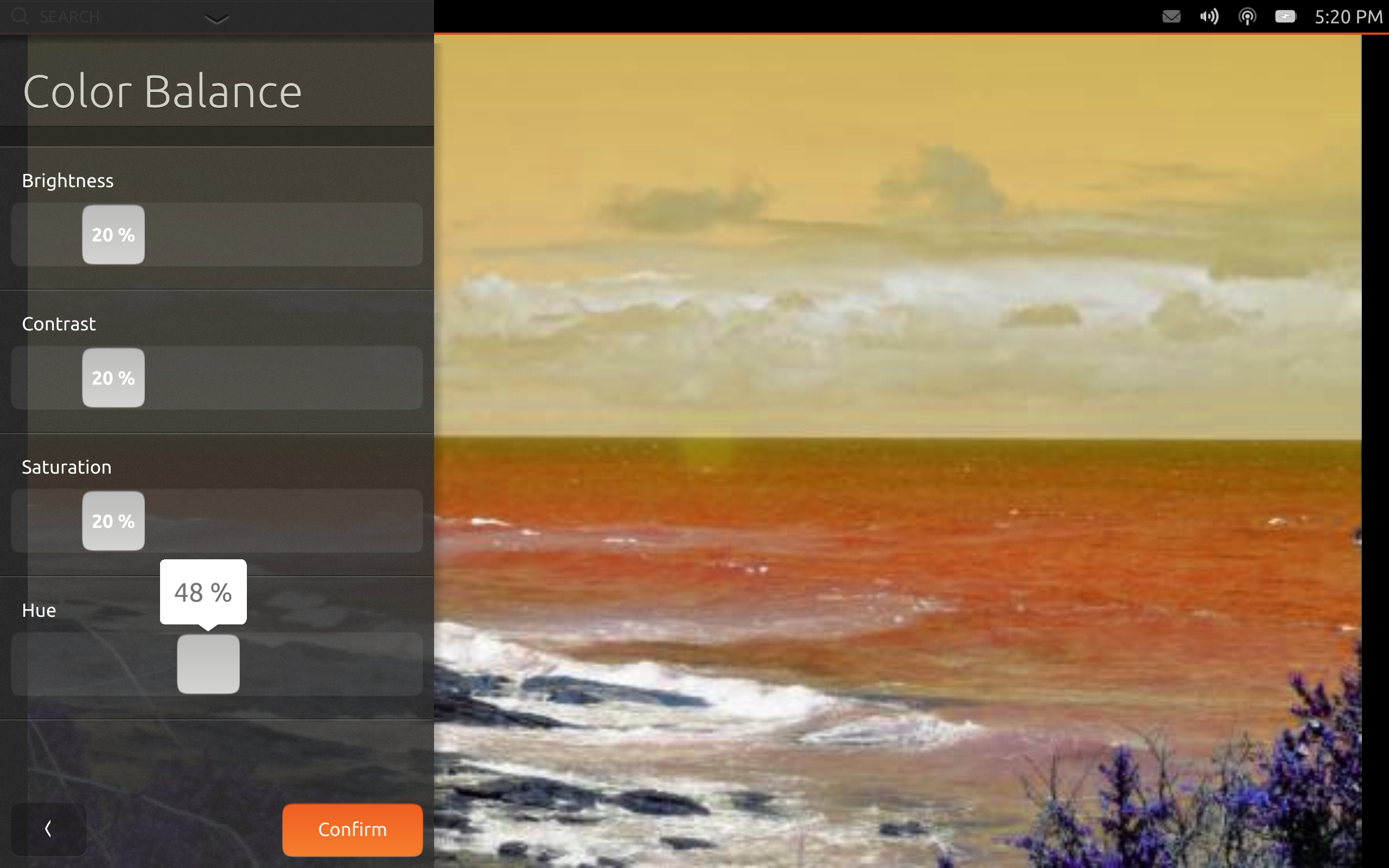
Screenshot of HUD using a parameterized action

Parameterized actions provide a way for applications to create a small autogenerated UI for simple settings and items that can be quick to edit. Let’s be clear, autogenerated UI‘s aren’t the best UI‘s, but if done right can be attractive and effective. We aim to do it right. Hopefully your application has a primary UI that is beautiful and tailored for its specific task that is then supplemented with additional settings and actions in the HUD, parameterized actions are no different there.

Currently in the code we only have support for sliders of integer percentages. That’s pretty limiting. We plan on expanding that to most of the base widgets in the …read more
Source: FULL ARTICLE at Planet Ubuntu

Jono Bacon: Five Ubuntu Touch Facts

A few days ago we announced Ubuntu for Tablets; the next piece on our wider Ubuntu convergence story. The tablet joins the Phone, TV, Ubuntu for Android, and the Desktop. See an excellent hands-on video review of the current developer build from Engadget.

Today the source and images for Ubuntu for Phones and Tablets (collectively known as Ubuntu Touch) was released.

I know there is some anticipation regarding this release and I just wanted to share a few facts to ensure we are all on the same page:

  1. Both Phone and Tablet code and images are available – today we are releasing two things for both the phone and the tablet. Firstly, if you simply want to run the software on a spare device, you can install the images on your device without caring about the code. If on the other hand you want to see the code (and contribute to it) we are also making this available too so that you can build, explore, and hack on it.
  2. This is unfinished and in-development software – it is important to remember that this is in-development software and as such is not finished yet. You are going to find that some features and applications are missing, and you will likely find bugs. We wanted to release the code and images early so that our community can try the software, provide feedback, and be able to join the development effort. With this goal to get the content out early we just want to ensure everyone fully understands that this is not yet a final product. I strongly recommend you only install the code/images on a spare handset/tablet and not your main phone/tablet due to the fact it is in-development code.
  3. A limited set of devices are supported – the images are only available for the Galaxy Nexus, Nexus 4, Nexus 7, and Nexus 10; these are the devices that our development team has been working towards. We appreciate that you may have a different phone or tablet, but unfortunately support for other devices is not currently planned. We will however be kicking off an outreach campaign soon to encourage and support our community in porting the code to other devices. Stay tuned for more!
  4. A new SDK is available also – in addition to the release of the code and images we have also released a new version of the SDK which includes a number of new features, most usefully the ability to deploy a QML app to a device so you can run it!
    • Ubuntu SDK application templates and wizard
    • QML2 UI designer
    • Templates for testing framework and internationalization
    • Deploy QML applications on an Ubuntu Phone/Tablet device
    • Basic terminal (ssh, adb) connectivity tools to the device
  5. Know where to find help – if you have questions or queries you should post your questions to Ask Ubuntu by clicking here.

I am sure you are now chomping at the bit to grab the images, check out the code, and get the new SDK release! Go and find all …read more
Source: FULL ARTICLE at Planet Ubuntu

Amazon Coins Will Be A Welcome Disruption To Android Developers

By Ewan Spence, Contributor One area that immediately springs to mind is how Coins will interact with Kindle FreeTime. This is the service that provides a walled garden inside the Kindle Fire Android tablets and allows children to play and explore, with their parents reassured that they can’t run up bills or order anything from the Amazon store. I can easily see FreeTime having its own ‘balance’ driven by Amazon Coins purchased by the parents so children can have some digital pocket money to spend as they see fit, but only the fixed amount transferred into the FreeTime account by their parents. 200 coins a month, does that feel about right? It’s the options available to Amazon if they move Coins away from an alternative way to buy apps but start to provide developers tools to use Coins as an in-app currency that really interest me. I hope Amazon will make this as simple as possible for developers to use, and provide an SDK that will work over all Android devices (not just the Kindle Fire). If so they can provide developers an alternative to Google Play for in-app purchasing. While the exchange rate at the moment is set to 1 coin per US cent, I’m sure that there will be special offers and exchange rates to kick start the program. Amazon has shown before they’re happy to buy the hearts and minds of Android developers to get them coming through their stores. Competition is going to be good for the Android ecosystem, and Google Play against Amazon Coins for in-app purchasing is going to be an interesting struggle to watch. Amazon of course want to bring more developers to their attention, and be able to ensure the best apps are available in the Amazon App Store. The Amazon Coin SDK will give them another engagement opportunity, and data points for applications and techniques that are earning money. This increase of income streams might seem, in the short term, to be a problem for the users. After all, aren’t they going to be expected to pay more so developers see more money? That is true, but margins and profits in the mobile app space (especially on Android) are not stunning. Without revenue flowing to the developers, there will be no high quality app economy. In the long term, if Amazon Coins can reward developers while feeling fair to users encountering the service in their apps, then this is for the benefit of the whole app ecosystem on mobile devices. And another thought. Amazon Coins can potentially add more to Amazon’s bottom line than the conversion fee to move between the virtual currency and hard cash. People buying coins are unlikely to spend all the coins in one transaction. Which leaves Amazon with a nice cash pile of purchased but unspent coins. It might not start out large, but if Coins becomes established, with millions of users, expect Amazon to work this reserve for their benefit. As announced today, Amazon Coins is a one way street, to ‘load up’ an account that can be used to buy applications in the Amazon App Store. But let’s not skate to where the puck is, let’s skate to where Jeff Bezos‘ puck is going to be. Which is a time when Amazon will have a micro-currency established across the Android ecosystem, when developers have an attractive alternative that provides them a solid income stream, when users are encouraged to spend their money and reward the developers. That’s something I can see fitting in perfectly to Amazon’s ethos and strategy.
Source: FULL ARTICLE at Forbes Latest

Didier Roche: Unity: release early, release often… release daily! (part 1)

For almost the past 2 weeks (and some months for other part of the stacks), we have automated daily release of most of the Unity components directly delivered to Ubuntu raring. And you can see those different kinds of automated uploads published to the ubuntu archive.

I’m really thrilled about this achievement that we discussed and setup as a goal for the next release at past UDS.

Why?

The whole Unity stack has grown tremendously in the past 3 years. At the time, we were able to release all components, plus packaging/uploading to ubuntu in less than an hour! Keeping the one week release cadence by then was quite easy, even though a lot of work. The benefit was that it enabled us to ensure that we have a fluid process to push what we developped upstream to our users.

As of today, teams have grown by quite some extends, and if we count everything that we develop for Unity nowadays, we have more than 60 components. This covers from indicators to the theme engine, from the open input framework to all our tests infrastructure like autopilot, from webapps to web credentials, from lenses to libunity, and finally from compiz to Unity itself without forgetting nux, bamf… and the family is still growing rapidly with a bunch of new scopes coming down the pipe through the 100 scopes project, our own SDK for the Ubuntu phone, the example applications for this platform we are about to upload to Ubuntu as well… Well, you got it, the story is far from ending!

So, it’s clear that those numbers of components that we develop and support will only go higher and higher. The integration team already scaled by large extends their work hours and rush to get everything delivered timely to our user base[1]. However, it’s with no question that we won’t be able to do that forever. We don’t want as well introducing artificial delays to our own upstream on when we are delivering stuff to our users. We needed to solve that issue while not paying any price on quality, nor balancing the experience we deliver to our users. We want to keep high standards, and even, why not allying this need while providing an even a better, more reliable, and better evaluation before releasing of what we eventually upload to Ubuntu from our upstreams. Getting our cake and eat it too! :)

Trying to change for the better

What was done in the last couple of cycles was to separate between 2 groups the delivery of those packages to the users. There was an upstream integration team, which will hand over to the Ubuntu platform team theorically ready-to-upload packages, making the reviews, helping them, fixing some issues and finally sponsoring their work to Ubuntu. However, this didn’t really work for various reasons and we quickly realized that this ended up just complexifying the process instead of easing it out. You can see a diagram of where we ended up when looking back at the situation:

end of 12.04 and 12.10 release process

Seems easy isn’t it? ;) Due to those inner loops and gotchas, in addition to the whole new set of components, we went from a weekly release cadence to doing 4 to 5 solid releases during a whole cycle.

Discussing about it with Rick Spencer, he gave me a blank card on thinking how we can make this more fluid to our users and developers. Indeed, with all the work piling up, it wasn’t possible to release immediatly the good work that upstream did in the past days, which can lead to some frustration as well. I clearly remember that Rick used the term “think about platform[2] as a service”. This kind of immediatly echoed in me, and I thought, “why not trying that… why not releasing all our code everyday and delivering a service enabling us to do that?”

Daily release, really simplified diagram

Even if not planned from the beginning (sorry, no dark, hidden, evil plan here), thinking about it, this makes sense as part of some kind a logical progression from where we started since Unity exists:

  • Releasing every week, trying manually to get the release in a reasonable shape before uploading to Ubuntu
  • Raise the quality bar, put some processes for merge reviewing.
  • Adding Acceptance Criterias thanks to Jason Warner, ensuring that we are getting some more and more good tests and formal conditions on doing a release
  • Automate those merges through a bot, ensuring that every commits in trunk builds fine, that unit tests are passing
  • Raise again the quality bar, adding more and more integration tests

Being able and ensuring we are able to release daily seems really, looking at it, par of the next logical step! But it wouldn’t have been possible without all those past achievements.

Advantages of daily releases

It’s quite immediate to see a bunch of positive aspects of doing daily releases:

  • We can spot way faster regressions. If a new issue arose, it’s easier to bisect through packages and find the day when the new regression or incorrect behavior started to happen, then, looking at the few commits to trunk (3-5?) that was done this day and pinpoint what introduced it.
  • This enables us to deliver everything in a rapid, reliable, predictable and fluid process. We won’t have crazy rushes as we had in the past cycles around goal dates like feature freezes to get everything in the hand of the user by then. This will be delivered automatically the day after to everyone.
  • I see also this as a strong motivation for the whole community who contributes to those projects. Not having to wait a random date hidden in a wiki for a “planned release date” to see the hard work you put into your code to be propagated to the user’s machines. You can immediately see the effect of your hacking on the broader community. If it’s reviewed and approved for merging (and tests passes, I’ll come back to that later), it will be in Ubuntu tomorrow, less than 24 hours after your work reached trunk! How awesome is that?
  • This also means that developers will only need to build the components they are working on. No need for instance to rebuild compiz or nux to do an Unity patch because the API changed and you need “latest everything” to build. Lowering the entry for contributing and chances that you have unwanted files in /usr/local staying around conflicting with the system install.

Challenges of daily release

Sure, this comes with various risks that we had to take into account when designing this new process:

  • The main one is “yeah, it’s automated, how can you be sure you don’t break Ubuntu pushing blindly upstream code to it?”. It’s a reasonable objection and we didn’t ignore it at all (having the history of years of personal pain on what it takes to get a release out in an acceptable shape to push to Ubuntu) :)
  • How to interact properly with the Ubuntu processes? Only core developpers, motus, and per-package uploaders have upload rights to Ubuntu. Will this new process in some way give our internal upstream the keys to the archives, without having them proper upload rights?
  • How ensuring packaging changes and upstream changes are in sync, when preparing a daily release?
  • How making useful information in the changelog so that someone not following closely upstream merges but only looking at the published packages in raring-changes mailing list or update-manager can see what mainly changed in an upload?
  • How to deal with ABI breaks and such transitions, especially when they are cross-stacks (like a bamf API change impacting both indicators and Unity)? How to ensure what we deliver is consistent across the whole stacks of components?
  • How do we ensure that we are not bindly releasing useless changes (or even an upload with no change at all) and so, using more bandwith, build time, and so on, for nothing?

How then?

I’ll detail much of those questions and how we try to address those challenges in the subsequent suite of blog posts. Just for now, to sum up, we have a good automated test suite, and stacks are only uploaded to Ubuntu if:

  1. their internal and integration tests are passing above a certain theshold of accepted failures.
  2. they don’t regress other stacks

Stabilizing those tests to get reliable result was a tremendous work for a cross-team effort, and I’m really glad that we are confident in them to finally enable those daily release.

On another hand, additional control is made to ensure that packaging changes are not committed without someone with upload right being in the loop for acking the final change before the copy to the distribution happens.

Of course, the whole machinery is not limited to this and is in fact way more complicated, I’ll have the pleasure the write about those in separate blog posts in the following days. Stay tuned!

Notes

[1] particularly around the feature freeze

[2] the Ubuntu platform team here, not Ubuntu itself ;)

Source: FULL ARTICLE at Planet Ubuntu

Active, images and devices

As I wrote before, we are trying to make PA4 as stable as possible, and as well as it was noted by some people, this involves also having images for a wide variety of devices.

What I’m doing, is kindof even another step: making the image creation as easy as possible, so that is possible for people to contribute easily in the creatoin process of those images, (especially images for previously unsupported devices).

In Mer, that is the base of Plasma Active the OS images are created from an instruction file called kickstart. you can find a source repository that creates kickstart files for plasma active here:

git clone git://anongit.kde.org/plasma-active-kickstart.git

Then, what you have to do is installing a Mer SDK, following the instructions here. This is very easy, is more or less uncompressing a tarball and running a shell script inside it, and should work on any distribution.

Then, from inside the SDK chroot environment, go where you downloaded the git repo (your home is accessible from there) and do:

mer-kickstarter -e . -c latest-devel/plasma-active-latest-devel.yaml -o plasma-active-latest-ks/

it will create a kickstart for each of the supported devices in the plasma-active-latest-ks/ subdirectory, then:

cd plasma-active-latest-ks/
sudo mic create livecd plasma-active-i586.ks -o . --pkgmgr=yum --arch=i686 --logfile=plasma-active-build.log

And an iso file with the same name as the kickstart file will be created. Different devices may need different image format, such as “raw” instead of “livecd”

Right now just a few devices are supported there, what I want to achieve is to support there all the device types Active has been successfully ran on.

One thing I must say, the code in that repo is derived from the Nemo project (another Qt based project built on top of Mer) so also a better sharing of bits and pieces for device adaptations with Nemo would be awesome as well.

Source: FULL ARTICLE at Planet KDE

Roccat MK Ryos Pro keyboard offers fully programmable lighting (video)

Las Vegas—Roccat has been in the PC peripheral game for some time, but this year they’re showcasing something really neat: a mechanical gaming keyboard with programmable key lighting and customizable Cherry MX mechanical key switches. If that reads like gibberish, let me back up and explain that mechanical keyboards are awesome because they offer much more tactile feedback than your typical keyboard — check out our mechanical keyboard guide to learn more.

The Roccat MK Ryos Pro’s SDK offers fully programmable lighting
Roccat’s Power Grid app lets you control your PC remotely

That’s not all: Roccat is going even deeper down the hardcore hardware nerd rabbit hole by shipping the MK Ryos Pro with an SDK (software development kit) for the lighting. It’s a neat step forward, but you’ll need to have some basic coding skills to program the keyboard to light up the way you want it to. If you do, you can configure the MK Ryos Pro to light up specific keys at specific times; that makes it possible to hack your keyboard so it lights up the QWERTY keys while you’re at full health and gradually dims them from right to left as your health bar drops, or have the visual equalized for your music player translated into lighting patterns on your backlit keyboard. If your coding skills aren’t up to snuff you’ll need to wait for enterprising Roccat-enthusiasts to get to work. Unfortunately we don’t know exactly how much they’re going to be asking for the MK Ryos Pro, but we know it should go on sale in the first quarter of 2013.

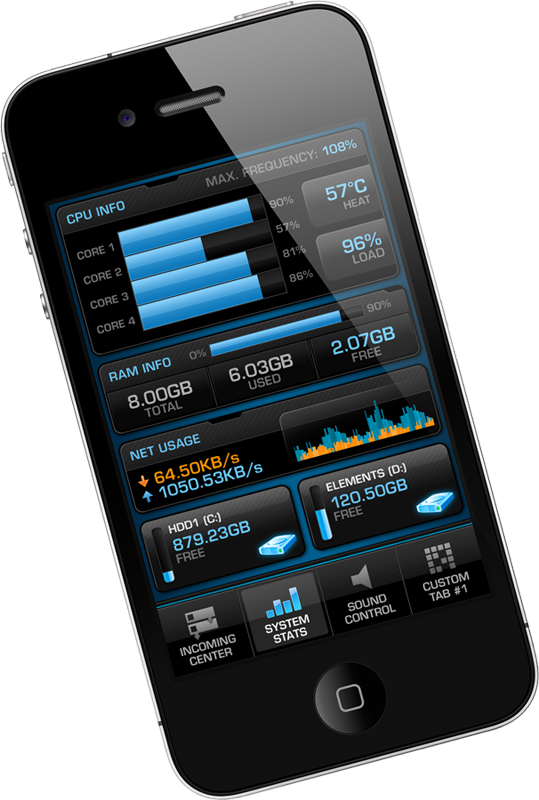
But wait, there’s more : Roccat is showing off a free iOS app that lets you wirelessly monitor and control your PC. It’s called Power-Grid, and while it’s still in beta (and has been for some time) I spent some time testing it at CES and it works surprisingly well when connected to a PC via Wi-Fi (Bluetooth support is in the works). You use it by downloading the free Power-Grid app to your smartphone and installing the free Power-Grid software on your PC, then pairing them up and personalizing the phone app for your needs.

You can use the Power-Grid app to remotely mix and control your PC volume, monitor vital PC stats like available memory or GPU temperature, launch programs and communicate via social networks, Skype and Teamspeak. You can also download custom grids for specific games that let you control the game with your phone; this may seem a little silly (after all, who wants to try and play Starcraft II with an iPhone) but in practice it works well for managing skills in slower games (like spells in Skyrim) or broadcasting orders in fast-paced multiplayer games like League of Legends. There will be a few custom game grids available at launch, and more are expected throughout the year. The Power-Grid apps should be available soon and will be free to download and use, though it’s possible that premium features may be introduced in the future for a small fee.

To read this article in full or to leave a comment, please click here

Source: FULL ARTICLE at PCWorld