Tag Archives: Galaxy Nexus

Daniel Holbach: Join our Ubuntu Touch Porting Clinic today

Ubuntu Touch

These are very exciting times for Ubuntu Touch. Not only is the Ubuntu Edge, an Ubuntu super-phone, being funded right now, but we are also making lots of progress on getting Ubuntu running perfectly on phones and tablets near you.

I blogged about this a couple of times now, but Ubuntu Touch has been ported to LOTS of devices in the meantime. If we consult our Touch Devices list, there are 45 working ports, with 30 more in progress, and across 21 different brands. This is awesome. Now it’s time to bring all of them into the fold.

There are two things we have to do:

  1. Update some of the ports to the flipped container model. This switch has been happening over the last couple of weeks, but we’re there now. Android bits now run on top of an Ubuntu container. Some of the images still need to be updated to benefit from this.
  2. Enable the ports in phablet-flash. Yes, you read correctly. Since the announce of the Touch preview, we only supported four devices (Galaxy Nexus, Nexus 4, Nexus 7 and Nexus 10). We always wanted to make it easier to flash all other devices too, and now we’re almost there: If you as an image maintainer make some information available, phablet-flash will soon be able to pick it up.

Updating your image to the new world order is something we are discussing today, 1st August, in #ubuntu-touch on irc.freenode.net. We are having an Ubuntu Touch Porting Clinic today. So bring your device, your questions and we’ll help you get set up for the new image formats.

If you want your images to be supported by phablet-flash, that can be easily arranged too. Follow this process, to document how the flashing of your image works. Check out the latest branch of phablet-flash (not yet landed in trunk) to try out if your image works: lp:~sergiusens/phablet-tools/flash_change.

As always: if you have any questions, talk to us on #ubuntu-touch on irc.freenode.net or on the ubuntu-phone mailing list.

…read more

Source: FULL ARTICLE at Planet Ubuntu

Stéphane Graber: Introducing the Ubuntu Touch image based upgrader

Some of you may be aware that I along with Barry Warsaw and Ondrej Kubik have been working on image based upgrades for Ubuntu Touch.
This is going to be the official method to update any Ubuntu Touch devices. When using this system, the system will effectively be read-only with updates being downloaded over the air from a central server and applied in a consistent way across all devices.
Design details may be found at: http://wiki.ubuntu.com/ImageBasedUpgrades

After several months of careful design and implementation, we are now ready to get more testers. We are producing daily images for our 4 usual devices, Galaxy Nexus (maguro), Nexus 4 (mako), Nexus 7 (grouper) and Nexus 10 (manta).
At this point, only those devices are supported. We’ll soon be working with the various ports to see how to get them running on the new system.

So what’s working at this point?

  • Daily delta images are generated and published to
    http://system-image.ubuntu.com
  • We have a command line client tool (system-image-cli), an update server and an upgrader sitting in the recovery partition
  • The images usually boot and work

What doesn’t work?

  • Installing apps as the system partition is read-only and we’re waiting for click packages to be fully implemented in our images
  • Data migration. We haven’t implemented any migration script from the current images to the new ones, so switching will wipe everything from your device
  • Possibly quite some more features I haven’t tested yet

So how can I help?

You can help us if:

  • You have one of the 4 supported devices
  • You don’t use that device for your everyday work
  • You don’t need to install any extra apps
  • You don’t care about loosing all your existing data
  • You’re usually able to use adb/fastboot to recover from any problems that might happen

If you don’t fit all of the above criteria, please stick to the current flipped images.
If you think you’re able to help us and want to test those new images, then here’s how to switch to them:

  1. Get the latest version of phablet-tools (>= 0.15+13.10.20130720.1-0ubuntu1)
  2. Boot your device
  3. Backup anything you may want to keep as it’ll be wiped clean!!!
  4. Run: phablet-flash –ubuntu-bootstrap
  5. Wait for it to finish downloading and installing
  6. You’re done!
  7. To apply any further update, use: adb shell system-image-cli
    (never use phablet-flash after the initial flash, updates can only be applied through system-image-cli!)

Reverting to standard flipped images:

  • Boot your device
  • Backup anything you may want to keep as it’ll be wiped clean!!!
  • Run: phablet-flash –bootstrap
  • Wait for it to finish downloading and installing
  • You’re back to standard flipped images!

To report bugs, the easiest is to go to:
https://launchpad.net/ubuntu-image-image/+filebug

We also all hangout in #ubuntu-touch on irc.freenode.net


…read more

Source: FULL ARTICLE at Planet Ubuntu

Why Your Next Phone Will Include Fingerprint, Facial, and Voice Recognition

By Tarun Wadhwa, Contributor

In some ways, it’s a marvel that even half of consumers bother to lock their phones. You would think the benefits would be obvious enough: by entering a few numbers, you can achieve a basic level of protection from prying eyes.  But according to a recent study, 44% of users said that even this was too much of a hassle – worse, 30% weren’t even worried about mobile security at all.  From 0000 to 9999 there are 10,000 possible combinations of digits, yet in a sample of 3.4 million passwords, over 10% decided that “1234” was their strongest choice. For years now, consumers have been demanding a better way, something more convenient and less time-consuming.  As it turns out, they may have had the answer all along without even knowing it – their body parts can serve as their next password.  Biometric identification, which works by using the unique characteristics of your body to prove who you are, may be the key to a much more effective system. In fact, it is an almost certainty that within the next few years, three biometric options will become standard features in every new phone: a fingerprint scanner built into the screen, facial recognition powered by high-definition cameras, and voice recognition based off a large collection of your vocal samples. To many in the industry, this is not a surprise but an inevitability.  We store an enormous amount of some our most intimate and personal information on cell phones.  Businesses today are constantly struggling with policies regarding bringing devices from home; a study by Symantec showed that mobile device security was the greatest area of concern for organizations around the world.  PIN numbers are better than nothing at all, but nowhere near enough in a world where cell phone theft now makes up a major portion of urban crime, and a missing device means lost company secrets. Ever since Apple purchased Authentec Inc in July of last year, there has been an endless stream of news stories obsessing over whether Apple will include a fingerprint scanner in their next release.  In reality, Apple is one among many players, and whether they include a biometric sensor in the 5S or wait till the 6 is largely irrelevant, the entire mobile industry has been headed this way for years now.  Samsung’s Galaxy Nexus phones include facial recognition already (although, they did not do a great job), accessories that can add a fingerprint scanner to your current phone have proven to be popular, and voice recognition is now available through many different services. What makes this so feasible is that the technologies needed to make these changes are already in place. Facial and voice recognition are just software; they can use the powerful cameras and microphones already in your phone.  And as the next generation of devices are made with better internal components, these systems will only get more powerful and more accurate.  Fingerprint scanners have also matured greatly over the last few years, and at …read more
Source: FULL ARTICLE at Forbes Latest

'Ubuntu Touch Port-a-Thon': 25 devices and counting

Just two days after Canonical’s launch of Ubuntu Linux for tablets, the company released the developer’s preview image it had promised for both tablets and phones.

With images and installation instructions for the Nexus 7 and Nexus 10 tablets as well as smartphones including the Nexus 4 and Galaxy Nexus, the preview release was designed to show “how well the vision of a design family across different form factors works,” as Ubuntu developer Daniel Holbach explained in a blog post last Friday.

Much the way Canonical recently solicited the community’s help in designing and creating a set of basic open source apps that will come preloaded on Ubuntu Phone devices, so it is now asking those with access to any of these four Nexus devices to help test the Ubuntu Touch preview images on them.

For all others, it has launched what it calls the Ubuntu Touch Port-a-thon.

To read this article in full or to leave a comment, please click here

…read more
Source: FULL ARTICLE at PCWorld

Jono Bacon: XDA Developers and Ubuntu Touch

Big shout out to the awesome community over at XDA Developers who have been getting involved in the Ubuntu Touch Port-o-thon to bring the Ubuntu Touch images to more and more devices. Daniel Holbach kicked off the port-o-thon the day after we released the code and images last week, and we are already seeing fantastic work going on.

When the initial announcement hit their forum it generated over a 100 posts within a day and there is currently 101 pages of posts on that thread. There is also an Ubuntu Touch Subforum which has seen over 4000 posts already. We are just blown away by the level of interest.

As you can see on the devices wiki page we are already seeing some fantastic work going on to port Ubuntu Touch to additional devices. Here are some great examples of this work (click each link to see the XDA Developers thread):

Awesome work!

I asked David Planella and Daniel Holbach on my team to kick off a regular engagement with XDA Developers to help us grow an great relationship together. The first call was today and we are kicking some ideas around of how to work more closely together. Stay tuned for more!

…read more
Source: FULL ARTICLE at Planet Ubuntu
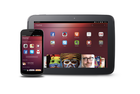
Benjamin Kerensa: Firefox OS and Ubuntu Touch: Who Will Prevail at MWC13?

example apps 200x300 Firefox OS and Ubuntu Touch: Who Will Prevail at MWC13?

We are all aware of the current mobile duopoly which is iOS and Android, but at the Mobile World Congress or MWC13, as its commonly being called, there will be a line up of two platforms that attendees will be eager to have a look at: Firefox OS and Ubuntu. Indeed there will be other contenders like Tizen and Sailfish OS, but let’s be honest, if any two open source platforms have a chance of breaking up the mobile duopoly, the best bet is in Firefox OS and Ubuntu Touch.

So between Firefox OS and Ubuntu Touch which platform will have the most buzz? I’m betting on Firefox OS considering their platform is mature. has a great line up of apps, and perhaps the better development tools when compared to Ubuntu Touch, which seems to be building its platform on using a mashup of Cyanogenmod and demo applications that are mostly just a UI shell and for all purposes are demoware.

Performance

I have tried out the Ubuntu Touch image on a Galaxy Nexus device. I have also had multiple opportunities to test the Firefox OS platform on development devices, Comparing the two, I found the Firefox OS UI not only to be much faster and more fluid to the Touch, but months ago, when I was playing around with Firefox OS, it was much more mature than the Ubuntu Touch platform is today.

Apps

Firefox OS already has a impressive line up of apps available in the Firefox Marketplace, many of which are officially supported by the service providers. Ubuntu Touch mostly has non-functional demo applications and has no official support from the likes of Twitter, Evernote and other major services. In fact, just a few days ago I asked someone at Canonical whether they even had permission to use the  trademarked branding of Twitter, Facebook and Skype and they had no clue and thought that the trademark policies of these brands would openly allow them to use the brands and make a show like there was official support from these brands for the Ubuntu Touch platform.

Development Advocacy

Firefox OS set out from the start to not only provide excellent developer tools to contributors but also to host events worldwide to support and accelerate app development by supporting its local communities worldwide through the Mozilla Reps program. Ubuntu has yet to use and empower its LoCo’s (Local Communities) to host events and bring potential developers into the fold.

Firefox OS boasts a emulator for the Ubuntu Desktop yet Ubuntu Phone has no comparable emulator so developers can test their apps and see how they function.

Openness

Firefox OS has been an open platform from the start and has had a very open dialogue with its community while Ubuntu Touch has seen a lot of behind the scenes privacy and limited involvement with the Ubuntu …read more
Source: FULL ARTICLE at Planet Ubuntu

Jono Bacon: Five Ubuntu Touch Facts

A few days ago we announced Ubuntu for Tablets; the next piece on our wider Ubuntu convergence story. The tablet joins the Phone, TV, Ubuntu for Android, and the Desktop. See an excellent hands-on video review of the current developer build from Engadget.

Today the source and images for Ubuntu for Phones and Tablets (collectively known as Ubuntu Touch) was released.

I know there is some anticipation regarding this release and I just wanted to share a few facts to ensure we are all on the same page:

  1. Both Phone and Tablet code and images are available – today we are releasing two things for both the phone and the tablet. Firstly, if you simply want to run the software on a spare device, you can install the images on your device without caring about the code. If on the other hand you want to see the code (and contribute to it) we are also making this available too so that you can build, explore, and hack on it.
  2. This is unfinished and in-development software – it is important to remember that this is in-development software and as such is not finished yet. You are going to find that some features and applications are missing, and you will likely find bugs. We wanted to release the code and images early so that our community can try the software, provide feedback, and be able to join the development effort. With this goal to get the content out early we just want to ensure everyone fully understands that this is not yet a final product. I strongly recommend you only install the code/images on a spare handset/tablet and not your main phone/tablet due to the fact it is in-development code.
  3. A limited set of devices are supported – the images are only available for the Galaxy Nexus, Nexus 4, Nexus 7, and Nexus 10; these are the devices that our development team has been working towards. We appreciate that you may have a different phone or tablet, but unfortunately support for other devices is not currently planned. We will however be kicking off an outreach campaign soon to encourage and support our community in porting the code to other devices. Stay tuned for more!
  4. A new SDK is available also – in addition to the release of the code and images we have also released a new version of the SDK which includes a number of new features, most usefully the ability to deploy a QML app to a device so you can run it!
    • Ubuntu SDK application templates and wizard
    • QML2 UI designer
    • Templates for testing framework and internationalization
    • Deploy QML applications on an Ubuntu Phone/Tablet device
    • Basic terminal (ssh, adb) connectivity tools to the device
  5. Know where to find help – if you have questions or queries you should post your questions to Ask Ubuntu by clicking here.

I am sure you are now chomping at the bit to grab the images, check out the code, and get the new SDK release! Go and find all …read more
Source: FULL ARTICLE at Planet Ubuntu

Ubuntu App Developer Blog: Releasing the Ubuntu Touch Developer Preview and SDK Alpha

We’re thrilled to announce yet another significant milestone in the history of the Ubuntu project. After having recently unveiled the Ubuntu Touch Developer Preview, today we’re publishing the full source code and images for supported devices.

For developers and enthusiasts only

While a huge amount of Engineering and Design work has been put into ensuring that the foundations for our user experience vision are in place, we want to stress that the Ubuntu Touch Developer Preview is currently work in progress. We are releasing the full code at this point to align to our philosophy of transparency and open source development.

We recommend to install the Touch Developer Preview only if you are a developer or enthusiast who wants to test or contribute to the platform. It is not intended to replace production devices or the tablet or handset you use every day.

Flash your device

All that said, let’s get on to how to install Touch Developer Preview from a public image on your device.

What to expect after flashing

Not all functionality from a production device is yet available on the Touch Preview. The list of functions you can expect after installing the preview on your handset or tablet are as follows. For detailed information check the release notes.

  • Shell and core applications
  • Connection to the GSM network (on Galaxy Nexus and Nexus 4)
  • Phone calls and SMS (on Galaxy Nexus and Nexus 4)
  • Networking via Wifi
  • Functional camera (front and back)
  • Device connectivity through the Android Developer Bridge tool (adb)

Supported devices

The images we are making available today support the following devices:

I’m all set, show me how to flash!

You will find the detailed instructions to flash on the Ubuntu wiki.

Install the Touch Developer Preview >

Contributing and the road ahead

These are exciting times for Ubuntu. We’re building the technology of the future, this time aiming at a whole new level of massive adoption. The Touch Developer Preview means the first fully open source mobile OS developed also in the open. True to our principles this milestone also enables our community of developers to contribute and be a key part of this exciting journey.

In terms of the next steps, today we’re making the preview images available for the Ubuntu 12.10 stable release. In the next few days we’re going to switch to Raring Ringtail, our development release, which is where development will happen on the road to our convergence story.

You’ll find the full details of how the infrastructure and the code are being published and used on the Ubuntu wiki.

Contribute to the Touch Developer Preview >

Presenting the Ubuntu …read more
Source: FULL ARTICLE at Planet Ubuntu

Randall Ross: Ubuntu Global Jam – With Phones! With Tablets!

Would you like to see (or show) the Ubuntu Phone or Ubuntu Tablet in person? Come to the Ubuntu Global Jam!

The Ubuntu Global Jam happening on March 1, 2, 3 (2013) is your chance to see (or to show others) how amazing Ubuntu is on these devices.

I have received confirmation that the flashing instructions will be ready before (and in preparation for) the Jam weekend, so get ready! Do you have a “Galaxy Nexus” or a “Galaxy Nexus 4″ phone? Do you have a “Nexus 7” or “Nexus 10” tablet? Bring them!

Up until now, most readers of Ubuntu Planet (and most journalists too) have only seen these devices in videos. The Ubuntu Global Jam is our chance to change that.

Be an Ubuntu Advocate. Give a great demo. (If you are planning to bring your phone or tablet to the event, please add the word “phone” or “tablet” or both to the event description at http://loco.ubuntu.com/events/global/2221/detail/ )

Be an Ubuntu supporter. Find people in your town/city that enjoy Ubuntu and spend some time with them.

Don’t see an event near your city/town? You can help fix that! Please add your event to the LoCo Team Portal http://loco.ubuntu.com/events/global/2221/detail/ so the world can start seeing all the amazing things that you’re doing for Ubuntu.

Thanks in advance for participating in the Ubuntu Global Jam!

…read more
Source: FULL ARTICLE at Planet Ubuntu

Canonical launches Ubuntu tablet interface to run on top of its OS

Canonical introduces the Ubuntu tablet interface, which will compete with Android, iOS, and Windows with its own take on multitasking and advanced security features. The launch is the next step in Canonical’s quest to unify phones, tablets, PCs, and TVs.

Following Canonical‘s launch of Ubuntu for phones in January, the company now adds a new tablet user interface tailored for devices with screen sizes from 6 inches to 20 inches and resolutions from 100 to 450 ppi (pixels per inch), the company said on Tuesday.

The resolution leaves room to grow compared to today’s tablets. For example, the Nexus 10’s 10-inch screen packs in 300 pixels per inch.

Users can start testing the interface on Feb. 21, when the Touch Developer Preview of Ubuntu will be published with installation instructions for the Nexus 7 and Nexus 10 tablets, as well as smartphones such as the Nexus 4 and Galaxy Nexus. Like any cautious company, it notes that the Touch Developer Preview is a developer build and not a consumer-ready release.

To read this article in full or to leave a comment, please click here

…read more
Source: FULL ARTICLE at PCWorld

For a sneak peek at Ubuntu phones, try this Android app

Canonical made quite a splash at the start of this year when it announced Ubuntu for phones, but—apart from what it demonstrated at the time—we’re still waiting both for the downloadable image it promised to provide for the Galaxy Nexus and for specifics on actual devices.

Many outlets have reported that Ubuntu phones are due in October, but that’s still far from certain. Work on apps, however, has clearly begun.

In the meantime, those who can’t bear the wait now have at least some solace: an Android app you can download today that gives you at least an early taste of what Ubuntu Linux for phones will really be like.

Intrigued? Read on.

To read this article in full or to leave a comment, please click here

…read more
Source: FULL ARTICLE at PCWorld

The Fridge: Ubuntu Weekly Newsletter Issue 303

Welcome to the Ubuntu Weekly Newsletter. This is issue #303 for the week February 4 – 10, 2013, and the full version is available here.

In this issue we cover:

The issue of The Ubuntu Weekly Newsletter is brought to you by:

  • Elizabeth Krumbach
  • Jasna Bencic
  • Howard Chan
  • John Kim
  • Penelope Stowe
  • And many others

If you have a story idea for the Weekly Newsletter, join the Ubuntu News Team mailing list and submit it. Ideas can also be added to the wiki!

Except where otherwise noted, content in this issue is licensed under a Creative Commons Attribution 3.0 License BY SA Creative Commons License

…read more
Source: FULL ARTICLE at Planet Ubuntu