Tag Archives: Core Apps

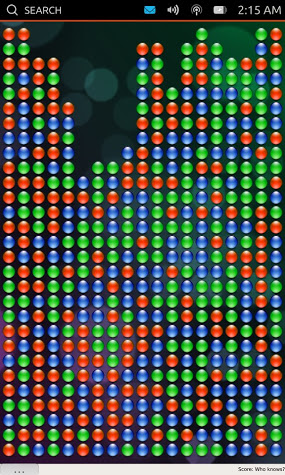
Michael Hall: Dropping Letters Hackfest

Mmmmmm, Pie....

We only have 2 days left in the Ubuntu Core Apps Hack Days!  I hope everybody who has participated has enjoyed it and found it informative and helpful.  If you haven’t participated yet, it’s not too late!  Come join us in #ubuntu-app-devel on Freenode’s IRC network anytime from 9am to 9pm UTC and ping either myself (mhall119) or Alan Pope (popey) and we’ll help you get setup and show you where you can start contributing to the Core Apps.

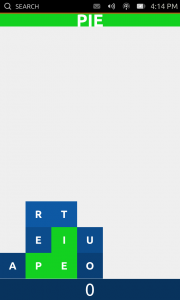
Today we get another chance to play while we work, because the focus is going to be on Dropping Letters, a simple, fun, yet surprisingly addictive little app written by Stuart Langridge.  Stuart has since handed off development of the app to others, but not before having it already in perfectly usable state.  Because of it’s simplicity, our list of dogfooding requirements wasn’t very long:

  • Start a new game. DONE!
  • View high scores.

Short as the list may be, it’s only half done!  We still need to integrate a high scores screen, which means we need you Javascript and QML developers!  Dropping Letters also needs to be tested, which means Autopilot, which of course means we have something for you Python hackers too!  So come and join us today in #ubuntu-app-devel and help make this great game even better.

…read more

Source: FULL ARTICLE at Planet Ubuntu

Michael Hall: Ubuntu Terminal Hackfest

We’re back again for another Ubuntu Core Apps Hack Day!  As always you can find us in #ubuntu-app-devel on Freenode IRC from 9am to 9pm UTC, you can ping me (mhall119) or Alan Pope (popey) and we’ll help you get setup with a development environment and a copy of the Core Apps source code so you can start hacking.

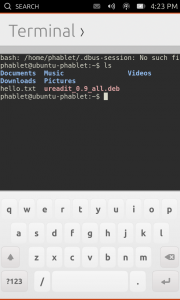
Today’s app is one that was most requested when we announced Ubuntu on phones, and has since proven to be one of the most often used by developers and testers the like.  That’s right, I’m talking about the Terminal!  The Terminal went through very rapid development, thanks to the herculean efforts of one very talented developer, and the ability to re-use the KTerminal QML component from KDE’s Konsole project.  Because of both, the Terminal app has been dogfoodable for a while now.

  • Issue commands. DONE!
  • Use case: ssh into another computer. DONE!
  • Use case: edit a file with vi. DONE!
  • Use case: tail a log file. DONE!
  • Use case: apt-get update. DONE!

But that doesn’t mean that the work here is done.  For starters, we need to make sure that changes to the KTerminal code are submitted back upsteam, something we could certainly use some help from somebody who is familiar with either Konsole’s development specifically or KDE in general.  We also want to improve the availability of special keys like the function keys and ctrl+ combinations that are oh so useful when interacting with the command line, so anybody with QML/Javascript experience or who is familiar with the on-screen keyboard specifically would be able to help us out quite a bit here.

…read more

Source: FULL ARTICLE at Planet Ubuntu

Michael Hall: Ubuntu Document Viewer Hackfest

Last week was certainly an exciting one, between the Ubuntu Edge campaign announcement and several coworkers being at OSCON, I wasn’t able to keep the Hack Days going.  So we’ve decided to pick up where we left off this week, covering the remaining Core Apps on our list.  Just like before we’ll be hanging out in #ubuntu-app-devel on Freenode IRC from 9am to 9pm UTC, and will be more than happy to walk you through the process of getting started.

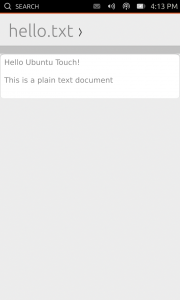
Today we’re going to work on the Document Viewer, a necessary app for most people, which is at the same time both simple and very complicated.  The app itself doesn’t require a lot of functionality, but it does need a lot of behind-the-scenes components to load and render documents of different formats.  Great progress has already been made on our dogfooding requirements list:

  • Load a text file. DONE!
  • Load an image file. DONE!
  • Load a PDF.
  • View the file. DONE!
  • Forward/back pages on PDF.
  • Pinch to zoom.

Until just yesterday, there wasn’t a released version of our desktop PDF library (Poppler) that had Qt5 bindings.  However, with the release of Poppler 0.24 yesterday, we should not be ready to start implementing the PDF support.  We also need to replace the existing C++ wrapper used to launch the app with the new Arguments QML component, but when we do that we’ll need another QML plugin that will give us the mime-type of the files that are being loaded.  And of course we need to make sure we have full Autopilot test coverage for all of these parts.  So whether your skill set is Python, QML, Javascript or C++, there is something you can contribute to on this app.

…read more

Source: FULL ARTICLE at Planet Ubuntu

Alan Pope: Discussing Ubuntu Touch Apps

I’ve been reading with great interest the blog posts from Michael Hall highlighting all the activity in the Ubuntu Touch developer community. It’s exciting to see people have started poking at our fledgling SDK and have already created some cool applications. Likewise, internally at Canonical developers are working hard on the infrastructure, platform and SDK to make it easy, fun and robust to create applications for Ubuntu Touch.

We’re keen to keep lines of communication between the developer community and platform developers wide open, while allowing everyone to get on with their work. From the Canonical side we’ll shortly be publishing more details of our plans for the platform so developers have a better understanding of our roadmap and can set their own expectations accordingly.

On the flip-side we’re also keen to get feedback from developers. We’ve scheduled regular check-up meetings with developers of the Core Apps which are listed on the wiki. Everyone is welcome to attend and join in, but the primary goal of each is to allow us to help Core Apps developers.

It’s great to see that new contributors, hackers and people just having a play with Ubuntu Touch Developer Preview are coming to #ubuntu-touch at all hours of the day and night to get and give help and discuss what they’re doing.

We have noticed though that sometimes people aren’t getting answers to their questions, usually because they ask when many core contributors are asleep or just busy doing other things. This is the nature of IRC, and we’re not looking to force people to only come to the channel at certain times.

We do though want to improve our communication by having a specific time when developers and other experts will actually be around, and if we can’t get an answer immediately, make a note of it so we can get back to people later.

So every Wednesday we’re also holding a regular open “Ubuntu Touch Weekly Clinic” in #ubuntu-touch on freenode IRC at 13:00 UTC. Feel free to ping myself (popey) or Michael Hall (mhall119) on IRC to get our attention

We picked a time when it seems most core contributors are available, covering European afternoon and American morning. Everyone is of course welcome at any time in the channel, this gives us a focal point for our users. This isn’t a formal “Q&A” like the Ubuntu On Air sessions, but simply an accessible-for-most slot when we can guarantee people will be around.

So come along on Wednesday to the “Ubuntu Touch Weekly Clinic” in #ubuntu-touch on freenode IRC at 13:00 UTC

              <a target=_blank …read more

Source: FULL ARTICLE at Planet Ubuntu

Michael Hall: Building an Ubuntu SDK App: rev 1

This is going to be the first in a series of articles about my journey into the wonderful world of Ubuntu SDK app development.  I’m no stranger to programming, or even app development on Ubuntu, but I am a stranger to Qt and QML.  Or at least I was.

Why build a Reddit client?

I started uReadIt for two primary reasons:

  1. I missed browsing Reddit in bed from my Nexus 7 (/r/science/ is nice when the “educational” channels in the US are playing crap), which I could do when it was running Android.  But even more importantly…
  2. I wanted to learn to write apps using the new Ubuntu SDK, and I always learn best by building something real.

The first of these was remarkably easy, I has a way of browsing my favorite subreddits within a day.  It’s the second reason, now, that is driving this development.  That’s important to remember, because it means I may choose to add features so that I can learn a part of the SDK, not necessarily because it’s an overly useful feature.  It also means I probably won’t be adding features that would make for an awesome Reddit app, unless they provide a way for me to try something new.

Tabs or PageStack?  That is the question

The Ubuntu SDK uses QtCreator, and adds plugins for integration with Ubuntu Devices, the Ubuntu Components, and also a set of Ubuntu App templates.  The QML templates both use the Ubuntu MainView component as it’s top-level element, but where they immediately differ is on the second-level components used for managing multiple “pages” in your app.

The first option is Tabs, which allows the user to switch between pages using an Ubuntu-themed tab-bar at the top.  This is what the Core Apps are using, and also what is used by default apps included in the Ubuntu Touch devices images, such as the Phone and Gallery apps.  Tabs are an easy way to provide flat navigation that the user can switch between any time.

The second option uses the PageStack component, which as the name implies manages a stack of pages.  PageStack doesn’t give you automatic navigation like Tabs do, you have to write the code to push pages to the stack (such as onClicked event handlers on a ListView itemm more on that later).  But it will automatically put a “Back” toolbar button in the bottom toolbar for you when when you push more than one page onto the stack, and clicking that will bring the user to the previous page in the stack.

I started out with Tabs, but decided that PageStack made more sense for what I wanted.

Putting it all together

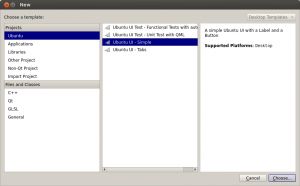
So, to get started I created a new project in QtCreator, using the Ubuntu UI – Simple template (this is the PageStack one).  This gave me MainView, PageStack, and a single Page components in my uReadIt.qml file.  I knew I wanted the first page to be my subreddit list of articles, so I gave it an …read more

Source: FULL ARTICLE at Planet Ubuntu

Michael Hall: Ubuntu SDK Apps are coming

The Ubuntu SDK preview is just over 2 months old, but we’ve already seen a lot of development starting with it.  Read below for a high-level look at some of the apps that are currently being written.

Core Apps

Shortly after making Ubuntu Touch and the SDK preview announcements, we kicked off an effort to develop the core applications for Ubuntu devices in the open with full community involvement.  We identified a number of desired applications, recruited interested community contributors, and dedicated design and project management resources from Canonical staff.

The actual development phase for these apps has only recently started, but some of them have shown a huge amount of progress already.

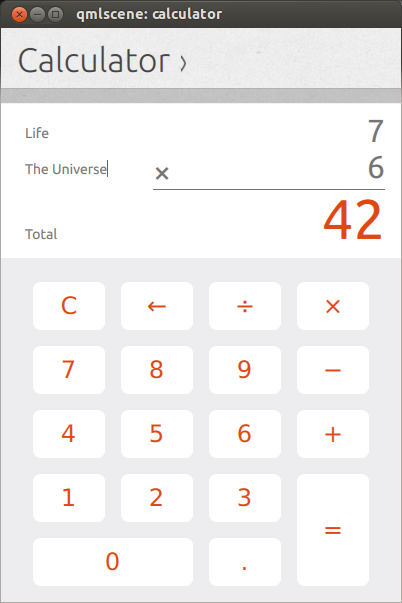
Calculator

The Calculator app has made huge progress, and has been working closely with Canonical designers to work out the user interface and user experience.

Click for video

Calendar

Likewise,the Calendar app developers have been iterating over their UI/UX with the design team, and are making fast progress on the front-end.

Click for video

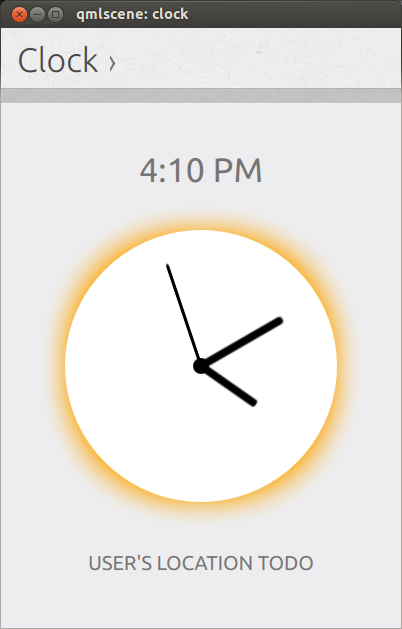
Clock

The Clock app is also sporting a functional, stylish analog dial that shows your current time, with screens staged for more features to come.

Click for video

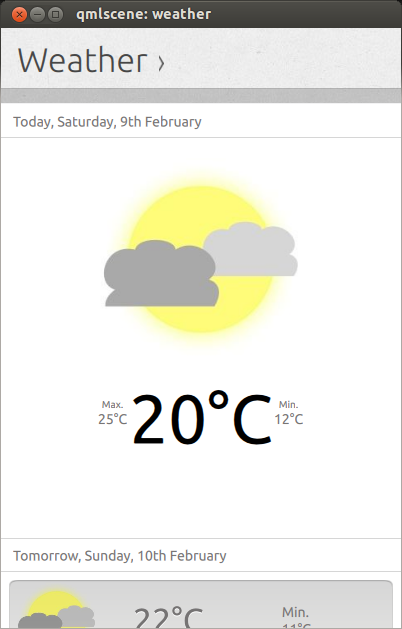
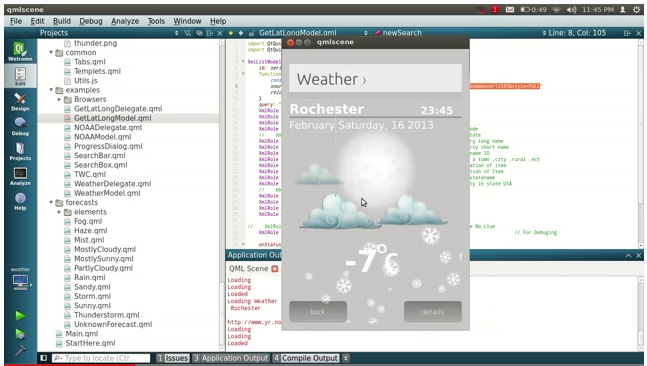
Weather

Even the weather app has seen some UI work recently

Click for video

But wait! There’s more!

The Core Apps developers aren’t the only ones working with the Ubuntu SDK preview, we’ve seen a number of 2nd and 3rd party app developers writing new apps or porting existing ones.  Here’s a short list of the ones that I’ve seen in development:

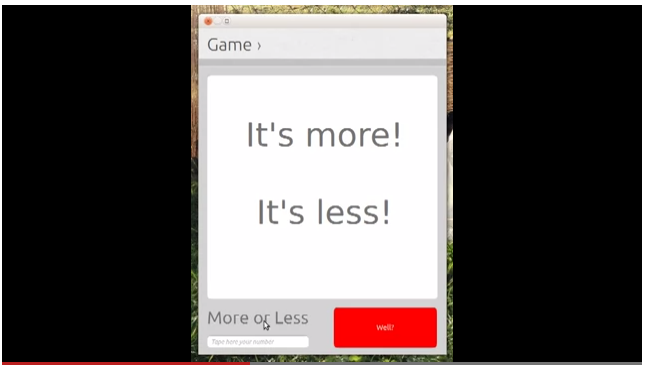
More or Less

A simple number guessing game

Click for story

Alternative Weather App

Community developer Joseph Mills independently created another Weather app

Click for story

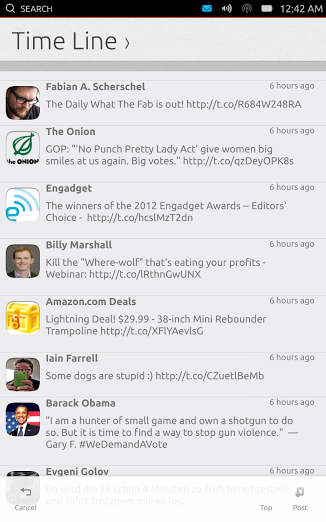
Gwibber/Friends

Gwibber microblogging client developer Ken Vandine has started porting it to a QML front-end using the Ubuntu SDK

Click for story

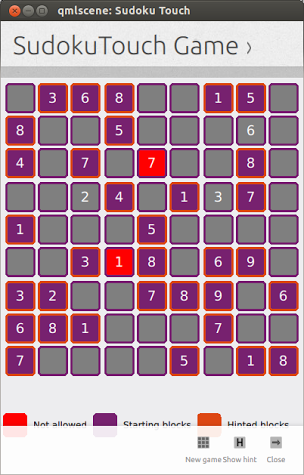
 Sudoku Touch

Everybody’s favorite number puzzle, you can now play Sudoku on Ubuntu Touch using the SDK components.

Click for story

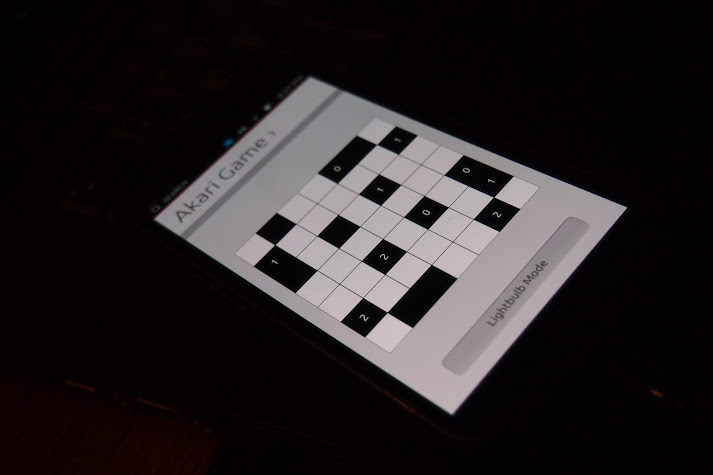
Akari

Or the lesser known number puzzle: Akari

Click for story

SameGame

If number puzzles aren’t your thing, you can always group and pop some bubbles with SameGame

Click for story

Chess Engine

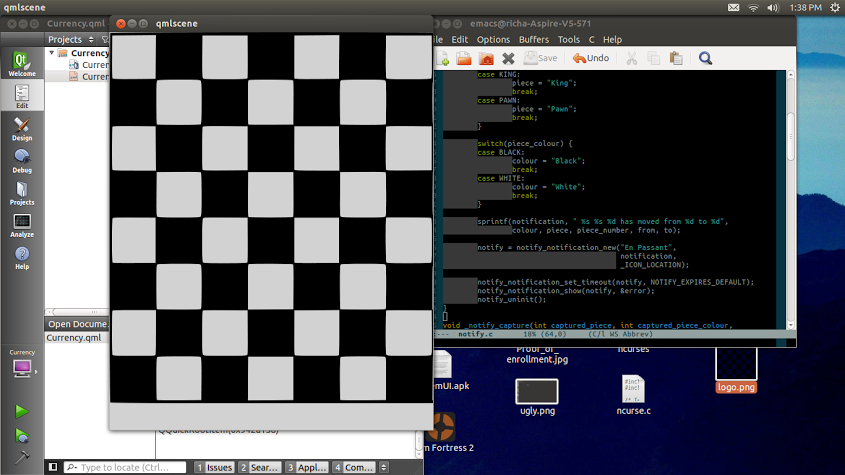
Vibhav Pant gives us hope that a mobile chess app will be available soon, by porting his chess engine to the Ubuntu SDK

Click for story

Novacut

Speaking of …read more
Source: FULL ARTICLE at Planet Ubuntu

Ubuntu App Developer Blog: Taking Ubuntu Touch Developer Preview to new levels

Yesterday we released Ubuntu Touch Preview images for four devices. This is a huge milestone for Ubuntu. We always wanted Ubuntu to be everywhere and the Preview shows quite nicely how well the vision of a design family across different form factors works.

There is quite a bit of work to be done, we all know that, but it’s a giant opportunity for us, the Ubuntu community. Everybody can contribute to the effort and we can show the world how we believe software should look like.

How you can help? Easy.

  • You can install the Ubuntu Touch preview images on a device and test them.
  • You can help out designing and shaping the Ubuntu Touch Core Apps.
  • If you are a bit more experienced with bringing software up on new devices, you can help us porting Ubuntu Touch to new devices.

Did the last point find your interest? Excellent, because we just took the wraps of our Ubuntu Touch Porting guide. This also marks the start of our Ubuntu Touch Port-a-thon. We want to get Ubuntu Touch up and running on as many devices as possible.

If you don’t mind some tinkering, maybe some kernel building, some configuration meddling and flashing your device repeatedly, you might just the person we’re looking for.

The porting guide should help you understand

  • how Ubuntu Touch works internally,
  • which bits are generally involved and where to find them
  • how to submit patches
  • how images are put together
  • how to test them and
  • where to find help

To get you started and into the mood, you might want to join us today, at Friday 22nd February at 15:00 UTC on http://ubuntuonair.com when two super heroes of the Ubuntu Touch project, namely Ricardo Salveti and Sergio Schvezov, are going to talk to us about the technical aspects of the phone and the tablet.

Reliable sources tell us, there’s going to be a surprise announce during the hangout as well.

This is the opportunity we always wanted. Let’s make it happen. Bring Ubuntu to the world in all its beauty.

…read more
Source: FULL ARTICLE at Planet Ubuntu

John Baer: Ubuntu Phone – Connecting the Dots

The thought of running Ubuntu on my phone has crossed my mind a time or two this past year and now it looks like this may be feasible in the near future.

As great as the Ubuntu Phone sounds, I have to consider how this is going to be successful in today’s mobile market.

Perspective

The good news is smart phone usage is up in many regions. Almost half (49.7%) of U.S. mobile subscribers now own smartphones. According to Nielsen this marks an increase of 38% over last year as in February of 2011 only 36% of mobile subscribers owned smartphones. This growth is driven by increasing smartphone adoption, as more than two-thirds of those who acquired a new mobile device in the last three months chose a smartphone over a feature phone. As illustrated below, Android continues to dominate as the favorite smartphone OS.

Ubuntu Phone 1938-020

On the down side, while smartphones have gone mainstream in the US adoption among emerging countries is still developing. According to new research from Nielsen, China is the only country among the high-growth BRIC (Brazil, Russia, India, China) markets where smartphones are predominant (as of the first half of 2012). In contrast, feature phones which are not suitable for Ubuntu are still dominant in India, Russia and there’s no clear favorite type of mobile device in Brazil with mobile ownership split between feature phones and smartphones.

Other entrants to the 2013 party

When the Ubuntu Phone becomes available it will not be the only new Linux entrant to the party.

Tizen

Tizen is an open source software platform targeted to devices such as smartphones, tablets, netbooks, in-vehicle infotainment devices, and smart TVs. The Tizen project resides within the Linux Foundation and is based on HTML5. Tizen has confirmed hardware support from Samsung.

SailFish

Sailfish is a Linux-based operating system for smartphones and other mobile devices.It traces its history to the highly praised MeeGo OS by Nokia. SailFish has confirmed support from the Chinese retailer D.Phone and Finland’s third-largest mobile carrier ST-Ericsson.

Firefox OS

Firefox OS is a mobile operating system developed by the Mozilla’s Boot to Gecko (B2G) project. It uses a Linux kernel and boots into a Gecko-based runtime engine which lets users run applications developed in HTML, JavaScript, and other open web APIs. Mozilla has confirmed hardware support from ZTE who has announced plans to offer a Firefox OS phone in 2013 with details to be unveiled at Mobile World Congress.

The Importance of Apps

There are now more than 675,000 apps available from Google Play, a figure worth noting as it means Android is within striking distance of overtaking iOS as the mobile operating system with the most apps.

For reference, Apple announced there are 700,000 apps in the iTunes App Store during the iPhone 5 launch event on September 12th.

Ubuntu Phone 1938-025

10 Most Popular iOS Apps for 2012

  • Google Drive – cloud
  • Google Chrome – browser
  • Clear – To-do list
  • iPhoto – organize and manage your photo
  • Google Maps
  • Fantastical – calendar
  • YouTube
  • Checkmark – reminder
  • Spotify for iPad
  • Tweetbot for iPad

* Source: Slash Gear

10 Most Popular Android Apps for 2012

  • Google Now
  • Google Drive
  • Flipboard
  • Catch Notes
  • SwiftKey 3
  • Xbox Smartglass
  • WhatsApp Messenger
  • TripIt Travel Organizer
  • Smart Tools
  • SlingPlayer

* Source: InformationWeek Mobility

Typical Smartphone Activities

All of these choices begs the question, what are folks doing with their smartphones? Here’s the lowdown.

Ubuntu Phone 1938-030

* Source: Compiled by AnsonAlex.com

Putting the above into perspective, other than great hardware what characteristics does the Ubuntu Phone need to exhibit to be successful at launch?

Great at its intended purpose

Although the statistics illuminate other things folks do with their smartphone the primary reason for purchasing a phone is to place and receive calls. Above all else the Ubuntu Phone must manage incoming and outgoing calls superbly. I assume this is still under development as call management was not showcased in any of the demonstrations I am aware of.

Reflecting on my own habits, here’s a distilled list of call management functions I would like to see.

  • log all accepted, missed, and rejected incoming and outgoing calls
  • link calls to my contacts if the contact is found
  • permit acceptance or rejection of incoming calls
  • manage audio such voice volume and ring tones
  • provide and manage call notifications

Contact management is an area where Ubuntu Phone can shine. Realizing Ubuntu One supports contacts I prefer to use Google as I am a Gmail user. Offering users the choice of where contacts are kept would be a plus.

In addition to a fantastic call experience the Ubuntu Phone must be able to speak all of the other communication dialects. As a communication device this includes WI-FI, BlueTooth, NFC, and USB.

Notifications, Alerts, and Replies

Notifications and alerts can come from a variety of sources; incoming calls, new emails, weather alerts, low power notifications, text messages, social networking pings or messages. I believe this is an area where the Ubuntu Phone will excel.

The Critical Mass of Apps

There is simply no way Ubuntu will build in the foreseeable future the kind of app stores enjoyed by Google and Apple. Is a 600K or 700K app store required for success? No, but there is a critical mass which must be achieved for lift off. I am going to break these down into two categories; core and enhancement.

Core Apps

By definition a core app is an app that is so closely associated with the OS it defines the OS. The orchestrated execution of core apps characterizes the user experience and as such these apps should either be developed by Canonical or under close Canonical supervision.

Contact Management

Notification and Message Management

Camera and Photo Album Management

Internet Browsing

Music Player

Video Player

Settings

Enhancement Apps

By definition enhancement apps improve the user experience by adding extra features and functionality. Pulling from the Google and Apple app store top 10, I would add the following.

Weather and weather alerts

Google Maps

Google Drive

Other Really Nice Apps

A short list of Apps I consider optional but really nice include are the following.

Google Now

Flip Board

Select Games

Wrap Up

The lesson here is the market waits for no one and Android and iOS users will not change to a user experience less than what they currently have. The concept of using your phone as a computer is certainly compelling but isn’t this functionality available today with Android and the Galaxy Nexus HDMI Portrait Desktop Doc? Granted this does not offer the type of central management a Ubuntu device will provide and this may be a compelling reason for organizations to consider this solution instead of BlackBerry.

No matter the angle you view this, the Ubuntu Phone will be Canonical’s greatest challenge. Sculpting the right mix of out of the box apps rooted in a solid Ubuntu foundation delivered at the right moment could result in an overnight success story we haven’t seen in this market for some time.

I am very excited about the possibilities.

The post Ubuntu Phone – Connecting the Dots appeared first on j-Baer.

Source: FULL ARTICLE at Planet Ubuntu