Tag Archives: Michael Hall

Michael Hall: Dropping Letters Hackfest

Mmmmmm, Pie....

We only have 2 days left in the Ubuntu Core Apps Hack Days!  I hope everybody who has participated has enjoyed it and found it informative and helpful.  If you haven’t participated yet, it’s not too late!  Come join us in #ubuntu-app-devel on Freenode’s IRC network anytime from 9am to 9pm UTC and ping either myself (mhall119) or Alan Pope (popey) and we’ll help you get setup and show you where you can start contributing to the Core Apps.

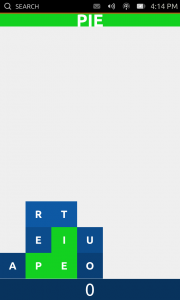
Today we get another chance to play while we work, because the focus is going to be on Dropping Letters, a simple, fun, yet surprisingly addictive little app written by Stuart Langridge.  Stuart has since handed off development of the app to others, but not before having it already in perfectly usable state.  Because of it’s simplicity, our list of dogfooding requirements wasn’t very long:

  • Start a new game. DONE!
  • View high scores.

Short as the list may be, it’s only half done!  We still need to integrate a high scores screen, which means we need you Javascript and QML developers!  Dropping Letters also needs to be tested, which means Autopilot, which of course means we have something for you Python hackers too!  So come and join us today in #ubuntu-app-devel and help make this great game even better.

…read more

Source: FULL ARTICLE at Planet Ubuntu
Michael Hall: Ubuntu Terminal Hackfest

We’re back again for another Ubuntu Core Apps Hack Day!  As always you can find us in #ubuntu-app-devel on Freenode IRC from 9am to 9pm UTC, you can ping me (mhall119) or Alan Pope (popey) and we’ll help you get setup with a development environment and a copy of the Core Apps source code so you can start hacking.

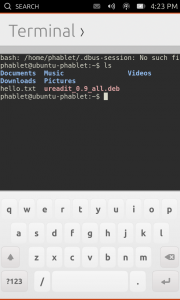
Today’s app is one that was most requested when we announced Ubuntu on phones, and has since proven to be one of the most often used by developers and testers the like.  That’s right, I’m talking about the Terminal!  The Terminal went through very rapid development, thanks to the herculean efforts of one very talented developer, and the ability to re-use the KTerminal QML component from KDE’s Konsole project.  Because of both, the Terminal app has been dogfoodable for a while now.

  • Issue commands. DONE!
  • Use case: ssh into another computer. DONE!
  • Use case: edit a file with vi. DONE!
  • Use case: tail a log file. DONE!
  • Use case: apt-get update. DONE!

But that doesn’t mean that the work here is done.  For starters, we need to make sure that changes to the KTerminal code are submitted back upsteam, something we could certainly use some help from somebody who is familiar with either Konsole’s development specifically or KDE in general.  We also want to improve the availability of special keys like the function keys and ctrl+ combinations that are oh so useful when interacting with the command line, so anybody with QML/Javascript experience or who is familiar with the on-screen keyboard specifically would be able to help us out quite a bit here.

…read more

Source: FULL ARTICLE at Planet Ubuntu

Michael Hall: Ubuntu Document Viewer Hackfest

Last week was certainly an exciting one, between the Ubuntu Edge campaign announcement and several coworkers being at OSCON, I wasn’t able to keep the Hack Days going.  So we’ve decided to pick up where we left off this week, covering the remaining Core Apps on our list.  Just like before we’ll be hanging out in #ubuntu-app-devel on Freenode IRC from 9am to 9pm UTC, and will be more than happy to walk you through the process of getting started.

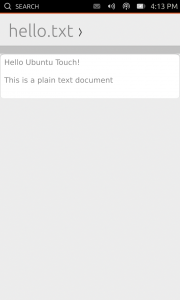
Today we’re going to work on the Document Viewer, a necessary app for most people, which is at the same time both simple and very complicated.  The app itself doesn’t require a lot of functionality, but it does need a lot of behind-the-scenes components to load and render documents of different formats.  Great progress has already been made on our dogfooding requirements list:

  • Load a text file. DONE!
  • Load an image file. DONE!
  • Load a PDF.
  • View the file. DONE!
  • Forward/back pages on PDF.
  • Pinch to zoom.

Until just yesterday, there wasn’t a released version of our desktop PDF library (Poppler) that had Qt5 bindings.  However, with the release of Poppler 0.24 yesterday, we should not be ready to start implementing the PDF support.  We also need to replace the existing C++ wrapper used to launch the app with the new Arguments QML component, but when we do that we’ll need another QML plugin that will give us the mime-type of the files that are being loaded.  And of course we need to make sure we have full Autopilot test coverage for all of these parts.  So whether your skill set is Python, QML, Javascript or C++, there is something you can contribute to on this app.

…read more

Source: FULL ARTICLE at Planet Ubuntu
Alan Pope: Discussing Ubuntu Touch Apps

I’ve been reading with great interest the blog posts from Michael Hall highlighting all the activity in the Ubuntu Touch developer community. It’s exciting to see people have started poking at our fledgling SDK and have already created some cool applications. Likewise, internally at Canonical developers are working hard on the infrastructure, platform and SDK to make it easy, fun and robust to create applications for Ubuntu Touch.

We’re keen to keep lines of communication between the developer community and platform developers wide open, while allowing everyone to get on with their work. From the Canonical side we’ll shortly be publishing more details of our plans for the platform so developers have a better understanding of our roadmap and can set their own expectations accordingly.

On the flip-side we’re also keen to get feedback from developers. We’ve scheduled regular check-up meetings with developers of the Core Apps which are listed on the wiki. Everyone is welcome to attend and join in, but the primary goal of each is to allow us to help Core Apps developers.

It’s great to see that new contributors, hackers and people just having a play with Ubuntu Touch Developer Preview are coming to #ubuntu-touch at all hours of the day and night to get and give help and discuss what they’re doing.

We have noticed though that sometimes people aren’t getting answers to their questions, usually because they ask when many core contributors are asleep or just busy doing other things. This is the nature of IRC, and we’re not looking to force people to only come to the channel at certain times.

We do though want to improve our communication by having a specific time when developers and other experts will actually be around, and if we can’t get an answer immediately, make a note of it so we can get back to people later.

So every Wednesday we’re also holding a regular open “Ubuntu Touch Weekly Clinic” in #ubuntu-touch on freenode IRC at 13:00 UTC. Feel free to ping myself (popey) or Michael Hall (mhall119) on IRC to get our attention

We picked a time when it seems most core contributors are available, covering European afternoon and American morning. Everyone is of course welcome at any time in the channel, this gives us a focal point for our users. This isn’t a formal “Q&A” like the Ubuntu On Air sessions, but simply an accessible-for-most slot when we can guarantee people will be around.

So come along on Wednesday to the “Ubuntu Touch Weekly Clinic” in #ubuntu-touch on freenode IRC at 13:00 UTC

              <a target=_blank …read more

Source: FULL ARTICLE at Planet Ubuntu

Michael Hall: Building an Ubuntu SDK App: rev 2

In my previous article I discussed how I got started with a new Ubuntu SDK app, and how easy it was to get a listing of Reddit articles displayed in a simple list. In my second revision, I added image thumbnails to that list, the ability to change to a different subreddit, and finally the capability to actually display the article’s content.

Thumbnails

For some subreddits, Reddit will provide an image thumbnail to go along with the article.  Not only is this a nice feature of Reddit, but it’s also supplied as part of their API.  Since ListItem.Subtitled derives from ListItem.Base, it also has an optional icon property that can conveniently take a URL.  This made adding the thumbnail to my ListView incredibly easy.

Since not all articles have a thumbnail image, for now I just used a placeholder (the avatar image you get from the template).  I also didn’t do anything to make sure the images would fit in the ListItem.  In later revisions I would get a little smarter about how I handled thumbnails.


ListView {
    id: articleList
    ...
    delegate: ListItem.Subtitled {
        ...
        icon: (model.data.thumbnail) ? model.data.thumbnail : Qt.resolvedUrl("avatar.png")
        ...
    }
}

Changing Subreddits

Now that the subreddit article list in a pretty good state, I turned my attention to being able to change from one subreddit to another.  Revision 1 had a text input and button for this, but due to my not understanding QML layout this was hidden behind the header in those earlier screenshots.

So this time I decided to use another Ubuntu SDK component, Popups.Dialog, to show the form as an overlay on top of the article list.  This was very simple to do, and it looks so much nicer and more professional too.  The default theme that you get with the Ubuntu SDK makes it easy to make good looking apps, even if you’re not a designer.

The Dialog itself is straight forward, you simply wrap it up in a Component (you’ll see why later), give it a title and a bit of descriptive text for the user, and add your widgets to it.  All I needed was a TextField and a Button.  Since the Reddit “Frontpage” doesn’t have a subreddit, I decided to use no subreddit value to mean “Frontpage”, and used the TextField’s placeholderText property to display that when the TextField was empty (and yes I called it “Homepage” at first, I did correct it in later revisions).

    Component {
         id: dialogComponent
         Popups.Dialog {
             id: dialog
       ...read more 

Source: FULL ARTICLE at Planet Ubuntu

Michael Hall: UDS 13.05: Ubuntu’s second online developer summit

It’s official, UDS 13.05 is coming up next month, marking our second online Ubuntu Developer Summit, and coming only two months after the last one. While going virtual was part of our transition to make Ubuntu’s development more open and inclusive, the other side of that coin was to start holding them more often. The first we put into affect in March, and the second is coming in May. Read below for information about this UDS, and changes that have been made in response to feedback from the last one.

Scheduling

The dates for UDS 13.05 are May 14, 15 and 16, from 1400 UTC to 2000 UTC.  We will once again have 5 tracks: App Development, Community, Client, Server & Cloud and Foundations.  The track leads for these will be:

  • App Development: Alan Pope, David Planella & Michael Hall
  • Community: Daniel Holbach, Nick Skaggs & Jono Bacon
  • Client: Jason Warner & Sebastien Bacher
  • Server & Cloud: Dave Walker & Antonio Rosales
  • Foundations: Steve Langasek

Track leads will be in charge of approving Blueprints and getting them on the schedule.  If you are going to be responsible for running a session, please get with the track lead to make sure they have marked you as being required for that session. If you would like to get a session added for this UDS, you can do so either through registering a Blueprint or proposing a meeting through Summit itself.  Both approaches will require the approval of a Track Lead, so make sure you discuss it with them ahead of time.

Changes to…

Using feedback from attendees of the March UDS, we will be implementing a number of changes for UDS 13.05 to improve the experience.

Hangouts

Google+ Hangouts have a limit of 15 active participants (if started with a Canonical user account, it’s 10 if you don’t have a Google Apps domain), but in practice we rarely had that many people join in the last UDS.  This time around we’re going to encourage more people to join the video, especially community participants, so please check your webcams and microphones ahead of time to be ready.  If you want to join, just ask one of the session leaders on IRC for the hangout URL. We are also investigating ways to embed the IRC conversations in the Hangout window, to make it easier for those on the video to keep track of the conversation happening there.

The Plenaries

Most people agreed that the mid-day plenaries didn’t work as well online as they do in person.  There was also a desire to have a mid-day break to allow people to eat, stretch, or hold a sidebar conversation with somebody.  So we are replacing the mid-day plenaries with a “lunch” slot, giving you an hour break to do whatever you need to do. We will be keeping the introductory plenary on the morning of the first day, because that helps set the tone, goals and information needed for the rest of the week.  In addition to that, we have added back a closing plenary at the end of …read more

Source: FULL ARTICLE at Planet Ubuntu

Michael Hall: Building an Ubuntu SDK App: rev 1

This is going to be the first in a series of articles about my journey into the wonderful world of Ubuntu SDK app development.  I’m no stranger to programming, or even app development on Ubuntu, but I am a stranger to Qt and QML.  Or at least I was.

Why build a Reddit client?

I started uReadIt for two primary reasons:

  1. I missed browsing Reddit in bed from my Nexus 7 (/r/science/ is nice when the “educational” channels in the US are playing crap), which I could do when it was running Android.  But even more importantly…
  2. I wanted to learn to write apps using the new Ubuntu SDK, and I always learn best by building something real.

The first of these was remarkably easy, I has a way of browsing my favorite subreddits within a day.  It’s the second reason, now, that is driving this development.  That’s important to remember, because it means I may choose to add features so that I can learn a part of the SDK, not necessarily because it’s an overly useful feature.  It also means I probably won’t be adding features that would make for an awesome Reddit app, unless they provide a way for me to try something new.

Tabs or PageStack?  That is the question

The Ubuntu SDK uses QtCreator, and adds plugins for integration with Ubuntu Devices, the Ubuntu Components, and also a set of Ubuntu App templates.  The QML templates both use the Ubuntu MainView component as it’s top-level element, but where they immediately differ is on the second-level components used for managing multiple “pages” in your app.

The first option is Tabs, which allows the user to switch between pages using an Ubuntu-themed tab-bar at the top.  This is what the Core Apps are using, and also what is used by default apps included in the Ubuntu Touch devices images, such as the Phone and Gallery apps.  Tabs are an easy way to provide flat navigation that the user can switch between any time.

The second option uses the PageStack component, which as the name implies manages a stack of pages.  PageStack doesn’t give you automatic navigation like Tabs do, you have to write the code to push pages to the stack (such as onClicked event handlers on a ListView itemm more on that later).  But it will automatically put a “Back” toolbar button in the bottom toolbar for you when when you push more than one page onto the stack, and clicking that will bring the user to the previous page in the stack.

I started out with Tabs, but decided that PageStack made more sense for what I wanted.

Putting it all together

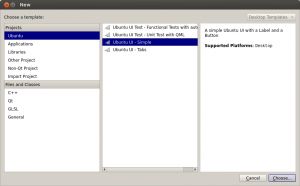
So, to get started I created a new project in QtCreator, using the Ubuntu UI – Simple template (this is the PageStack one).  This gave me MainView, PageStack, and a single Page components in my uReadIt.qml file.  I knew I wanted the first page to be my subreddit list of articles, so I gave it an …read more

Source: FULL ARTICLE at Planet Ubuntu

Michael Hall: Coming Soon: Unity 7

I’m happy to announce that today I filed for a Feature Freeze Exception to get the latest Unity stack into Ubuntu Raring.  It’s a lot of new code, but it should all be available in a PPA in the next day or so, and it’ll be available there for about two weeks for people to test and provide feedback before it lands.  I won’t go into all of the fixes, performance work and other technical changes, but if you’re interested in what this means for you as a user, keep reading.

Smart Scopes

Discussed during a UDS-style Ubuntu On-Air hangout back in January, Smart Scopes use an intelligent server-side service to decide when they should be used to search.  This allows a single process (the Dash Home) to run a query through only a sub-set of your installed scopes.  It also allows the scopes processes to be terminated when you close the dash, and only re-start those that are likely to produce a relevant result.  As defined by the spec, this service will learn as more people use it, providing more relevant results, so you don’t get unwanted Amazon product results when it should be obvious you’re looking for an application.  It also means fewer running processes on your local machine, and therefore less memory usage overall.

100 Scopes

While there won’t be quite 100 in this release, there will be more scopes installed on the client than in previous releases, and even more that we will be able to implement on the server-side.  Thanks to the Smart Scope Service, these additional local scopes won’t be using up a lot of your system resources, because they’ll only be run when needed, then immediately terminated.  You will be able to install 3rd party scopes, just as before, even ones that the Smart Scope Service doesn’t know about yet.  Plus we will be able to add more server-side scopes during the lifetime of a stable release.  So while we’re not at 100 yet, there is still a large and growing number of scopes available.

Privacy

Now I know I couldn’t get away with talking about changes to the Dash, especially ones that put more of it’s functionality online, without talking about privacy concerns.  With these changes we’ve tried to strike a balance between control and convenience, privacy and productivity.  So while we’re providing more fine-grained controls over what scopes to enable, and whether or not to use the Smart Scope service, the default will still be to enable the services that we believe provides the best user experience on Ubuntu.  In addition, 13.04 has already added more notice to users that their the Dash will search online sources as well as local.

…read more
Source: FULL ARTICLE at Planet Ubuntu

Michael Hall: Ubuntu SDK Apps are coming

The Ubuntu SDK preview is just over 2 months old, but we’ve already seen a lot of development starting with it.  Read below for a high-level look at some of the apps that are currently being written.

Core Apps

Shortly after making Ubuntu Touch and the SDK preview announcements, we kicked off an effort to develop the core applications for Ubuntu devices in the open with full community involvement.  We identified a number of desired applications, recruited interested community contributors, and dedicated design and project management resources from Canonical staff.

The actual development phase for these apps has only recently started, but some of them have shown a huge amount of progress already.

Calculator

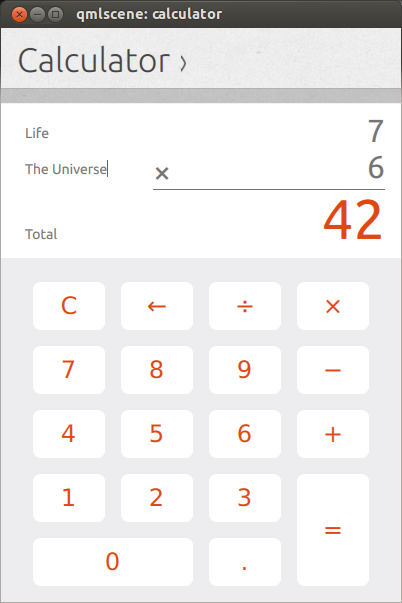
The Calculator app has made huge progress, and has been working closely with Canonical designers to work out the user interface and user experience.

Click for video

Calendar

Likewise,the Calendar app developers have been iterating over their UI/UX with the design team, and are making fast progress on the front-end.

Click for video

Clock

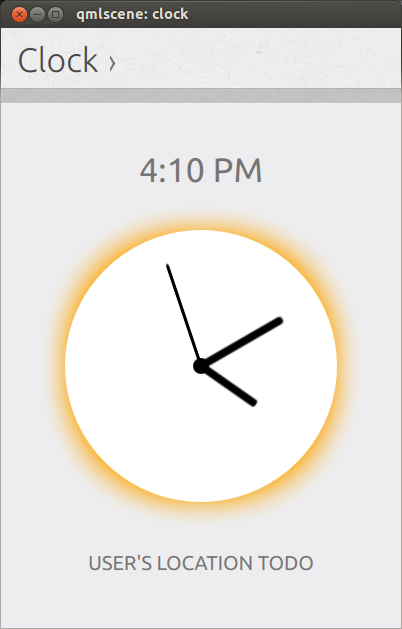
The Clock app is also sporting a functional, stylish analog dial that shows your current time, with screens staged for more features to come.

Click for video

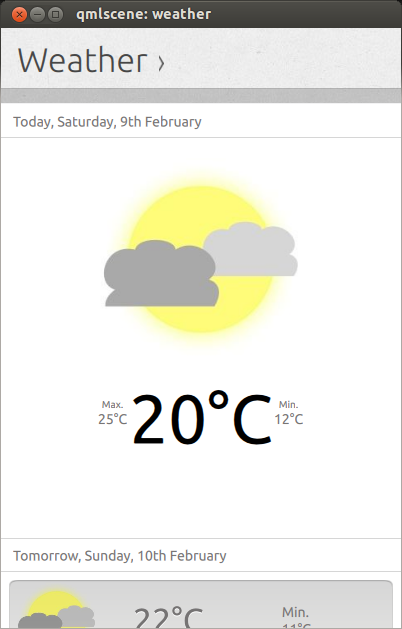
Weather

Even the weather app has seen some UI work recently

Click for video

But wait! There’s more!

The Core Apps developers aren’t the only ones working with the Ubuntu SDK preview, we’ve seen a number of 2nd and 3rd party app developers writing new apps or porting existing ones.  Here’s a short list of the ones that I’ve seen in development:

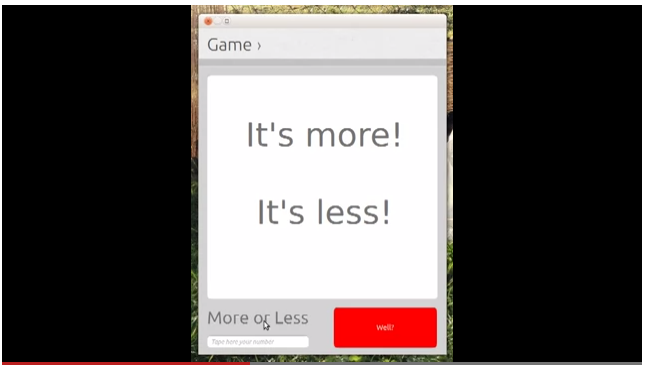
More or Less

A simple number guessing game

Click for story

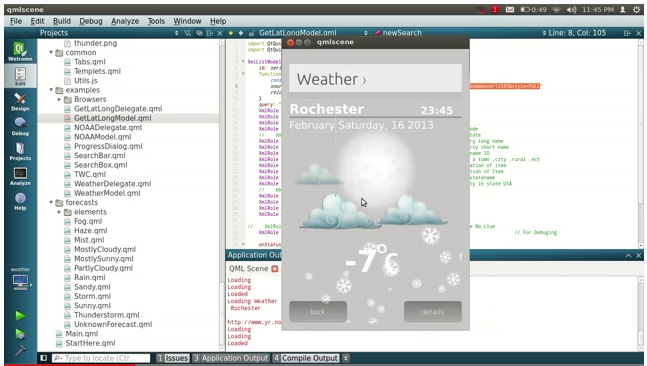
Alternative Weather App

Community developer Joseph Mills independently created another Weather app

Click for story

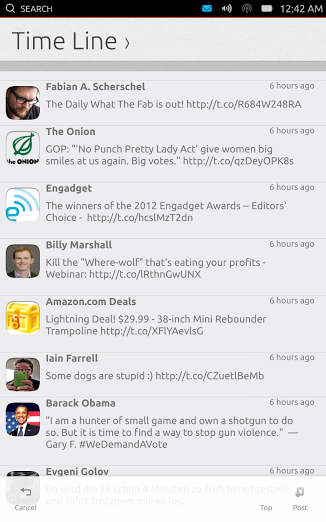
Gwibber/Friends

Gwibber microblogging client developer Ken Vandine has started porting it to a QML front-end using the Ubuntu SDK

Click for story

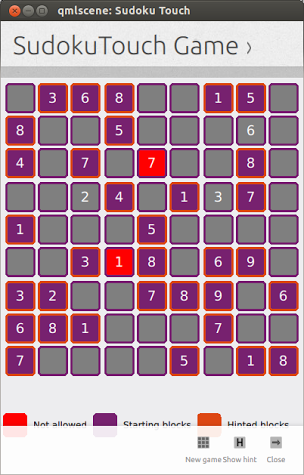
 Sudoku Touch

Everybody’s favorite number puzzle, you can now play Sudoku on Ubuntu Touch using the SDK components.

Click for story

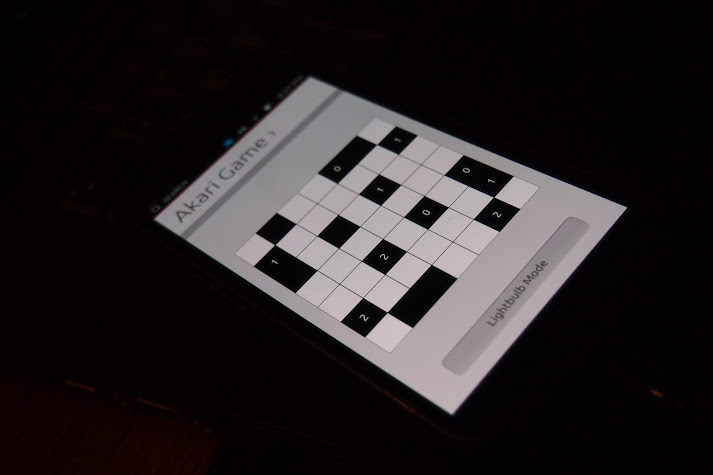
Akari

Or the lesser known number puzzle: Akari

Click for story

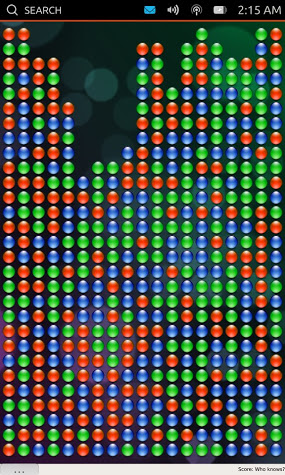
SameGame

If number puzzles aren’t your thing, you can always group and pop some bubbles with SameGame

Click for story

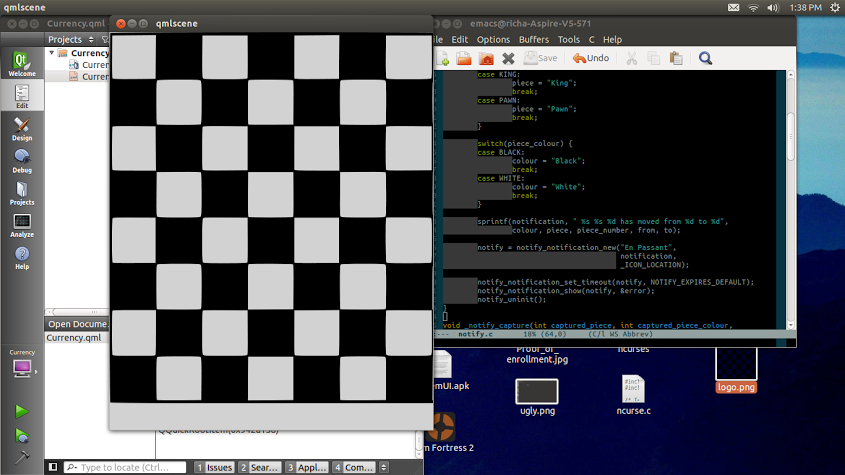
Chess Engine

Vibhav Pant gives us hope that a mobile chess app will be available soon, by porting his chess engine to the Ubuntu SDK

Click for story

Novacut

Speaking of …read more
Source: FULL ARTICLE at Planet Ubuntu

Howard Chan: Some thoughts about Canonical and the community

Yesterday I had a chat with Jono Bacon and Michael Hall from the Canonical Ubuntu Community Team. I first asked them why aren’t they doing at least one physical UDS per year, and they clearly seemed opposing my argument. Then I asked how about per post-LTS and such, and they still don’t see the need for it. Then I saw Pasi Lallinaho’s post about UDS and Canonical away from community, and I agreed.

The problem we have here is this:

Community finds it difficult to adopt

For example, we are now just near Ubuntu 13.04 (Raring Ringtail) Feature Freeze, and now suddenly Canonical’s Technical Lead Rick Spencer wants to step in and say “let’s cancel it for good”. It clearly destroys all the original plans for 13.04, especially for flavours. For example, Ubuntu Studio originally has some plans made for 13.04. Now it’s even unsure would these not be released to the public on April this year.

Update: Jonathan Riddell saved it for good, but fhe future of 13.10 and 14.10 is unknown.

UDS destroys comunity friendship

Canonical is happy that they don’t need to sponsor anyone now, but then this really breaks the Ubuntu community, especially teams of flavours, which now doesn’t have much chance to meet each other……..

People are leaving

From Planet Ubuntu + Google+ at least 4 community members have left the Ubuntu community because of Canonical’s decisions. Most of them even gave up Ubuntu membership. Is this what we want? Canonical being “Big Brother” in the Ubuntu community?

Summary

Canonical has been annoucing decisions that threatens the Ubuntu community. I really hope that the relations can be repaired.

Leave comments if you wish:-)

…read more
Source: FULL ARTICLE at Planet Ubuntu
Jono Bacon: Getting Started With The First Online Ubuntu Developer Summit

Tomorrow we will be running our very first online Ubuntu Developer Summit. The event will take place over two days and span a range of different tracks: Community, Client, Cloud & Server, App Developers, and Foundations. We have never run an event like this before, but we have prepared extensively to deliver the best online UDS experience we can. When UDS is complete we will then review any rough edges and fix those up for the next event in May.

With this being a new event, I wanted to share some key tips about how to get participate.

For Everyone

UDS takes place on Tues 5th – Wed 6th March 2013 from 2pm UTC. Please note: the original time was 4pm UTC, but we brought the event forward by two hours.

The full event is taking place online and everyone is welcome to join, irrespective of whether you are an active contributor to the community, a partner, a business, an enthusiast, or anyone else. We will be using Google+ Hangouts On Air to stream video from the active participants in the session, and we also provide quick embedded access to IRC, note-taking, and more.

The event will kick off on Tuesday at 2pm UTC with a keynote session. There will then be two hours of sessions, then an hour of plenaries, and then another two hours of sessions. On the Wednesday we will kick off into sessions at 2pm, and have lightning talks in the normal plenary slot. Jorge Castro is taking care of the plenary talks and lightning talks; reach out to him if you want to run a lightning talk.

There are five tracks, with each (apart from Foundations) having two video streams. Each track has two track leads:

  • Client – Jason Warner, Sebastien Bacher
  • Server and Cloud – Antonio Rosales, Daviey Walker
  • Community – Jono Bacon, Daniel Holbach
  • App Developers – Alan Pope, David Planella
  • Foundations – Steve Langasek

You can find all sessions listed at summit.ubuntu.com. Just visit the session you are interested in at the time of the session to view it; everything is included on the session page. You don’t need anything other than a web browser to view sessions but you will need a Google+ account to actively participate in a hangout.

For Track Leads

You should have all received an email from me about how to schedule sessions and how to start and stop the video streams.

Remember to ensure your Google+ is verified (Michael Hall should have checked this with you).

You and your co-track lead should pick one of the two tracks you have for your track and take care of setting up those streams.

Five minutes before a session (e.g. 1.55pm) is due to begin you should start the video stream and update the session in summit.ubuntu.com with the hangout and broadcast URLS. Likewise, 55 minutes into a session (e.g. 2.55pm), be sure to stop the hangout. We need to start and stop the video streams to ensure the recordings are broken up into the different hour long chunks. Required participants will automatically see a …read more
Source: FULL ARTICLE at Planet Ubuntu
Ubuntu Classroom: Ubuntu Developer Week: Review of Day 2, Outlook: last day

Ubuntu Developer Week is passing by much too quickly, as always. Still it’s great to see how many new people get involved, find out more about Ubuntu Development and get involved. Day 2 was yesterday and brought us many great sessions. Here’s what happened yesterday:

  1. How to write apps for Ubuntudpm: David Planella was well prepared as always and gave some good insights into what it takes to take an app from idea to a working app. He got quite a number of questions during the session, so I guess we can expect more apps coming to Ubuntu soon. :-)
  2. Ubuntu App review process explainedcoolbhavi: Bhavani Shankar explained the next step in terms of apps and demonstrated how a typical App Review works. Unfortunately the session was interrupted by a bot misbehaving towards the end, but lots of questions were still answered.
  3. Finding memory leaksachiang (Hangout!): Memory leaks can become huge problems in no time, and sometimes it’s not easy to debug or fix them. Alex Chiang is passionate about fixing them and provided a great session about how and where to start.
  4. Testing with autopilotballoons: Nicholas Skaggs and Thomi Richards are becoming the autopilot double-act (you will likely see them in tomorrow’s Automated Testing Hackfest as well). They gave a very nice introduction into autopilot and how to use it to test UI elements properly. Be sure to check it out and make good use of it.
  5. Unity integrationmhall119: Michael Hall, the author of “Hello Unity” and things like “singlet” knows how Unity works and how best to integrate your apps with it. It’s these finishing touches which make your app stand out and give the users the nice feeling of a seamless experience.

Here’s what’s on for today. Hope to see you all there!

  • 15:00 UTC – Automated Testing in Ubuntu — pitti
  • 16:00 UTC – Syncing your app’s data with u1db — aquarius
  • 17:00 UTC – Interacting with Debian’s Bug Tracking Systemtumbleweed
  • 17:30 UTC – Building Ubuntu images — ogra
  • 18:00 UTC – The Ubuntu Nexus 7 images — ogra
  • 18:30 UTC – Fixing packages to cross-build – xnox
  • 19:00 UTC – Developers Roundtable — bdrung & geser

This is the last day of this cycle’s UDW, so make sure you let your friends know and show up yourself. Join in!


Source: FULL ARTICLE at Planet Ubuntu
Rafał Cieślak: Dynamically changing Ubuntu Phone wallpaper for your desktop

We have all already seen it. The super-elegant Welcome Screen seen on all demonstrations of Ubuntu Phone OS is appreciated by many for it’s brilliant design and simplicity.

Because of that, some have tried to recreate it to use as a desktop wallpaper. Among several versions that are available, I liked Michał Prędotka’s version most. This version was modified to many different colors by Michael Hall – he has even created a video tutorial on how to make your own color scheme for this wallpaper.

I love the idea of different simple wallpapers that share the design, but vary in colors. But I’m lazy, and I don’t want to change my wallpaper everyday to enjoy another color scheme. Ideally the wallpaper would change automatically. But if the design is identical and only colors change, then it may be neat to change the colors smoothly.

c5c1c3c4c2

I have written a small script which does that for you. It runs in the background, and every now and then it creates a new shade of color for your wallpaper. This way the color changes smoothly. By default, it takes full day for the colors to repeat (but you can chage the period easily) – it’s yellow in the morning, green near noon, in the afternoon it gets blue, evening is violet, and at night it gets red. You may want the colors to change slower (it may be cool to have the full cycle take a week, this way everyday’s a new color!). If you wish, it will be simple even to modify color selection algorithm as you wish.

You can download the script here. After extracting, simply launch the run file (you may wish to modify the script before). I have also added the script to the list of apps that is started when I login, so that it runs in the background whenever I using my desktop. By default, it refreshes the wallpaper every 10 minutes. This is enough for shade changes to be not noticable.

And of course the Dash and Launcher’s cameleonic features are following the mood of your wallpaper!

I hope you will enjoy this colourful trick!

Filed under: Ubuntu
Source: FULL ARTICLE at Planet Ubuntu