Tag Archives: Plasma Active

Zotero on Nexus7 in Plasma Active

snapshot2

Zotero, in a nutshell, is a pretty sophisticated literature management tool. It lets you, “… collect, organize, cite, and share your research sources.” In this post I briefly present how I got Zotero running on the Nexus7 tablet in Plasma Active.

Please note that this is a first proof of concept and that there are still many usability issues. However, this demonstrates that it is, generally, possible to run Zotero also on alternative architectures. Personally, my intention is to use Zotero this way while commuting and it should actually suffice for this purpose.

Zotero consist of two parts, a client and a server side. The client side is the user frontend. The server is used as backend for archival and synchronization. The client application is available as browser-plugin and standalone application. I got the standalone version running in PA on Nexus7.

Technically, the Zotero standalone version is a XULRunner application; the Zotero standalone client application itself does not contain any platform dependent code. So, to get Zotero running in PA on Nexus7 an armv7hl version of XULRunner is needed. Luckily, there is already a XULRunner package available in the Mer repositories.

For convenience, I branched the xulrunner version I am using plus some dependencies in a separate project on the Mer OBS. So, in order to get xulrunner and its dependencies it should be enough to add that repository and “zypper in xulrunner”.

The Zotero installation is straight forward. Firstly, a Zotero standalone archive has to be downloaded and extracted. After extracting the Zotero standalone application, one finds a xulrunner directory in there. This can be safely deleted as we are using the xulrunner from Mer. Furthermore, the “zotero” binary is useless for us as it has the wrong architecture. The remaining directory can be simply copied to the Nexus7, e.g., via SSH.

To run Zotero simply execute “xulrunner application.ini” in the directory that contains the application.ini and zotero.jar files. In my case I had to edit application.ini in order to adjust the xulrunner version. Below are some screenshots of Zotero running in PA on Nexus7 and Okular showing a paper from the Zotero database.

Note that I increased the font size via the Zotero preferences. Additionally I extracted the zotero.jar content and increased the icon sizes such that they are easier to hit on the touch screen (find . -name “*png” -exec convert {} -resize 48×48< {} ;). Also note that some drop-down menus are not shown and other drop-down menus are shown in wrong places such that clicking some entries is rather a matter of anticipation or luck but as said this approach still has many issues. Fortunately, the sync feature, at least via WebDAV, seems to work well and opening *.pdf files from the Zotero database works as well. Nonetheless, you have been warned, the user interface on Nexus7 PA, right now, has quite a number of glitches. For me, it is already great to have Zotero with it’s “full” feature set available on a tablet.

Maybe, …read more

Source: FULL ARTICLE at Planet KDE

open-slx Screencast: Installing Skype in Plasma Active

Image via CrunchBase

I’m pleased to announce this weeks open-slx Screencast. This time i’m showing you, how to install Skype in Plasma Active. The proposed script can be downloaded so:

curl –output skype-installer http://saigkill.homelinux.net/pub/skype-installer

From: http://feedproxy.google.com/~r/homelinux/kde/~3/sNuG-30mdL0/open-slx-screencast-installing-skype-in-plasma-active

Skype-Installer for Plasma Active

Today i’ve finished my small Shellscript for installing Skype in Plasma Active. Its tested with the Plasma Active Mer Image (i686). But it should work in other architectures too.

What does the Script?

It downloads the latest Skype Version (dynamic package) and tries to find a already installed Version of Skype. To do that it searches in the RPM-Database and also in /usr/share/skype. Then it removes the old ones, and installs the new (the downloaded) version.

The script places the files on the same place like the RPM package does it. So it should be compatible.

While my tests i haven’t found any troublemakers. So please, if you find anything, just drop me a note: saigkill@open-slx.com.

So have fun with it 🙂

Aah.Forgotten to say where. Just type in your Plasma Active Device:

curl –output skype-installer http://saigkill.homelinux.net/pub/skype-installer

Then a chmod +x skype-installer and you can run it with ./skype-installer

If you like the script, you can anything 🙂

Technorati Tags:Technology, News, Mobile App, Tablet, Tablets

From: http://feedproxy.google.com/~r/homelinux/kde/~3/qAtDSk-7Kkg/skype-installer-for-plasma-active

Akademy-Fr in Toulouse

Alta

Akademy-Fr happened in Toulouse last week-end part of a bigger FOSS event in Toulouse named
A track with talks about KDE also went on in the room near the booth: Kévin Ottens presented KDE as a community, Lambert Clara promoted KDevelop as an IDE for everyone’s project, Sébastien Renard explained how the French translation team checks translations in order to reach quality (using pology for example). David Faure then lead us to debug programs using valgrind, reading backtraces, having a thorough process when debugging and much more. Sébastien explained how to tackle IT complexity based on his own experiment.
Meanwhile, the KDE booth was always staffed and passers-by enjoyed the demos (Marble on a desktop, on Plasma Active and on a N9 for example) and could learn more about KDE with great leaflets.
I was particularly impressed to meet David Revoy who is an artiste living in Toulouse and he uses Krita for his professional graphical work. I also met an enthusiastic teacher who uses Kalzium and said that no other software can beat it. It’s great to see people using and enjoying our software and choosing it over proprietary ones.
On Sunday we had several workshops: translation, Frameworks5 and UI Consulting. Groups of people were busy learning and contributing.
Doctor UI aka Aurélien
Frameworks5 Team
Thanks to the sponsors and to Kévin, Jean-Nicolas, Benjamin for the organization. Thanks to the other Kévin and PixCyl for the great leaflet!

…read more

Source: FULL ARTICLE at Planet KDE

open-slx Screencast: Viewing photos in Plasma Active

English: Logo of the KDE Project

English: Logo of the KDE Project “KDE, K Desktop Environment and the KDE Logo are trademarks of KDE e.V” (Photo credit: Wikipedia)

This weeks screencast shows you how to view photos in Plasma Active.

…read more
Source: FULL ARTICLE at Planet KDE

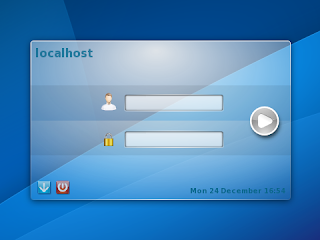
logging into Plasma Workspaces 2

You’re probably wondering what I was doing at 1am last night. I get asked that all the time. Well, mostly by people I live with, now that I think about it. “What were you doing on your computer at one in the morning?” they ask. The answer is usually quite exciting. Take last night, for instance: I was having a meeting with people to discuss display managers. Yes, the wonderful world of login screens.

We now have a truly amazing spreadsheet that tabulates the current state of three display managers. It has sections from community, “soft” attributes (such as licensing and build system), technology support, features and performance. Unfortunately, this did not lead us to any firm conclusions but it was very useful in helping better understand the landscape here, which is what we were after.

Our Requirements

The question we are trying to answer is this: What display manager will we use in Plasma Workspaces 2? Candidates must match a simple and clear set of needs:
  • Must be lightweight. We want to use this on desktops and devices.
  • Must be maintainable. (Self explanatory.)
  • Must be able to write the user interface in QML.
  • Must be able to be a Wayland system compositor.
How hard can that be, right? 😉 Bonus points are awarded for things like:
  • Used by other projects (co-investment and user consistency)
  • Familiar tooling (we can always learn and use another revision control system, but we’d rather not as that raises the bar for participation)
Given that as a starting point we looked at three options and here’s what my take-away on each was.

Contestant #1: KDM

This contestant is a deep soul with much complexity who likes things the old-fashioned way. 20 year old scotch is its drink of choice, and it hates walks on the beach (not much of a romantic, you see). It holds advanced degrees in many traditional practices. Let’s say hello to .. KDM!
KDM does a lot of things very well. It is highly scalable (10k users in LDAP? No problem.), supports features such as remote log in, can be used with hardware and biometric keys and much more. It is themable, as a Google images search can quickly confirm.
Unfortunately, there has not been much work on it lately and none of the active developers know the codebase very well. And what a codebase it is! 34,000+ lines of code, nearly 14,000 lines of which are C with the rest mostly C++. It is a beast. Interestingly, the KDM settings UI is 6,400+ lines of C++. That makes it’s control panel nearly twice as big in terms of code count as the Plasma Active shell.
Work had been started on making a QML front end for it (twice, I believe) but it never came to full fruition, and it is unclear just how best to add a Wayland system comositor to KDM would be. So though it has served us well, KDM actually fails to meet our requirements.

Contestant #2: LightDM

This contestant is a …read more
Source: FULL ARTICLE at Planet KDE

Jabber/XMPP with latest Plasma Active on Nexus 7

accounts-ui

With the latest Plasma Active rootfs tarball for Nexus 7 there is also working Jabber/XMPP. I didn’t notice this at first as the system time was set two years in the past and due to this the certificate for the Jabber server was silently failing.

Essentially, instant messaging functionality is provided via telepathy. This way different IM protocols (like Jabber/XMPP or ICQ) can be used. Right now there is “just” support for Jabber/XMPP working in the current Plasma Active version.

The tools/apps used for getting everything to work are the apps from Nemomobile: accounts-ui and qmlmessages (“Messages” in apps view). Both come pre-installed with the latest Plasma Active Nexus 7 rootfs tarball.

I set up Jabber/XMPP as follows:

  1. Open the “accounts-ui” app.
  2. Add a new XMPP account (first field is username@jabber-server.com, second field is the password).
  3. Click the newly created account.
  4. In the menu chose first “Enable” and afterwards “Request Online”.
  5. Refresh. You should see your presence (in the field “Current:”) change to “available”.

Make sure that your system time is set properly and that your jabber-server has a valid SSL certificate. Self-signed certificates (e.g., as is the case for jabber.org) won’t work. Also note that you won’t get feedback if something with the certificate is wrong. It will simply appear to be stuck in changing your presence.

To chat open the qmlmessages (“Messages” in apps view) app and start a chat with someone. The “To:” name is your-buddies-username@your-buddies-jabber-server.org.

accounts-ui-new-account
accounts-ui-fresh-account
accounts-ui-fresh-account-menu
accounts-ui-fresh-account-enabled-connecting
chat

…read more
Source: FULL ARTICLE at Planet KDE
Calligra Essen sprint 2013: Day 2

Greetings from Essen! The 2nd day of Calligra sprint in Essen started with discussion about redesigning UI in Calligra so that the applications can be delivered easily on more platforms. The first candidate for UI code refactoring is going to be Krita. There is already Krita Sketch application which provides QML based user interface besides the standard QWidget one. Rest of the Calligra suite should follow the refactorings too.

Maintainers are needed! Karbon, Plan and Braindump are without maintainers. Previous maintainers are busy with real life.

Afternoon was full of commits and coding. I made code review for Krita Sketch merge to master and then Boud, Krita maintainer, started to fix the problems I found. Sven is working on actions and operations, so that users can produce macros. And he did some refactoring, so now you can write less code to produce extensions with actions. Dmitry was trying to compile Windows version of Krita, but that failed. He helped me also to implement offset operation for layers and image, especially part related to processing framework in Krita — if you have image with 8 layers and your computer has 4 cores, every core will process one layer, so you get the filtering results quickly! Dmitry also fixed some crash in transform tool. Arjen worked on modern OpenGL canvas for Krita.

Friedrich was fixing build system in Calligra, he introduced so-called Productsets, so now you can easily specify that you want to compile Calligra for Plasma Active with only useful parts and avoid compilation of the parts that are useful only for desktop version.

Yue is fixing some text layout bug. Matus Uzak fixed some problems in filters and worked on docx export filter. Inge started to lay foundations for export filter for docx. He has experience with epub that is constructed from odf and also experience with export of odf to html. Thorsten fixed bug with styles in filters related to footers and headers, that were not saved correctly. He also reported some bug for me, so I reminded my time when working on Calligra for Nokia and I investigated shortly some bug in MS Office filter.

Today I was riding a small electric car provided by Linux hotel. It is called Renault Twizy. I was picking up pizzas for lunch.It was funny to ride in Essen-Horst, I enjoyed it a lot. The car does not have windows (now I see the pun from linuxhotel), it is quite small and elegant for city travelling! The speed change is so smooth in this electric car. Then that we had nice dinner in a restaurant — some had tasty Schnitzels and some tasty vegetarian food.

…read more
Source: FULL ARTICLE at Planet KDE

Krita Sketch at the Mobile World Congress

Last week, February 12 and 13, Dan Jensen and me, Boudewijn, were at the Mobile World Congress in Barcelona at the invitation of Intel, to give a demonstration of Krita on the desktop and Krita Sketch on a Windows 8 tablet.

We were guests in the Intel Application booth, which was pretty much perfectly situated, near the entrance of the biggest hall, and our demo station was right at the entrance of the booth:

We had two time slots, one on Tuesday morning, when everyone was fresh and interested, and one on Wednesday afternoon, when the press came out of their lairs and showed up, filled to the brim with curiosity.

Dan and I had had t-shirts made with the 2.6 mascot created by Tyson Tan on it:

Pretty soon we’ll make shirts with that design available for sale! The shirts were really cute and totally attention grabbing, as was the video David Revoy has created about the upcoming transform tool improvements which we showed looping on the big screen.

We showed Krita Sketch and Krita Desktop on Windows 8, on a Lenovo laptop and a Windows 8 tablet, but in between there was a little Nexus 7 running Plasma Active and Krita Sketch — among all the attention FirefoxOS and Ubuntu Touch was getting, it was a good feeling to know that KDE and Plasma Active were among those present.

This really was the first time that Krita has been presented at a large trade show, outside the free software world, and we were naturally quite anxious, but reactions were overwelmingly positive! People were wondering how an application this impressive could actually be free.

…read more
Source: FULL ARTICLE at Planet KDE

Plasma Active – Archos G9 armv7hl Rootfs Tarballs

In a previous post I briefly wrote about the current progress on getting an armv7hl build of Plasma Active on Archos G9 working. In the meantime I even (somehow) got the time to build and upload up-to-date rootfs tarballs for the testing and devel branch. You can get these tarballs from: http://files.kde.org/plasma/active/3.0/images/archos-g9/armv7hl/

…read more
Source: FULL ARTICLE at Planet KDE

control and opennes

The people over at Muktware published a video the other day of Plasma Active running on Google’s Nexus 7 tablet. You can see it here:


Occasionally people ask me what I think about Plasma Active appearing on various devices, knowing that we’re working on a tablet ourselves. It’s a really good question, and gets to one of the core tensions around open culture: the interplay between control and benefit.

The conventional wisdom is that to maximize benefit, control must also be maximized. Thus the historical emphasis on proprietary technology in the IT industry, something that has been slowly but surely shifting with time but certainly has not fully swung away from proprietary-is-better.

There are benefits to openness as well, however. It opens up avenues for collaboration which in turn has effects such as lower risk, shared costs, greater market confidence among other network effects.

It can appear easier at first blush to succeed with complete control, especially since that is what most of us are taught and exposed to as we grow up. Control is not without its merits: at the very least, it’s certainly faster to make decisions when you don’t have to work with others. This particular factor causes some to place a higher valuation on control that it deserves.

So what about Plasma, and in particular Plasma Active? In the case of Plasma Active, if we had tried to keep it to ourselves, to control development tightly, to control what people did with it, to deny other companies from participating .. it simply wouldn’t exist. Even if it did manage to exist in some way, it would have nearly zero chance of long term success.

The lack of dictatorial control opens long term opportunities for us .. and for those who join us on the journey. Some things would certainly be easier with more control, but it would be an overall net loss as the diminished participation and interest could never be balanced out.

This (very abbreviated) argument is not how I personally arrived at the current balance of control and permissiveness, however. It’s just how I defend the position in economic terms. For me, personally, it is ultimately a matter of human and social value.

One must ask themselves: would I be OK to die …read more
Source: FULL ARTICLE at Planet KDE

GNUnify 2013 was awesome

This is a month of FOSS events – and one of them was GNUnify 2013 at Symbiosis Institute of Computer Studies and Research. There were talks ranging from systems stuff like GCC, about Android hacking to KDE development. We met people from communities of KDE, Mozilla, Wikimedia, friends from RedHat and of course the awesome awesome organizers and volunteers.

It is nice to see a Free Software event like GNUnify to turn into a tradition where teachers and students work hard to create what is rightly said a forum to unite open minds.

Day1 of the event had lots of talks including our very own KDE – we planned a full day track on KDE primarily aimed to introduce people to KDE (and Open Source in general) and give them starting tips on how to get started. The talks started with introduction of Qt and a hands-on where people tried writing sample applications. Something new here was that we had to cover QtQuick/QML which these days is the preferred way of doing GUI in Qt, but at the same time we couldn’t leave out the traditional QWidget style of doing GUI. This was primarily because of two reasons, first most of the current KDE applications are written in QWidget so people will need that if they want to contribute and secondly the desktop components of QML still aren’t widely used.

Pradeepto on KDE

We started with the Qt talk and the hands-on was very well received by the attendees. They tried Qt Creator and created sample apps, winning KDE.in tshirts in the process 😀 After lunch Sinny talked about and gave a demo on using QtQuick/QML for writing fluid and modern GUI. This was followed by a talk on getting started with KDE development where we demo’ed a small hack in rekonq (a KDE browser based on WebKit) so that people get confident that its pretty easy to get started. We also spent an hour or so in answering questions that people had in mind about contributing.

The organizers were kind enough to arrange a pool-side dinner for us and it turned out to be a nice opportunity to socialize more, and meet all of the volunteers at one place. And whats more, I got a chance to be picture’d with the हैकर laugh

Day2 saw talks on various kinds of topics like Android, Python, Drupal etc and I gave a Plasma Active demo to a group of volunteers. After Day1 which was kinda tiring due to the day long session, the 2nd day was quite fun with meeting friends again and chatting over lots of stuff 🙂 Not only this, we had a nice evening and dinner, thanks to Siteshwar.

(Photos courtesy Sinny Kumari, …read more
Source: FULL ARTICLE at Planet KDE

Video: Plasma Active on Nexus 7

I just uploaded a video that shows the current state of Plasma Active on Nexus 7. In this video different things are shown:

  • The Plasma Active GUI
  • Hardware-accelerated Video Playback (1080p)
  • Emumaster (an emulator for gaming consoles like SNES etc.)
  • Bluetooth support (with an Zeemote remote control)
  • Remote control with QZeeControl and an Zeemote remote control
  • 3D Hardware Acceleration

Given the native resolution of the Nexus 7, using a video with 1080p admittedly is pointless. However, I wanted to demonstrate that the hardware is capable of playing even 1080p pretty smoothly.

…read more
Source: FULL ARTICLE at Planet KDE

Plasma Active on Nexus 7 with Bluetooth

I just succeeded in getting Bluetooth working on Nexus 7 with Plasma Active. In order to get Bluetooth running you need the latest kernel from the hardware adaptation repository and install the new “nexus7-fw-installer” package, which can also be found in the Nexus 7 hardware adaptation repository. In case you are using a permanently flashed kernel please make sure to also flash the new zImage.

After the “nexus7-fw-installer” package was installed you will need to run “nexus7-fw-install” as root. This will download the required proprietary firmware bits and will help you during the installation. Please note that you need to accept (and of course read beforehand) the displayed license in order to install the firmware. For more information follow the displayed instructions.

Also thanks to the Ubuntu guys who provided great information on how to get Bluetooth running on Nexus 7.

…read more
Source: FULL ARTICLE at Planet KDE

Suspend/Resume in Plasma Active on Nexus 7 3G with WWAN

In a previous post I wrote about using WWAN (UMTS/3G) in Plasma Active on Nexus 7. What I forgot to mention there was that there may be problems with suspend/resume when using UMTS. In order to circumvent these issues I created a systemd suspend script that takes care of turning the WWAN device on and off on resume/suspend. Simply place the executable script in “/lib/systemd/system-sleep/wwan-fix.sh”:

#!/bin/sh
case $1/$2 in
pre/*)
echo 0 > /sys/devices/platform/baseband_xmm_power/xmm_onoff
;;
post/*)
echo 1 > /sys/devices/platform/baseband_xmm_power/xmm_onoff
;;
esac

…read more
Source: FULL ARTICLE at Planet KDE

More rational approach to window decorations

:-)

This is a follow-up post to my client-side-decorations on Wayland post. Personally I was positively surprised by the feedback in comments and on various media sites. Hardly any “you are an idiot” – for a controversial subject this is very positive.

There was one comment which motivated me to write another post on the topic:

I see strong arguments/feelings for both CSD and server side – can there by a hybrid approach?

This is exactly the point. Neither client side nor server side decorations are the holy grail. Both have advantages, both have disadvantages. Nobody is right here, nobody is wrong. If someone says he prefers CSD, he is right, if I say I prefer SSD, I am right. That’s quite important to get. In the end one has to evaluate the advantages and disadvantages and then decide which is the less evil.

For me this is server side decorations because of the disadvantages I pointed out for our workspaces. Others might decide differently and that’s just fine. I do not want to enforce SSD on anyone who prefers client side decorations.

In fact I would be fine with CSD if there would be an approach to make them work right. There have been many comments that it really doesn’t matter as it belongs in the toolkit and they will look the same. Yes of course, I agree that decorations belong into the toolkit and that they should adapt to the needs of the workspace they are running in. But I don’t believe the toolkit (except Qt) can do that. As long as there are so huge integration issues like getting an unfitting file dialog in the KDE workspaces, I just don’t trust that toolkits can do it. In that aspect there have been quite some comments, that the integration is already really bad, so it doesn’t matter if that part breaks as well. Let’s just say that I disagree here I want to have more integration not less.

So in the end it has to be a hybrid approach. There are valid usecases for client side decorations even on a system enforcing server-side decorations (best example: Yakuake), but if the system does not want decorations (e.g. Plasma Active) the client’s should not draw an own decoration. And of course there is the Chromium use-case where the user should be allowed to decide.

All it needs is a small protocol allowing the server to negotiate with the clients whether CSD should be used or not (that would be useful on X11, too). This actually does not mean an overhead, because also for CSD there should be some negotiation between server and client to figure out things like button position, which buttons, colors, style and so on – which goes in the direction of CSD done right. Just saying: “it’s the Client’s responsibility” is causing the issues I’m afraid of.

<div style="float: …read more
Source: FULL ARTICLE at Planet KDE

Client Side Window Decorations and Wayland

This weekend I was at FOSDEM and attended a talk about Wayland for application developers. One thing that came around multiple times was that “applications have to provide the decorations”. Every time I had to cringe, because it’s just not true and I find it sad that people who give presentations about Wayland repeat that.

Nothing in the Wayland protocol requires Client Side Decorations or forbids Server Side Decorations. And that’s not surprising as it just should not matter to a protocol. The same is true for the X11 protocol, there is nothing said about window decorations. Just on X11 people realized that server side decorations are the better choice, but still there are applications doing client side (maybe people think that the possibility of re-parenting says anything about window decorations, it doesn’t you don’t need re-parenting to provide server side decorations). What is true is that the reference implementation of a Wayland compositor, Weston, requires Client Side Decorations, but it’s just one implementation and doesn’t say anything about other implementations. And here it’s important to remember that Weston is not Wayland.

There are good arguments pro and contra client side decorations. The most commonly listed ones pro client side are:

  1. Only one texture needs to be rendered
  2. No aliasing when rotating/wobbling windows
  3. Application developers are free to experiment

The first two are true. I have to agree there. I know KWin’s OpenGL decoration rendering code and the problems with it. I do not like it and I do see the disadvantages. Also I do know that wobbling windows is not looking nice.

The third argument is more complex. Here I do not agree, because I have not seen any valid use cases for these “experiments”. All we have so far is the Chromium use case and since then nobody else came up with any use case. So somehow that shows that we are not restricting the application developers as some pro-CSD people would claim. In fact allowing CSD limits the possibilities of the workspace.

Plasma provides three workspaces: desktop, netbook and tablet. From KWin perspective the main difference is how window decorations are handled. On Desktop we have full decorations, on netbook we disable decorations for maximized windows (control moved to the Shell’s panel) and on active we don’t have any decorations at all. With client side decorations such possibilities are gone. We are no longer able to take the desktop further by just changing this aspect for all applications. Many KDE applications are useable on Plasma Active (tablet) without any adjustments. If they would use CSD they were not usable.

My main fear with CSD is that it ends up in a mess as we can see on Microsoft Windows. There CSD are common but applications don’t use it to do useful stuff, but to enforce their corporate design. This is bad for usability. Each application looking different? Stupid idea. Not even Microsoft is having a consistent decoration for their various products. Some have titles on the left, some centered. A complete mess. And my fear is …read more
Source: FULL ARTICLE at Planet KDE