Tag Archives: LDAP

Help with Grep pattern

By chandana hs

Hello Admin,
i need a grep pattern for the following requirement, Could you pls help.

Used Grep pattern : egrep “^[+-]([^+-].*|)$” inputfile

i have input file:
+
++++

——
+jfsfkjf
+ * @param node node to generate the configuration file(s) for
+ * @param dir root directory under which to place the generated files.
+ * If active configuration is modified at run-time this will point
+ * to /etc. Otherwise it may point to a saved configuration volume.
+ * @param ptr event receiver handle, can be used to e.g. query the events
+ * occurred in the context of the last transaction.
+ * @param ldap_handle handle of an active LDAP connection.

output of the grep should contain all the lines of input file except :
++++
—–

But my grep pattern is not able to get the “@param” lines, Could yo upls help me improving the grep pattern to include that as well.

…read more

Source: FULL ARTICLE at The UNIX and Linux Forums

Poll of sorts – on LDAP

By MichaelFelt

1) Do you use LDAP on AIX? (as a client)

2) If yes, what LDAP server technology do you use:

a) IDS (or ITDS) – IBM Tivoli Directory Server
b) AD
c) openLDAP
d) other – please list.

I ask, because I am looking at openLDAP as well as IDS and am wondering if there is a clear preference I should be following.

Thanks (in advance) for your replies!

…read more

Source: FULL ARTICLE at The UNIX and Linux Forums

Can't chgrp. Error – chgrp: changing group of `<file>': Invalid argument

By venmx

I found that I cannot chgrp for some reason with error:

chgrp: changing group of `’: Invalid argument

This happens on all NFS mounted disks on client machines.

We use AD (not my call) for authentication and it also provides groups.

We have a NFS server running Scientific Linux 6.3 which mounts SAN devices on FC connect. These are then exported via NFS. Clients are all CentOS 6.4.

The clients hard mounts the user’s home disk with intr,sync and various tuning options. The other disks use autofs.

AD is configured so that each user has a matching UID and GID, essentially making them the exclusive member of their own group. Not useful for sharing files unless you don’t mind making all your files accessibly by world, o+.

We need groups so that we can add members who are then able to chgrp what ever files they’d like to share with members of the same group. All seems pretty straight forward so far.

I used to run OpenLDAP with Kerberos to do all this, I had LDAP manage autofs and groups. Everything worked perfectly.

But now I cannot chgrp.

The permissions of the exported directories on the NFS server are:
drwx–x–x root root /san/home
drwxrwxrwx root root /san/otherdisks

But under home each user directory is owned by the user:
drwx–x–x user1 user1 /san/home/user1

NOTE: “other” means machines within same organization using same AD but built by other departments, “this” means the machines I built.

In the following scenarios it fails:

1. As AD user on “this” client machine on own home on “this” NFS server.
2. As AD user on “this” client machine on automounted disk on “this” NFS server.
3. As root on “this” client machine on automounted disk on “this” NFS server.

In the following scenarios it works:

1. As AD user on “this” client on local partitions where permissions allow.
2. As AD user logged in directly on “this” NFS server on any partition where permissions allow, including on SAN disks.
3. As root on “this” file server on any partition.
4. As AD user on “other” clients on export from “this” NFS server.
5. As AD user on “other” clients on export from “other” NFS server.
6. As AD user on “this” client on export from “other” NFS server.

This issue shows itself when I extract TAR files whilst on client machines to NFS exported shares as AD user or root, can’t chgrp!

I can do everything else, I can create, delete, even do newgrp and change my default group then create new files belonging to me with GID of new group. But still can’t chgrp

From: http://www.unix.com/red-hat/221091-cant-chgrp-error-chgrp-changing-group-file-invalid-argument.html

Viscount Systems Secures Midwestern Bank Facilities

By Business Wirevia The Motley Fool

Filed under:

Viscount Systems Secures Midwestern Bank Facilities

BURNABY, British Columbia–(BUSINESS WIRE)– Viscount Systems Inc. (OTCQB: VSYS) today announced that the Company’s Freedom access control technology is being installed at facilities owned by a regional bank with operations in Ohio, West Virginia, and Kentucky. The systems include Freedom IP bridges, Freedom servers and software, and will be deployed as a retrofit, replacing the bank’s existing access control systems.”

“This the first deployment of Freedom into the financial services industry,” noted Stephen Pineau, President and CEO of Viscount. “While we are continuing to make great inroads within the U.S. Federal Government market, sales of Freedom to a wide range of other vertical markets, including banking, schools and multi-tenant high rises, are also increasing. It’s important to continue to diversify our end-user base among government and commercial customers.”

About Viscount’s Freedom Encryption Bridge Solution

Freedom Encryption Bridge is the first and only access control system that allows entry devices (ID cards, RFID readers, biometrics etc.) to be connected to standard building IT networks without requiring expensive control panels that are programmed from a PC. Freedom changes the paradigm of IT friendly access control. It eliminates up to 80% of the cost of traditional systems that require the installation of control panels. And, it utilizes existing logical IT security software (LDAP) to replace both the control panel component and the software component of traditional systems. Freedom drastically reduces system costs while providing a much more secure software solution.

About Viscount Systems

Viscount Systems Inc., designs unified IT and physical security software platforms for building security and emergency planning. Recent awards include the 2012 Microsoft “Be What’s Next” award, SIA Convergence Solution of the Year 2011 and Homeland Security Platinum Award for Emergency Response and Gold Award for Access Control at GOVSEC 2011.

For Further Information

Viscount System’s web site: www.viscount.com
Email news alerts: investors@viscount.com
Investor Relations: Foothills Group San Jose CA, 888-516-7415

Safe Harbor Statement

Forward looking statements: This press release and other statements by Viscount Systems Inc. may contain forward-looking statements within the meaning of the Private Securities Litigation Reform …read more
Source: FULL ARTICLE at DailyFinance

Andrea Veri: Setting up your SSL certificates on OpenLDAP by using a Mozilla NSS database

I’ve recently spent some time setting up TLS/SSL encryption (SSSD won’t send a password in clear text when an user will try to authenticate against your LDAP server) on an OpenLDAP istance and as you may know the only way for doing that on a RHEL / CentOS environment is dealing with a Mozilla NSS database (which is, in fact, a SQLite database). I’ve been reading all the man pages of the relevant tools available to manipulate Mozilla NSS databases and I thought I would have shared the whole procedure and commands I used to achieve my goal. Even if you aren’t running an RPM based system you can opt to use a Mozilla NSS database to store your certificates as your preferred setup.

On the LDAP (SLAPD) server

Re-create *.db files

mkdir /etc/openldap/certs
modutil -create -dbdir /etc/openldap/certs

Setup a CA Certificate

certutil -d /etc/openldap/certs -A -n “My CA Certificate” -t TCu,Cu,Tuw -a -i /etc/openldap/cacerts/ca.pem
where ca.pem should be your CA’s certificate file.

Remove the password from the Database

modutil -dbdir /etc/openldap/certs -changepw ‘NSS Certificate DB’

Creates the .p12 file and imports it on the Database

openssl pkcs12 -inkey domain.org.key -in domain.org.crt -export -out domain.org.p12 -nodes -name ‘LDAP-Certificate’
pk12util -i domain.org.p12 -d /etc/openldap/certs

where domain.org.key and domain.org.crt are the names of the certificates you previously created at your CA’s website.

List all the certificates on the database and make sure all the informations are correct

certutil -d /etc/openldap/certs -L

Configure /etc/openldap/slapd.conf and make sure the TLSCACertificatePath points to your Mozilla NSS database

TLSCACertificateFile /etc/openldap/cacerts/ca.pem
TLSCACertificatePath /etc/openldap/certs/
TLSCertificateFile LDAP-Certificate

Additional commands

Modify the trust flags if necessary

certutil -d /etc/openldap/certs -M -n “My CA Certificate” -t “TCu,Cu,Tuw”

Delete a certificate from the database

certutil -d /etc/openldap/certs -D -n “My LDAP Certificate”

On the clients (nslcd uses ldap.conf while sssd uses /etc/sssd/sssd.conf)

On /etc/openldap/ldap.conf

BASE dc=domain,dc=org
URI ldaps://ldap.domain.org

TLS_CACERTDIR /etc/openldap/certs
TLS_REQCERT allow

On /etc/sssd/sssd.conf

ldap_tls_reqcert = allow
ldap_uri = ldaps://ldap.domain.org

How to test the whole setup

ldapsearch -x -b 'dc=domain,dc=org' -D "cn=Manager,dc=domain,dc=org" '(objectclass=*)' -H ldaps://ldap.domain.org -W -v

Troubleshooting

If anything goes wrong you can run SLAPD with the following args for its debug mode:

/usr/sbin/slapd -d 256 -f /etc/openldap/slapd.conf -h “ldaps:/// ldap:///”

…read more
Source: FULL ARTICLE at Planet Ubuntu

RBAC and LDAP users (AD)

By Janpol

Hello everyone, I am having trouble with something, and I can’t find the right answer online. On our company, we are using LDAP Authentication with Active Directory (Windows 2008 Servers) to have a centralized management of AIX 7.1 users.

So far so good, but now, we want to implement RBAC on AIX so we can grant privileged access to certain users (like DBAs or Sysadmins) without using su or having everyone using the root account. The problem that I have, is that when I want to assing a role to a user on a server the chuser command fails, since it cannot find the user (it’s on AD, and not defined locally). I use the following command to assign the role:

Code:

chuser roles=test_role test_user


Is there a way for me to tell the chuser command to get the user information from AD? Or can I define manually the roles for each user? (maybe in the /etc/security/user.roles file?).

If that doesn’t work I’m going to try defining groups in AD with the same GID as local groups, and handling everything via the sudoers file, but I would like to hear from your experiences.

Best Regards,

Juan

…read more
Source: FULL ARTICLE at The UNIX and Linux Forums

Viscount's Freedom Access Control Technology Secures Dallas High Rises

By Business Wirevia The Motley Fool

Filed under:

Viscount’s Freedom Access Control Technology Secures Dallas High Rises

BURNABY, British Columbia–(BUSINESS WIRE)– Viscount Systems (OTCQB:VSYS), a leading-edge, high technology supplier of security systems and software, is pleased to announce that it has shipped the first of several systems to secure a multi-building high-rise complex in Dallas. The systems include a full complement of Freedom access control technology for securing doors, monitoring alarms and controlling elevators as well as MESH touch-screen systems.

“We are pleased to continue to expand our regional and vertical coverage of Freedom,” noted Stephen Pineau, CEO of Viscount. “Our technology offers a compelling value proposition for both government and commercial end-users to improve security while reducing cost. This contract is an example of the Company’s ability to serve the private sector while continuing to grow its government business.”

About Viscount’s Freedom Access Control Solution

Freedom is the first and only access control system that allows entry devices (ID cards, RFID readers, biometrics etc.) to be connected to standard building IT networks without requiring expensive control panels that are programmed from a PC. Freedom changes the paradigm of IT friendly access control. It eliminates up to 80% of the cost of traditional systems that require the installation of control panels. And, it utilizes existing logical IT security software (LDAP) to replace both the control panel component and the software component of traditional systems. Freedom drastically reduces system costs while providing a much more secure software solution.

About Viscount Systems

Viscount Systems Inc., designs unified IT and physical security software platforms for building security and emergency planning. Recent awards include Microsoft’s 2012 “Be What’s Next” Award, SIA Convergence Solution of the Year 2011 and Homeland Security Platinum Award for Emergency Response and Gold Award for Access Control at GOVSEC 2011.

Contact

Investor Relations: Foothills Group San Jose, CA 888-516-7415.
Investors@viscount.com
www.viscount.com

Safe Harbor Statement

Forward looking statements: This press release and other statements by Viscount Systems Inc. may contain forward-looking statements within the meaning of the Private Securities Litigation Reform Act with respect to the outlook for earnings and revenues, other future financial …read more
Source: FULL ARTICLE at DailyFinance

The new ownCloud 5 features!

Yesterday I blogged about the ownCloud 5 release in general and I promised to blog today about all the features that are new and improved in ownCloud 5

New design
In ownCloud 5, the main navigation was redesigned to clearly differentiate it from the in-app navigations. This also allows the app more room and thus a better focus on the content of your ownCloud directories. Settings and Log-out menus were combined into a user menu on the top right, which also shows the currently logged in user and makes it more intuitive to use. The settings are further simplified and app-specific settings are moved from personal settings into the relevant apps. To help people get their data synchronized, there is a new first run page linking the desktop & mobile apps as well as documentation how to sync contacts and calendars. This information is also displayed in the personal settings – and makes getting started with ownCloud much easier for a user.

Essentially, the new design helps to concentrate more on the content and makes it easier to navigate and setup the Desktop and Mobile syncing clients.

New Antivirus App
The new antivirus system scans uploaded files for viruses. The admin can choose if infected files should be deleted automatically and/or logged/reported in the log file.

New Files Undelete feature
Now users can undelete a file that was accidentally deleted through the web interface. Simply select the files in the files undelete section and they are returned to where they were deleted, with versions maintained.

New REST APIs
A new Open Collaboration Services (OCS)-based REST API is added to access and control ownCloud remotely. The newly released OCS 1.7 spec is supported. Main feature is a new capabilities API for closer communication with the Desktop and Mobile clients. It is now very easy for ownCloud apps to provide an REST API so more API features will be added in the future.

Display names
In the interface and share dialog, display names are shown instead of the login names. The display names are easier to understand for users and can be changed by the admin. The admin can configure the display names and they can be changed by the users themselves. The display names can also be fetched from an LDAP or AD server for bigger installations. This makes it much easier to work with ownCloud, as users are identified separately from their system-generated IDs

New search engine
A new Lucene-based full text search engine app is added. People can use the search to not only find files by name but also by content. Scanning is done in the background to ensure a responsive user experience for the users.

New photo gallery
ownCloud 5 contains an improved and rewritten photo gallery. It has an improved and streamlined user interface with a slideshow feature. Photo galleries can also be shared with others.

New documentation system
There is completely new user, admin and …read more
Source: FULL ARTICLE at Planet KDE

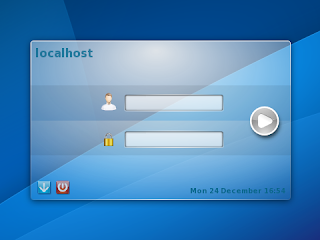
logging into Plasma Workspaces 2

You’re probably wondering what I was doing at 1am last night. I get asked that all the time. Well, mostly by people I live with, now that I think about it. “What were you doing on your computer at one in the morning?” they ask. The answer is usually quite exciting. Take last night, for instance: I was having a meeting with people to discuss display managers. Yes, the wonderful world of login screens.

We now have a truly amazing spreadsheet that tabulates the current state of three display managers. It has sections from community, “soft” attributes (such as licensing and build system), technology support, features and performance. Unfortunately, this did not lead us to any firm conclusions but it was very useful in helping better understand the landscape here, which is what we were after.

Our Requirements

The question we are trying to answer is this: What display manager will we use in Plasma Workspaces 2? Candidates must match a simple and clear set of needs:
  • Must be lightweight. We want to use this on desktops and devices.
  • Must be maintainable. (Self explanatory.)
  • Must be able to write the user interface in QML.
  • Must be able to be a Wayland system compositor.
How hard can that be, right? 😉 Bonus points are awarded for things like:
  • Used by other projects (co-investment and user consistency)
  • Familiar tooling (we can always learn and use another revision control system, but we’d rather not as that raises the bar for participation)
Given that as a starting point we looked at three options and here’s what my take-away on each was.

Contestant #1: KDM

This contestant is a deep soul with much complexity who likes things the old-fashioned way. 20 year old scotch is its drink of choice, and it hates walks on the beach (not much of a romantic, you see). It holds advanced degrees in many traditional practices. Let’s say hello to .. KDM!
KDM does a lot of things very well. It is highly scalable (10k users in LDAP? No problem.), supports features such as remote log in, can be used with hardware and biometric keys and much more. It is themable, as a Google images search can quickly confirm.
Unfortunately, there has not been much work on it lately and none of the active developers know the codebase very well. And what a codebase it is! 34,000+ lines of code, nearly 14,000 lines of which are C with the rest mostly C++. It is a beast. Interestingly, the KDM settings UI is 6,400+ lines of C++. That makes it’s control panel nearly twice as big in terms of code count as the Plasma Active shell.
Work had been started on making a QML front end for it (twice, I believe) but it never came to full fruition, and it is unclear just how best to add a Wayland system comositor to KDM would be. So though it has served us well, KDM actually fails to meet our requirements.

Contestant #2: LightDM

This contestant is a …read more
Source: FULL ARTICLE at Planet KDE

Viscount Systems To Secure Connecticut School

By Business Wirevia The Motley Fool

Filed under:

Viscount Systems To Secure Connecticut School

BURNABY, British Columbia–(BUSINESS WIRE)– Viscount Systems (OTCQB:VSYS), a leading-edge, high technology supplier of security systems and software, is pleased to announce that its Freedom access control solution has been installed at a private faith-based K-12 school in Connecticut.

“We are pleased to continue making progress in the school security market,” noted Stephen Pineau, CEO of Viscount Systems. “Our technology enables schools to more securely control access to their facilities, at a significantly reduced cost versus traditional systems. This enables schools to either reduce the cost of securing each facility or to expand security within the same budget. We continue to build new applications to solve the issues facing school security officials and expect to continue building on our successes through 2013.”

About Viscount’s Freedom Encryption Bridge Solution

Freedom Encryption Bridge is the first and only access control system that allows entry devices (ID cards, RFID readers, biometrics etc.) to be connected to standard building IT networks without requiring expensive control panels that are programmed from a PC. Freedom changes the paradigm of IT friendly access control. It eliminates up to 80% of the cost of traditional systems that require the installation of control panels. And, it utilizes existing logical IT security software (LDAP) to replace both the control panel component and the software component of traditional systems. Freedom drastically reduces system costs while providing a much more secure software solution.

About Viscount Systems

Viscount Systems Inc., designs unified IT and physical security software platforms for building security and emergency planning. Recent awards include SIA Convergence Solution of the Year 2011 and Homeland Securities Platinum Award for Emergency Response and Gold Award for Access Control at GOVSEC 2011.

For Further Information

Viscount System’s web site: www.viscount.com
Email news alerts: investors@viscount.com
Investor Relations: Foothills Group San Jose CA, 888-516-7415

Safe Harbor Statement

Forward looking statements: This press release and other statements by Viscount Systems Inc. may contain forward-looking statements within the meaning of the Private Securities Litigation Reform Act with respect to the outlook for earnings and revenues, other future …read more
Source: FULL ARTICLE at DailyFinance

DHCPserver in LDAP objectClass=dhcpServer not available

By darktux

Hi,

i would like to bind ein dhcpserver to the LDAP. I have here to systems. One Gentoo and one Ubuntu 12.04 LTS. On both systems LDAP is running without problems. So i would like to add the DHCP-Server (is on the same machine) to LDAP.

Ok, i have done this, but the DHCP-Server can’t start, because there is an wrong, or not available objectclass sounds “dhcpServer”. I’ve testet this on both maschines, and there are the same problems. So i think i’ve done something wrong. In the “dhcp.schema” i can find this ojectclass, but when i will add this objectclass, i can’t find it to choose.

Code:

objectclass ( 2.16.840.1.113719.1.203.6.12
NAME 'dhcpServer'
DESC 'DHCP Server Object'
SUP top
MUST (cn $ dhcpServiceDN)
MAY (dhcpVersion $ dhcpImplementation $ dhcpHashBucketAssignment $ dhcpDelayedServiceParameter $ dhcpMaxClientLeadTime $ dhcpFailOverEndp$
X-NDS_CONTAINMENT ('o' 'ou' 'dc') )


My dhcpconfig:

Code:

ldap-server "localhost";
ldap-port 389;
ldap-base-dn "ou=dhcp,ou=services,dc=tux,dc=local";
ldap-dhcp-server-cn "192.168.2.0";
ldap-method dynamic;
ldap-debug-file "/var/log/dhcp-ldap-startup.log";


When i start the dhcp-server:

Code:

Error: Cannot find LDAP entry matching (&(objectClass=dhcpServer)(cn=192.168.2.0,ou=dhcp,ou=services,dc=tux,dc=local))
Configuration file errors encountered -- exiting


And yes this entry is there, but not with this ojectclass.

Here is my ldapobject:

Code:

dn: cn=192.168.2.0,ou=dhcp,ou=services,dc=tux,dc=local
objectClass: top
objectClass: dhcpOptions
objectClass: dhcpSubnet
cn: 192.168.2.0
dhcpNetMask: 24
dhcpRange: 192.168.2.2 192.168.2.100
dhcpOption: domain-name "tux.local"
dhcpOption: domain-name-servers 192.168.2.1, 8.8.8.8
dhcpOption: routers 192.168.2.1
dhcpOption: netbios-name-servers 192.168.2.1
dhcpOption: netbios-node-type 4
dhcpOption: subnet-mask 255.255.255.0
dhcpStatements: default-lease-time 8000
dhcpStatements: max-lease-time 9000


What should i do to add the right ojectclass to this?

…read more
Source: FULL ARTICLE at The UNIX and Linux Forums

Viscount Systems Receives New U.S. Government Award

By Business Wirevia The Motley Fool

Filed under:

Viscount Systems Receives New U.S. Government Award

Will Secure First U.S. Government Sites Outside the Continental U.S.

BURNABY, British Columbia–(BUSINESS WIRE)– Viscount Systems (OTCQB:VSYS), a leading-edge, high technology supplier of security systems and software, is pleased to announce that its Freedom access control technology will secure U.S. Federal Government sites outside of the continental U.S. The systems will include the Company’s Freedom Encryption Bridge technology as well as Viscount’s enrollment and revocation list software applications. In keeping with government requests the nature of the facilities and agency involved cannot be identified.

“We are very pleased to continue to build our relationship with U.S. Federal Government agencies and to expand the territorial coverage of the Freedom platform,” noted Stephen Pineau, President and CEO of Viscount. “For this and other pending projects we have also added CRL (certificate revocation list) software to our new enrollment platform, which creates additional savings for our agency customers. The cost advantages of Freedom and the fact that it is fully compliant with U.S. Government identity management/access control standards (FIPS 201-2 and HSPD-12), provides a compelling value proposition to government customers.”

About Viscount’s Freedom Access Control Solution

Freedom Encryption Bridge is the first and only access control system that allows entry devices (ID cards, RFID readers, biometrics etc.) to be connected to, and controlled by, standard building IT networks without requiring expensive control panels. This eliminates up to 80% of the cost of traditional access control systems. Freedom also utilizes existing IT permission databases (Microsoft Active Directory or LDAP) to replace the software component of traditional systems. Freedom drastically reduces system costs while providing a much more secure software solution.

About Viscount Systems

Viscount Systems Inc., designs unified IT and physical security software platforms for building security and emergency planning. Recent awards include the 2012 Microsoft “Be What’s Next” Award, SIA Convergence Solution of the Year 2011 and Homeland Security Platinum Award for Emergency Response and Gold Award for Access Control at GOVSEC 2011.

Safe Harbor Statement

Forward looking statements: This press release and other statements by Viscount Systems Inc. may contain forward-looking statements within the meaning …read more
Source: FULL ARTICLE at DailyFinance

Not able to ssh into Red Hat server wtith or without LDAP

By s ladd

Hello,
For some reason we am unable to ssh into one of our servers. It is running Red Hat 6.1. We have tried moving in a new sshd_config file as well as a new /etc/pam.d/system-auth file. The server has LDAP enabled and the server side is Oracle directory server. Just to simplify things we disabled all the LDAP portions from the client side and was still not able to ssh into the server as root. The odd part is that once enabled LDAP, we were able to switch users to another user on the server however not able to ssh into the server with that user account. Here is the verbose ssh output.. and yes it stops at that point every time

Sun_SSH_1.1.2, SSH protocols 1.5/2.0, OpenSSL 0x0090704f
debug1: Reading configuration data /etc/ssh/ssh_config
debug1: Rhosts Authentication disabled, originating port will not be trusted.
debug1: ssh_connect: needpriv 0
debug1: Connecting to server [10.xx.xxx.xxx] port 22.
debug1: Connection established.
debug1: identity file /export/home/ps151m/.ssh/identity type -1
debug1: identity file /export/home/ps151m/.ssh/id_rsa type 1
debug1: identity file /export/home/ps151m/.ssh/id_dsa type -1
debug1: Remote protocol version 2.0, remote software version OpenSSH_5.3
debug1: match: OpenSSH_5.3 pat OpenSSH*
debug1: Enabling compatibility mode for protocol 2.0
debug1: Local version string SSH-2.0-Sun_SSH_1.1.2
debug1: use_engine is ‘yes’
debug1: pkcs11 engine initialized, now setting it as default for RSA, DSA, and symmetric ciphers
debug1: pkcs11 engine initialization complete
debug1: Failed to acquire GSS-API credentials for any mechanisms (No credentials were supplied, or the credentials were unavailable or inaccessible
Unknown code 0
)
debug1: SSH2_MSG_KEXINIT sent

here’s the tcpdump from the incoming server side:
[incoming_server] /var/log # tcpdump -vvi eth2 tcp
tcpdump: WARNING: eth2: no IPv4 address assigned
tcpdump: listening on eth2, link-type EN10MB (Ethernet), capture size 65535 bytes
12:02:35.602053 IP (tos 0x0, ttl 64, id 55166, offset 0, flags [DF], proto TCP (6), length 61)
server.ourdomain.com.ssh > source_server.34894: Flags [P.], cksum 0x7edd (incorrect -> 0x0e42), seq 1179647841:1179647862, ack 1731800226, win 46, length 21
12:02:45.141593 IP (tos 0x0, ttl 64, id 0, offset 0, flags [DF], proto TCP (6), length 40)
server.ourdomain.com.hp-alarm-mgr > 10.32.000.000.56194: Flags [R.], cksum 0x038b (correct), seq 0, ack 1275004056, win 0, length 0
12:03:18.042557 IP (tos 0x0, ttl 64, id 0, offset 0, flags [DF], proto TCP (6), length 52)
server.ourdomain.com.us-cli > 10.32.000.000.34909: Flags [S.], cksum 0x3577 (correct), seq 1870858369, ack 1129696866, win 5840, options [mss 1460,nop,nop,sackOK,nop,wscale 7], length 0
12:03:21.441876 IP (tos 0x0, ttl 64, id 0, offset 0, flags [DF], proto TCP (6), length 52)
server.ourdomain.com.us-cli > 10.32.000.000.34909: Flags [S.], cksum 0x3577 (correct), seq 1870858369, ack 1129696866, win 5840, options [mss 1460,nop,nop,sackOK,nop,wscale 7], length 0
12:03:27.841945 IP (tos 0x0, ttl 64, id 0, offset 0, flags [DF], proto TCP (6), length 52)
server.ourdomain.com.us-cli > 10.32.000.000.34909: Flags [S.], cksum 0x3577 (correct), seq 1870858369, ack 1129696866, win 5840, options [mss 1460,nop,nop,sackOK,nop,wscale 7], length 0
12:03:28.617933 IP (tos 0x0, ttl 64, id …read more
Source: FULL ARTICLE at The UNIX and Linux Forums

QNAP TS-269 Pro review: A fast and powerful NAS box with a steep learning curve

Few would dispute that QNAP makes very fast NAS hardware—the company’s boxes are consistently at the top of PCWorld’s performance charts. The TS-269 Pro is no exception, being the overall fastest two-bay NAS box that we’ve scrutinized on our new test platform. The margin of victory, however, wasn’t that great. What really sets this $600 (unpopulated) unit apart from the crowd is its slew of software features and its superior connectivity.

The TS-269 Pro features a 2.13GHz, dual-core Intel Atom D2700 CPU and 1GB of memory (which you can expand up to 3GB, using the single free SODIMM slot). One of my few complaints about the TS-269 Pro is that removing the case cover to access said memory slot was a bit of a chore the enclosure is baby smooth with nothing to grip. QNAP populated our test unit with two 1TB Western Digital WD10EFRX hard drives mirrored in RAID 1. The drive normally ships without drives.

My other minor gripe concerns the TS-269 Pro’s otherwise top-tier port array. The front USB port, normally used for quickly copying the contents of a USB flash drive, is only USB 2.0. I’m now using USB 3.0 thumb drives almost exclusively and reaching behind the unit to access the two significantly faster USB 3.0 ports is a bit of a pain. Otherwise it’s all good: dual gigabit Ethernet ports with failover and binding, an eSATA port, and two additional USB 2.0 ports. There’s also a Kensington lock port for securing the unit to your workbench or rack, and an HDMI port for outputting HD content and surveillance to a monitor or TV.

Don’t be fooled by the friendly graphical user interface; taking advantage of the TS-269 Pro’s advanced features requires deep knowledge on the part of the IT admin.

QNAP outshines everyone but Synology in the breadth of software features n its Linux-based operating system. These go way beyond simple file-sharing, administration, and backup to include iSCSI, iTunes and DLNA servers, direct photo/music/video viewing in your browser, and video surveillance support. You also get a VPN, FTP, and TFTP servers; full domain and LDAP support; and more. Check the company’s website for the full list, where you can also play with the operating system via an online demo. QNAP matches—and in some small ways beats—Synology in operating system features, QNAP’s OS is generally not as easy to use; it takes a fair amount of knowledge to implement many of its features.

To read this article in full or to leave a comment, please click here

Source: FULL ARTICLE at PCWorld

User (Profile) Specific Start Menu for RHEL 6.1 using KDE 4.3.4

By Gromit

I installed RHEL 6.1 with KDE 4.3.4 using LDAP on a PC and have now the problem to specifiy a user/Profile specific start menu.

I have used already the kmenuedit tool and tailored for one user a specific menu, successfully.
I changed as an example the konsole submenu.
The kmenuedit was generating a user specific file kde-konsole.setup of the edited menu file an stores it in the directory [B].local/share/applications/[/B]. This file was generated from the global menu file kde4-konsole.desktop stored in the directory /usr/share/applications/kde4/.
My question is, where can I store this generated user/profile that it is used when a new generated user is logging in the first time.
Before RHEL 6.x/ KDE 4.x always a mechanism with the /etc/skel directories was used, which seems to be not longer used.

Addtionally I had a look on the kiostool, but that does not longer work correctly for RHEL 6.x/KDE 4.x.

Does anyone have suggestions to solve this problem?

Source: FULL ARTICLE at The UNIX and Linux Forums