Tag Archives: KDE

Jonathan Riddell: Project Neon 5 daily builds, Ubiquity Wireless Setup

KDE Project:

Project Neon is a fantastic resource for KDE developers giving daily builds for KDE software. It’s maintained by the lovely Kubuntu community on the lovely Launchpad infrastructure. KDE developers can install the various bits they need to develop their part of KDE without having to worry about compiling everything themselves. It installs everything into /opt so it doesn’t touch your normal software installation.

Thanks to the hard work of Harald and others we have the first KDE Frameworks 5 builds on Neon! I expect this to prove a vital resource in developing Frameworks 5.

As with any daily build bits will break occationally (or quite often until Frameworks 5 settles down). Take a look at the Packages in “Project Neon KDE Frameworks 5” to see the current state.

To give it a try go

sudo apt-add-repository ppa:neon/kf5 
sudo apt-get install project-neon5-session

and log into a Neon 5 session at LightDM. (Currently you need to kill lightdm to log out!)

Plasma 2 and Frameworks 5 – the first look


A lovely little addition to our installer from the lovely Aurelien Le Cake, you can now set up wireless during the installer. This means if you’re running it in installer only mode you can still get a network connection to install Flash or MP3 support

…read more

Source: FULL ARTICLE at Planet Ubuntu

AM-NV SysMonitor P./A. II X2-X6 Pack 1.0 (Plasmoid Script)

Thumbnail

AM-NV SysMonitor P./A. II X2-X6 Pack 1.0
(Plasmoid Script)
The AM-NV SysMonitor Athlon II X2/X3/X4 & Phenom X2/X3/X4/X6 Single GPU based on the EG-SysMon-QC.

System information and hardware monitor. Monitors CPU, memory, HDD, network traffic, and much more.

This Addon’s use the /etc/os-realese files to show you your Distribution.

Its works only with KDE 4, nVidia GPU’s, AM2+/AM3(+) CPU’s and was Optimized for Athlon II X2/X3/X4, Phenom II X2/X3/X4/X6 and Single Core NVidia based Grafikcards.

Tested with Asus M5A88-V EVO, Phenom II X4 960T, openSuSE 12.1, sensors version 3.3.1 with libsensors version 3.3.1 and MB Sensor atk0110

Other Versions for the Bulldozer Series will follow soon.

The “Themes” should actually be displayed the CPU Modelname.
Although the preview is on AMD Processor Model Unknown, that’s my CPU name. This is an AMD 960T drilled on X6, so “AMD Processor Model Unknown”.

Contents:
AM-NV-SysMonitor_Athlon_II_X2_S-GPU_English-Edition-v.1.0.skz
AM-NV-SysMonitor_Athlon_II_X3_S-GPU_English-Edition-v.1.0.skz
AM-NV-SysMonitor_Athlon_II_X4_S-GPU_English-Edition-v.1.0.skz
AM-NV-SysMonitor_Phenom_II_X2_S-GPU_English-Edition-v.1.0.skz
AM-NV-SysMonitor_Phenom_II_X3_S-GPU_English-Edition-v.1.0.skz
AM-NV-SysMonitor_Phenom_II_X4_S-GPU_English-Edition-v.1.0.skz
AM-NV-SysMonitor_Phenom_II_X6_S-GPU_English-Edition-v.1.2.skz
changelog
readme
Athlon_II_X2-X4_Karamba-Priview.png
Athlon_II_X2-X4_Plasma-Priview.png
Phenom_II_X2-X6_Karamba-Priview.png
Phenom_II_X2-X6_Plasma-Priview.png

The following are required:

SuperKaramba Version 0.57
x86info
cpupower
libsensors version 3.3.1
sensors version 3.3.1
KDE 4
NVIDIA GPU
AM2+, AM3 and AM3+ Mainbords

Installation:

KDE4 Plasma Desktop:

1. download the AM-NV-SysMonitor_Phenom-Athlon_II_X2-X6_S-GPU_English-Edition_Pack-v.1.0.tar.gz file, extract it where you want.

2. Click on Add Widgets –>> Get new widgets –>> install applet from local file –>> SuperKaramba: Karamba desktop design –>> your download folder –>> AM-NV-SysMonitor_Phenom-Athlon_II_X2-X6_S-GPU_English-Edition_Pack-v.1.0 –>> AM-NV-SysMonitor_XXXXX_II_XX_S-GPU_English-Edition-v.1.X.skz

3. Now you can choose the Theme in your Plasma Desktop, thats all.

Downloadlink fixed

changelog:
AM-NV SysMonitor Athlon II X2 Single GPU English-Edition:

Version 1.0:

First release

AM-NV SysMonitor Athlon II X3 Single GPU English-Edition:

Version 1.0:

First release

AM-NV SysMonitor Athlon II X4 Single GPU English-Edition:

Version 1.0:

First release

AM-NV SysMonitor Phenom II X2 Single GPU English-Edition:

Version 1.0:

First release

AM-NV SysMonitor Phenom II X3 Single GPU English-Edition:

Version 1.0:

First release

AM-NV SysMonitor Phenom II X4 Single GPU English-Edition:

Version 1.0:

First release

AM-NV SysMonitor Phenom II X6 Single GPU English-Edition:

Version 1.2:

CPU Cores read interval=10000 changed to interval=1000

Version 1.1:

Add a readme file
Add the changelog file
Add a Logofile
Fixed the maindata.xml

Version 1.0:

First release

[read more]

job recommendations:

[more jobs]
…read more

Source: FULL ARTICLE at KDE Apps
Michael Hall: Ubuntu Terminal Hackfest

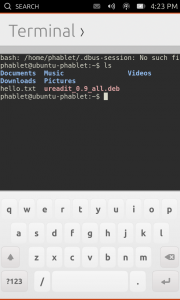
We’re back again for another Ubuntu Core Apps Hack Day!  As always you can find us in #ubuntu-app-devel on Freenode IRC from 9am to 9pm UTC, you can ping me (mhall119) or Alan Pope (popey) and we’ll help you get setup with a development environment and a copy of the Core Apps source code so you can start hacking.

Today’s app is one that was most requested when we announced Ubuntu on phones, and has since proven to be one of the most often used by developers and testers the like.  That’s right, I’m talking about the Terminal!  The Terminal went through very rapid development, thanks to the herculean efforts of one very talented developer, and the ability to re-use the KTerminal QML component from KDE’s Konsole project.  Because of both, the Terminal app has been dogfoodable for a while now.

  • Issue commands. DONE!
  • Use case: ssh into another computer. DONE!
  • Use case: edit a file with vi. DONE!
  • Use case: tail a log file. DONE!
  • Use case: apt-get update. DONE!

But that doesn’t mean that the work here is done.  For starters, we need to make sure that changes to the KTerminal code are submitted back upsteam, something we could certainly use some help from somebody who is familiar with either Konsole’s development specifically or KDE in general.  We also want to improve the availability of special keys like the function keys and ctrl+ combinations that are oh so useful when interacting with the command line, so anybody with QML/Javascript experience or who is familiar with the on-screen keyboard specifically would be able to help us out quite a bit here.

…read more

Source: FULL ARTICLE at Planet Ubuntu

KDE ePub Thumbnailer 0.3.1 (KDE Improvement)

Thumbnail

KDE ePub Thumbnailer 0.3.1
(KDE Improvement)
A KDE thumbnail generator for the ePub file format.

It uses libepub from ebook-tools http://sourceforge.net/projects/ebook-tools/ to (try to) extract the covers. libepub is the library used by Okular to handle the ePub file format.

ePub documents are rather heterogeneous. As a consequence this plugin isn’t able to extract a thumbnail from some documents (in some case simply the file doesn’t contain a cover). I will try to increase the supported ePub files.

Once installed go to Configure Dolphin -> General -> Previews and select ePub documents.

changelog:
0.3.1
—–
* Added another strategy to find the cover, currently shaped on Sigil (by dliw) [0.3]
* German translation added (by dliw) [0.3]
* Better memory management
* Minor code improvements

0.2
—–
* Increased supported ePub files:
– a new strategy to retrieve the cover from standard compliant ePub files;
– the “old” strategy now is the second option;
– a little improvement to increase the possibility of a successful result.
* Some minor improvements.
* Simplified Chinese (zh_CN) translation added. Thanks to nihui.

0.1
—–
first release

[read more]

job recommendations:

[more jobs]
…read more

Source: FULL ARTICLE at KDE Apps

Announcing Season of KDE 2013

What is Season of KDE?

Season of KDE is a community outreach program, much like Google Summer of Code that has been hosted by the KDE community for five years straight.

It is meant for people who could not get into Google Summer of Code for various reasons, or people who simply prefer a differently structured, somewhat less constrained program. Season of KDE is managed by the same team of admins and mentors that take care of Google Summer of Code and Google Code-in matters for KDE, with the same level of quality and care.

Who can take part?

Everyone can apply for Season of KDE. We give preference to those who have applied for Google Summer of Code and to students, but we will gladly consider applications from anyone.

What do I get out of this?

A great summer working on a really cool KDE project and gaining valuable experience. If you complete your project successfully you also get a T-shirt, a certificate, and maybe a few other goodies.

What is the timeline?

Season of KDE is a flexible project to fit around school terms, work, and other commitments, and start and end dates can be discussed with your mentor. Projects should be completed before the end the year, a typical Season of KDE project should take around 2 months.

How do I apply?

First get in touch with a mentor about your ideas, and what projects they want to run.

Next week we will launch a brand new website for submitting Season of KDE applications. There will be a new blog post. Stay tuned!

Do I need to have a mentor before applying?

It is preferred. Ideally, you should contact a KDE subproject well before applying, ask for feedback on your idea if you have one, and request a mentor directly. A list of KDE subproject contacts is available on the Google Summer of Code 2013 ideas page. You can also apply without a mentor and we will try to find one for you.

Do I need to have a project idea before applying?

It is preferred. If you do not have one we will try to find one for you. Keep in mind that the KDE community is pretty big, so you should at least have an idea of which KDE subproject you wish to work on.

Do I need to write a proposal like in Google Summer of Code?

No, but we would like to see a brief project plan describing what you will be working on.

Is it only for coders like Google Summer of Code?

We are willing to consider non-coding projects as well including artwork and promotion, but you should definitely get in touch to figure out the details beforehand. The KDE Community Wiki describes ways to get involved with KDE that do not require coding.

I applied for a project in Google Summer of Code but another student got selected for it. Can I still work on it?

Maybe, but likely not. You should ask the mentor that was assigned to your idea. We can try to find something related …read more

Source: FULL ARTICLE at Planet KDE

KDE 4.11 releases are around the corner. Let's cellebrate!

At KDE España we have started the ball rolling to cellebrate the release for 4.11 by starting the organization of the Barcelona event. Right now it feels pretty lonely at http://community.kde.org/Promo/Events/Release_Parties/4.11.

If you are interested in attending the Barcelona event don’t hesitate voting at the doodle to decide the day! …read more

Source: FULL ARTICLE at Planet KDE

Recently Used Files Records Synchronizer 0.1.0 (KDE Accessibility Application)

Thumbnail

Recently Used Files Records Synchronizer 0.1.0
(KDE Accessibility Application)
This is a little tool program that can synchronize the records of recently used files between Gnome and KDE.

Each time you select/save a file via GTK/KDE file dialog, the file is recorded in GTK/KDE recently-used files list.
You can find the entry to that list in GTK’s file dialog “Recently Used” and in KDE’s file dialog by going into the url ‘recentdocuments:/'(after KDE 4.9, for KDE 4.1-4.8, please install kio_recentdocument from kde-apps.org)

GTK and KDE use different ways to save that list so without the help from other programs, you can not share the list between GTK and KDE.

This program build a bridge between KDE and GTK’s recently used files lists. The change in one list will reflect to the other list in just few seconds ( by default, it is 2 seconds).

# Requirements #
1. KDE-libs4.x
2. gtk+2

# Download #
32bit user can download the binary file in the links below.You can run ‘ldd RecentlyUsedSync'(if you rename the file you download to ‘RecentlyUsedSync’) to see wheather you meet the requirements of the dynamic link libraries.

64bit The link of 64bit directs to the Arch Linux Package generated by OpenSUSE Build Service (since KDE-Apps can only upload one binary file, the other links should be outer links).
Users who uses other Linux distros can extract the package file to get the binary program from the relative path ‘usr/bin’.

# How to Use #

## Run from command line ##

./RecentlyUsedSync [time]

time stands for the time interval between two synchronize checks (unit: second), the default option is 2 seconds.

## Run in background ##
Make the program auto-start. It will synchronize the records every [time] seconds in background silently.

changelog:
0.1.0 initial release.

[read more]

job recommendations:

[more jobs]
…read more

Source: FULL ARTICLE at KDE Apps

Recently Used Records Syncor 0.1.0 (KDE Accessibility Application)

Thumbnail

Recently Used Records Syncor 0.1.0
(KDE Accessibility Application)
This is a little tool program that can synchronize the records of recently used files between Gnome and KDE.

Each time you select/save a file via GTK/KDE file dialog, the file is recorded in GTK/KDE recently-used files list.
You can find the entry to that list in GTK’s file dialog “Recently Used” and in KDE’s file dialog by going into the url ‘recentdocuments:/'(after KDE 4.9, for KDE 4.1-4.8, please install kio_recentdocument from kde-apps.org)

GTK and KDE use different ways to save that list so without the help from other programs, you can not share the list between GTK and KDE.

This program build a bridge between KDE and GTK’s recently used files lists. The change in one list will reflect to the other list in just few seconds ( by default, it is 2 seconds).

# Requirements #
1. KDE-libs4.x
2. gtk+2

# How to Use #

## Run from command line ##

./RecentlyUsedSync [time]

time stands for the time interval between two synchronize checks (unit: second), the default option is 2 seconds.

## Run in background ##
Make the program auto-start. It will synchronize the records every [time] seconds in background silently.

changelog:
0.1.0 initial release.

[read more]

job recommendations:

[more jobs]
…read more

Source: FULL ARTICLE at KDE Apps

Awesome days during Akademy 2013

Joola Phone demo

Awesome days during Akademy 2013

Hi all,

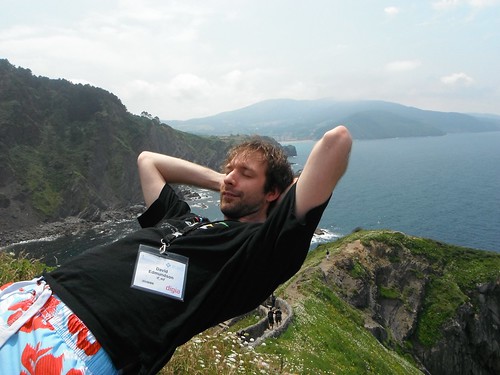
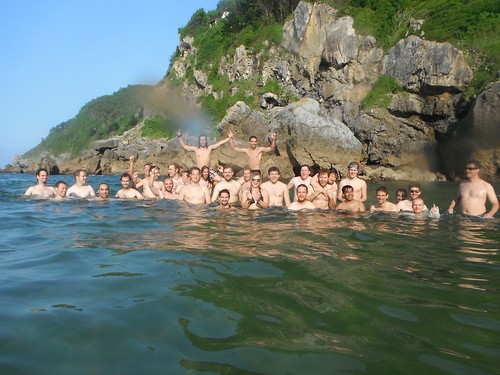
Being a part of KDE Akademy is one of the most awesome experiences ever. This was my second Akademy after the one in 2012 . Akademy 2013 was held in the beautiful city of Bilbao in Spain. Held from 13th July to 19 July, it had 2 days conference followed by 5 days of workshop, Birds of a Feather sessions (BoFs), lots of hacking, and of course lots of fun!

Day 0

I reached Bilbao on 12th July and went for pre-registration where I also met many KDE folks (some of them I already met during last Akademy and some new people). It was great to meet everyone again, we all had a fun time together with greeting each other, drinks and lovely music.

Day 1

The first day of the conference started with a keynote by Eva Galperin . A member of EFF, she talked about the NSA surveillance and how it affects people outside the US.

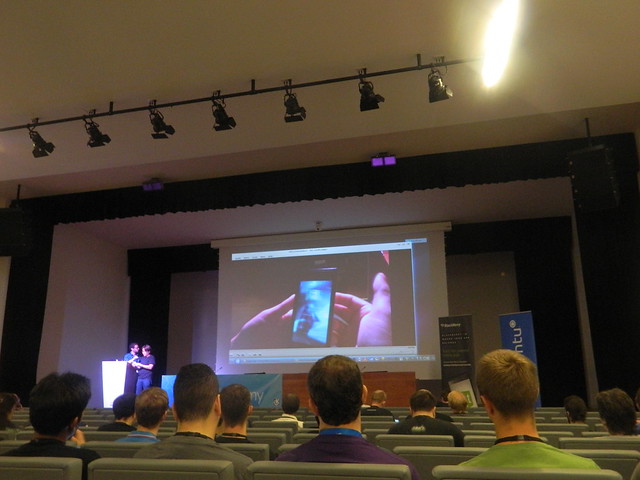
After keynote, Kevin Krammer gave talk on Declarative widgets where he explained and showed demo on how to create widgets based UI in QML. This approach enables non-C++ programmers to participate in UI development for traditional desktop applications.

Till Adam talked about KDE on Blackberry where he explained about Blackberry …read more

Source: FULL ARTICLE at Planet KDE

X by web

By gitac

hi experts,…
i am with a old computer in here,..
and i have a political for having all machines mine working,…
i had slackware 13 with windows7 working in that machine–all perfect,.
then i been for installing only slackware,..
problem i don’t get install all packages especially KDE,..
i tried various options,..
I have strong reasons for believing problem is hardware-my lens or hd,…

the i installed slackware without X server,…

is it possible i contour my problem installing X server by the web???

…read more

Source: FULL ARTICLE at The UNIX and Linux Forums

Akademy 2013 Day 4 in Photos

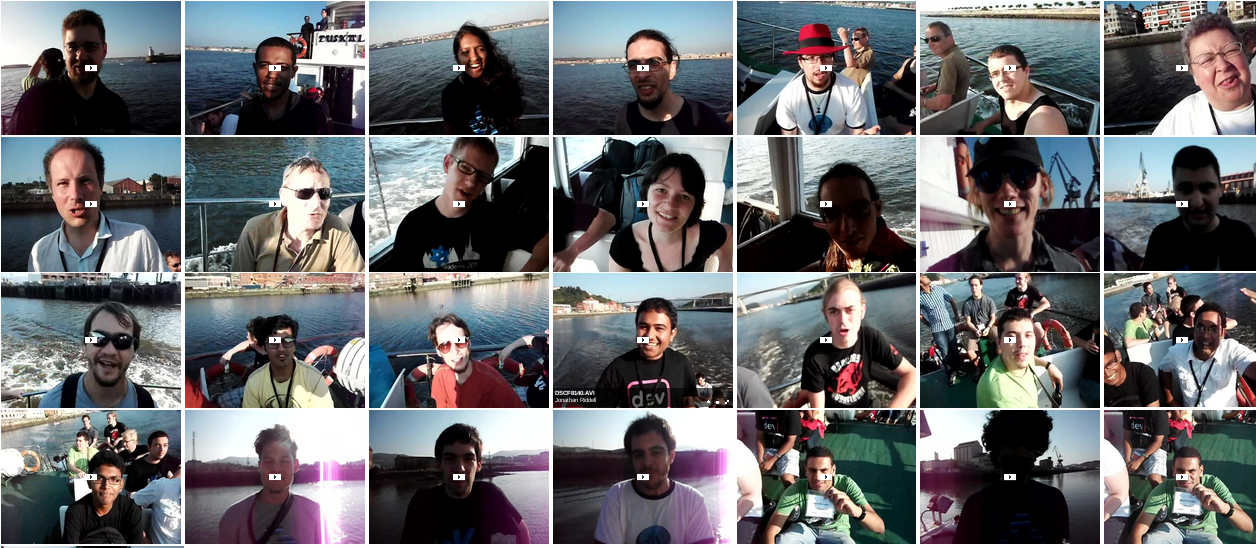
DSCF8062

KDE Project:

…read more

Source: FULL ARTICLE at Planet KDE

A Nicer Query Builder Widget

The widget

After 10 days of vacations, I’m now back at work for the rest of the GSoC period. Before my departure, I presented a syntax-highlighted query builder widget. It was based on a QTextEdit made to look like a QLineEdit, and a QSyntaxHighlighter subclass was responsible for the highlighting.

The result was quite nice, but not as nice as what Ivan Čukić imagined for this control. Since the first instant I saw his mockup, I wanted to have a widget like that in Nepomuk. The problem is that such a widget is very difficult to implement (and even more to implement correctly), and that I haven’t found any existing code on Google, and the only application using this widget I know of is Yahoo! Mail. I therefore decided to implement this widget myself.

General Idea

The code of the widget lives in my branch of the nepomuk-widgets repository. Even though I tried to keep the widget general (the GroupedLineEdit class does not reference any Nepomuk class), I don’t think it can already be useful to other projects. Don’t hesitate to prove me wrong, though. If this widget one time becomes general enough and more sane than it is currently, I would like to have it merged into Qt (the widget doesn’t use any KDE class).

The widget

The idea of the widget is to “group” terms into blocks. A block is a rounded rectangle, each of a different color, and having a small cross. When the user clicks the cross, the group is deleted. The blocks must be completely cosmetic for the user. That means that the full query builder still needs to behave like a QLineEdit: the user must be able to move the cursor using the arrow keys of his or her keyboard, and the cursor must not be stuck at one end of a block. It must be able to flow from a block to the next or the previous. The user must also be able to add text anywhere, even between blocks.

Blocks are added to the widget by the application, one at a time. Blocks cannot be removed, but the widget can be cleared (every block is removed, the text being preserved). When blocks need to change, the application thus clears all the blocks, then re-add the ones it needs. This is not the most efficient operation, but doing otherwise would have greatly complicated the API and the code itself.

Flowing From a Line Edit to Another One

Flowing” is an operation needed when there is two line edits next to each other. When the user presses the arrow keys, the cursor moves in one of the line edits. What I want is to detect when the user tried to move left/right when the cursor was already at the left/right of one line edit. When that occurs, the cursor is placed at the right/left of the previous/next line edit. [ ][| ], with the vertical bar representing the cursor, …read more

Source: FULL ARTICLE at Planet KDE

Spooning, not forking

One thing that strikes me here during Akademy is the sense of community convergence one gets.

While other Free software projects drift apart, splitting up in multiple forks that stop talking to each other, differentiate based on the wrong reasons, what we see here during Akademy is projects growing closer to each other. This is a good development, so let’s look at it a bit more detailed.

KDE is continually evolving, becoming more diverse by the day. As an organisation, we realised that, and many see KDE as an umbrella organisation for Free software, rather than a “project doing a desktop environment”. When we published the KDE Manifesto, we set the tone for this to happen, and now we see it unfold. The KDE manifesto defines KDE as a community of like-minded Free software people. One of the most important adjectives to describe KDE is inclusive, that means that we define ourselves in terms of commonalities, rather than trying to differentiate ourselves from our peers.

Also, as an organisation that is in the business for 17 years, we have gathered a large body of expertise, best practises, knowledge how to run a community. We have also proven to be a sustainable and stable organisation.

At Akademy, the KDE community is joined by a wide variety of people not directly involved with KDE. We have VLC here, Razor Qt, Mer and of course our long-time friends from Qt present. This, on the one hand provides excellent opportunities for cross-pollination and solving common problems (or even just sharing pain!), on the other hand it makes us think if we’re at the right level of collaboration right now. Is there more to share among these distinct organisation, does it make sense to merge some of them and share the overhead?

This surely is food for thought, and I expect this class of discussions to last until long after Akademy, but it is very refreshing to see. It also increases the value of all our communities. Synergy through convergence.

It’s also an excellent way to make new friends, and look outside our own frame of reference.

…read more

Source: FULL ARTICLE at Planet KDE

Generosity, Family

Akademy 2013

After trying to connect to Mohammed Nafees, our GCi student winner from India, I finally was able to talk with him this afternoon. I was asking about his experience with KDE, and if he had gotten the help and support he needed. The enthusiasm of his reply was a bit surprising. He said he had chosen KDE because it is more than a community. When he couldn’t think of the word he wanted to use to finish his sentence, I said that to me, KDE is family. He said, “YES! KDE is family.”

Hours later, I’m still smiling about that. What a wonderful way to end the official Akademy program.

Right now, I’m typing this on my little netbook, surrounded by enthusiastic hackers. Even after working all day, most are hacking still at midnight! With occasional breaks for table tennis and pool, of course. The power cords snaking over the floor are hilarious!

Some of us paid our own way to this wonderful conference, but many of us are sponsored in whole or in part by the KDE e.V. Such generosity is what family is all about. However, as my mother used to say, money doesn’t grow on trees! If you have not yet “Joined the Game”, please think about signing up. Our e.V. needs a reliable funding stream to continue to support those who create the wonderful KDE ecosystem. http://jointhegame.kde.org/

I’m really here…..
…read more

Source: FULL ARTICLE at Planet KDE

KDE Manifesto: There and Back Again

This post is part of a series about the KDE Manifesto

In the previous posts of this series, we looked at the history of our community
and the reasons which pushed us toward answering “What is a KDE Project?”. We also
discussed which process we followed which ultimately gave birth to more than a
definition in the form of the KDE Manifesto.

I’m just done delivering the Akademy 2013 Community Keynote (and yes, the
slides of my keynote are already online), and this last part of my
KDE Manifesto series will follow a very similar message than my keynote (even if
approaching it from a different angle and likely with more words).

The KDE Manifesto is almost one year old now… That prompts the
obvious question of “Did it have any effect?” And good news, yes it did, so all
that work wasn’t for nothing! More seriously the most obvious effect is the fact
that we got some new projects joining our community; projects that already existed
outside of KDE. We’re not talking about dozens of them, more likely three or four,
which over a year is not too bad. It also had a less obvious effect toward projects
which were already part of the community or perceived as such, it prompted them to
get closer to the rest of the community. In both cases, it gives me great hopes.
Indeed, those people joining or getting closer are the living proof that our
community and its values are attractive.

Now of course, we risk becoming lazy and stopping here. Maybe just adjust the
manifesto a bit here and there, roll out updates to it and done… I think that
would be sad, and for the past year I’ve been taking a step back from the manifesto
trying to connect the dots and see where past events could lead us. I think that
now I’ve a theory worth sharing.

The obvious (in my opinion) conclusion of the events I related in my previous
posts (the Akademy 2006 discussions, the KDE Rebranding and the KDE Manifesto) is
that our software products are not what matter the most. The community is what
truly matters. It might seem obvious to you as well oh my dear reader… but it
was clearly not a given 10 years ago. Ultimately, we could completely stop
producing a workspace (worry not though, we still plan to do so, it’s a pure
thought experiment) as long as the community survives and lives up to its values.

Then we must ask ourselves if the community has the necessary means for such a long
term survival. Since the manifesto it has the seeds to create such means, but they
still need to be created. And to figure out which tools to create, I think we need
to realize which type of structure we’re evolving into and keep pushing in that
direction. And even though it can be a fuzzy concept, I think we’re evolving to
be a democracy. We have no land (apart from some presence on the internet) but
even without physical borders it’s what we strived to be and that’s clear from
the manifesto in my opinion: more than half of the …read more

Source: FULL ARTICLE at Planet KDE

Short Tip: Fix qdbus problems during a Kubuntu upgrade to 13.04

I just performed an upgrade of my Kubuntu installation from 12.10 to 13.04 and had problems with the starting KDE seesion: it wasn’t able to bring up dbus, asked if I were able to call qdbus and quit afterwards.

A short test on the command line calling qdbus brought up a strange error: the binary was there and could be called, but looked for another binary called qdbus in /usr/lib/x86_64-linux-gnu/qt4/bin/qdbus which wasn’t there. However, there was a binary called /usr/lib/i386-linux-gnu/qt4/bin/qdbus, and thus I realized that the i386 version of qdbus was installed, rather than the x86_64 version I needed. Thus the fix was easy:

apt-get install qdbus

The i386 version was automatically removed, the x86_64 bit version was installed, and KDE was able to start up properly.

Filed under:

Source: FULL ARTICLE at Planet KDE

Moving day

Recently I noted that there were more and more topics outside of Simon (but mostly related to KDE in other ways) that I wanted to talk about.
Therefore, I have decided to set up a personal blog: http://grasch.net/blog.

Because I don’t want to maintain two separate blogs, this is also the place where I will post updates about the Simon development from now on.

The new blog will of course also be aggregated to Planet KDE.

Source: FULL ARTICLE at Planet KDE