Tag Archives: Open Source

GNUnify 2013 was awesome

This is a month of FOSS events – and one of them was GNUnify 2013 at Symbiosis Institute of Computer Studies and Research. There were talks ranging from systems stuff like GCC, about Android hacking to KDE development. We met people from communities of KDE, Mozilla, Wikimedia, friends from RedHat and of course the awesome awesome organizers and volunteers.

It is nice to see a Free Software event like GNUnify to turn into a tradition where teachers and students work hard to create what is rightly said a forum to unite open minds.

Day1 of the event had lots of talks including our very own KDE – we planned a full day track on KDE primarily aimed to introduce people to KDE (and Open Source in general) and give them starting tips on how to get started. The talks started with introduction of Qt and a hands-on where people tried writing sample applications. Something new here was that we had to cover QtQuick/QML which these days is the preferred way of doing GUI in Qt, but at the same time we couldn’t leave out the traditional QWidget style of doing GUI. This was primarily because of two reasons, first most of the current KDE applications are written in QWidget so people will need that if they want to contribute and secondly the desktop components of QML still aren’t widely used.

Pradeepto on KDE

We started with the Qt talk and the hands-on was very well received by the attendees. They tried Qt Creator and created sample apps, winning KDE.in tshirts in the process 😀 After lunch Sinny talked about and gave a demo on using QtQuick/QML for writing fluid and modern GUI. This was followed by a talk on getting started with KDE development where we demo’ed a small hack in rekonq (a KDE browser based on WebKit) so that people get confident that its pretty easy to get started. We also spent an hour or so in answering questions that people had in mind about contributing.

The organizers were kind enough to arrange a pool-side dinner for us and it turned out to be a nice opportunity to socialize more, and meet all of the volunteers at one place. And whats more, I got a chance to be picture’d with the à€čà„ˆà€•à€° laugh

Day2 saw talks on various kinds of topics like Android, Python, Drupal etc and I gave a Plasma Active demo to a group of volunteers. After Day1 which was kinda tiring due to the day long session, the 2nd day was quite fun with meeting friends again and chatting over lots of stuff 🙂 Not only this, we had a nice evening and dinner, thanks to Siteshwar.

(Photos courtesy Sinny Kumari, …read more
Source: FULL ARTICLE at Planet KDE

There And Back Again

Hej there – two years ago I left the bloggosphere for good. I had a new job, and hardly any time for blogging. Two years later a lot of things have changed. I mean, I still have the job. And I have even less time for blogging!

But: I make a lot of experiences using Linux and Open Source Software in business critical environments, and I managed quite some larger Open Source projects myself (yes, I was promoted to “Project Manager / Senior Consultant” – Hurray for fancy job titles! ). And: I simply need a place to write down these experiences, what was really good, what was bad, what I learned from them, what others could learn and so on. And why should

So, as a result, you might find one or the other new blog post here in the future. You might. =)

Filed under: …read more
Source: FULL ARTICLE at Planet KDE

PeaZip 4.8.1 (KDE Archiving/Backup)

ThumbnailPeaZip 4.8.1
(KDE Archiving/Backup)
PeaZip is a cross-platform, desktop neutral file archiver utility that provides an unified portable GUI (Qt and GTK2) for many Open Source technologies like 7-Zip, FreeArc, PAQ, UPX

Create 7Z, ARC, BZ2, GZ, *PAQ, PEA, QUAD/BALZ, TAR, UPX, WIM, XZ, ZIP files

Extract over 150 archive types: ACE, ARJ, CAB, DMG, ISO, LHA, RAR, UDF, ZIPX and many more…

Features of PeaZip includes extract, create and convert multiple archives at once, create self-extracting archives, split/join files, strong encryption with two factor authentication, encrypted password manager, secure deletion, find duplicate files, calculate hashes, export job definition as scripts.

Installation and integration in *x systems:

If experiencing problems running PeaZip compiled for Qt, start it as:
peazip -style=cleanlooks

If experiencing problems with PeaZip compiled for Qt widgetset, it is available PeaZip compiled for GTK2 libraries as alternative, or it is possible to compile the application for its own Qt version using Lazarus/FreePascal IDE, which supports compiling the sources for various widgetsets: Win32, WinCE, fpGUI, Carbon, Qt, GTK1, GTK2.

On Linux systems, PeaZip installer automatically create menu entries for KDE (on most versions); to add PeaZip to Gnome menu copy the “Archiving” folder placed in PeaZip/Freedesktop_integration/nautilus-scripts to system’s Nautilus script’s folder (in most versions open “Scripts” menu in system’s context menu, and select “Open script’s folder”).

Qt widgetset packages requires Qt 4.5 or more recent, and needs libQt4Pas.so installed in /usr/local/lib or equivalent directory (copy the file and run ldconfig; it is done automatically in installable packages), such as /usr/lib or /usr/lib32 on some 64 bit distributions.
A copy of libQt4Pas.so is available in PeaZip’s directory, ./usr/local/share/PeaZip/ for the installable packages.
If the Qt version does not start on some systems, as some system’s visual styles may cause recursive repainting error, you can fix the problem starting it in a console (or script) as: peazip -style=cleanlooks

On 64 bit systems, backend binaries in PeaZip/res path can be freely replaced by users with respective 64 bit counterpart (if available).

PeaZip Portable is standalone software and doesn’t need installation and can be used from removable or remote paths without changing the host system (useful is system needs to stay library-freezed).
‘Freedesktop_integration’ folder in PeaZip’s path contains .desktop files and Nautilus scripts to help users to configure tighter integration of PeaZip with desktop environment’s menus.

changelog:
2013 01 31
Improved GUI, various fixes.

2012 12 06
Added native build of PeaZip Portable for BSD systems

2012 11 23
4.8 New graphic files management features, new alphabetically sorted Functions sidebar, improved mail functions integration

[read more]

job recommendations:

Sales Engineer full time employee
ownCloud Inc. United States of America, Boston more about this offer

[more jobs]

Source: FULL ARTICLE at KDE Apps

On Open Innovation and Open Governance

Heya,

As I wrote in my blog yesterday, on Thursday the 15th I’ll be leading a discussion session about open governance in the Open Innovation track at the ‘Summit of new thinking’ in Berlin.

Edit: The video of my talk is up…

#SON12: Jos Poortvliet – Open Governance done right: creating rules without ruling from newthinking on Vimeo.

Open Innovation

I’m actually looking forward to that: the ‘open innovation’ thing was what once got me professionally interested in Free Software communities (while studying Organizational Psychology) and I still consider it an exciting topic. I did my thesis on open innovation but 10 years ago there was barely any research done in the area of open source governance and when I asked questions to my professors, blank stares where the result. These days, things are different (see for example this interview): the Academic world has seen what open source organizational methods can do and there is quite a bit to read about it.

Open Governance

The idea behind Open Innovation is to involve the entire organization with innovation and improving things. Both big and small – we’re not just talking about creating ‘The Next Big Thing’ but also improving current products, structures, processes and more. Think about it as bottom-up innovation.

That only works if you have the right governance: the right structure and rules. Innovation is the first thing you stifle if you make mistakes in how you set up an organization. And you can’t just create a ‘department of innovation’, stuff a bunch of folks in a room and tell them to innovate. It just doesn’t work that way. Innovation comes from interaction: people talking to people. Sales together with Engineering, that kind of stuff. Creating an organization which is conductive to innovation is not easy.

Open Source communities of course excel at this: their organically grown structures and informal rules let people ‘do what they want’ and freedom is the foundation of innovative cultures. But these ways of working have their limitations – you can’t be informal forever, not if you grow big. At some point, some guidance has to be there to prevent things from clogging up the wheels of innovation. Things like personal conflicts, fights about creative directions, strategic disagreements. And this is, again, where governance comes in. My session is sub-titled “creating rules without ruling”, as in my opinion, it is more about writing down existing but implicit rules than creating new ones.

Qt Open Governance

Interesting in this regard is the Open Governance the Qt project is working on: building such structures ‘from scratch’ is not easy. You have to find out where you agree, yes, but while writing things down, implicit things become explicit and that goes for (potential) conflicts then too. But being able to do this in a fresh community, before ideas get entrenched! Having a chance to set direction in a ‘soft’ way. Terribly exciting!

Meet me, talk to me!

If you want to share thoughts with me on this topic, meet me at QtDevDays or at the Summit of New Thinking – or other events in the future (how about FOSDEM?).

In a while, Crocodile!

Edit:
A few video‘s has been created for the conference. Esp the first one is funny 😉

Check ’em out:
What is Open Innovation? (Chinese Whispers Game)
Open Innovation Track Day 1
Open Innovation Track Day 2
Rule No.1 for innovation: Have fun!
Source: FULL ARTICLE at Planet KDE

Kexi 2.5.5 (KDE Database)

ThumbnailKexi 2.5.5
(KDE Database)
Kexi: Database Creation for Everyone

Kexi is a visual database creator. It can be used for designing database applications, inserting and editing data, performing queries, and processing data. Forms can be created to provide a custom interface to your data. All database objects – tables, queries, forms, reports – are stored in the database, making it easy to share data and design.

Kexi is considered as a long awaited Open Source competitor for Microsoft Access, FileMaker and Oracle Forms. Its development is motivated by the lack of Rapid Application Development (RAD) tools for database systems that are sufficiently powerful, inexpensive, open standards driven and portable across many operating systems and hardware platforms.

Kexi designed to work well not only on KDE but also on GNOME and other environments. It should be usable also without running KDE Desktop on Linux/Unix, MS Windows and Mac OS X platforms (support for the latter two will be re-added in next version).

KEXI TEAM IS LOOKING FOR FEEDBACK, DEVELOPERS, TESTERS, AND SUPPORT

———————————————–

Note: Versions 1.0-2.3 and have been released within KOffice, 2.4 and next versions are released within the Calligra suite, successor of KOffice. Users are not forced to install all the Calligra packages to use Kexi.

Documentation should be available with the Linux Kexi package. If this is not the case in your distribution, the newest documentation is at http://userbase.kde.org/Kexi/Handbook

More material for users: http://userbase.kde.org/Kexi

How to build: http://community.kde.org/Calligra/Building

Forum: http://forum.kde.org/kexi

Mailing list: kexi@kde.org; subscribe at https://mail.kde.org/mailman/listinfo/kexi

Example Database at KDE-Files.org:
http://kde-files.org/content/show.php?content=23137

To report a bug or make a wish, better please use http://bugs.kde.org web site instead of entering a comment here.

changelog:
For announcements and list of changes see http://kexi-project.org

[read more]

job recommendations:

Sales Engineer full time employee
ownCloud Inc. United States of America, Boston more about this offer

[more jobs]

Source: FULL ARTICLE at KDE Apps

Post Google Code-in – an exhilarating journey ends

How long had I been waiting for this to commence – every month, every week, every day passed so painfully slowly – it seemed like eternity. I sometimes felt like a little kid imagining weird things – imagining being in some limbo land where the clock just wouldn’t tick any further.

And finally ithappenedon the 26th of November, 2012. The Google Code-in ‘rocket’ had launched from the lands of the ‘Google empire’ to many thousand homes where young developers were ready to explore the world of Open Source in the next 50 days of their life. I am one of those students.I’m notexaggerating –seriously. I’m just giving voice to the feelings of hundreds of teenagers who participated in Google Code-in 2012.

After contributing to KDE in GCI ‘11, I was determined that this year I would be doing the same. Thankfully I got this opportunity and I grabbed it with both hands!

I was able to do 71 tasks for KDE and acquired a lot of knowledge while doing each one of them. And by knowledge I don’t mean merely programming skills but I got to learn things which, in my consideration, are much more important than this. I learnt to keep my cool in the most trying circumstances. I learnt to give a 100% in all my endeavours. I learnt never to lose hope. I learnt that friendship and humanity transcends all boundaries. I learnt that this is just the beginning 


 there’s so much more to learn!

It was during GCI when I got my KDE developer account, on the 6th of January. And I am just so excited about this. I am now a part of this community.

So much remains unsaid 
.. but every thought can’t be put down via pen and paper – okay fine, it should be keyboard and blogpost ;). But I feel I have been able to convey how profoundly I feel connected to the K Desktop Environment.

I have not yet thanked my mentors and I wanted to do it in a special way. So, here it goes 


The ‘perfectionist’ – Dennis Nienhueser

The ‘guiding light’ – Torsten Rahn

The ‘helping hand’ – Rene Kuttner

The web ‘spider’ – Ingo Malchow

The KDE Edu ‘pair’ – Marco Calignano, Aleix Pol

The ‘super woman’ – Lydia Pintscher

The Affectionate mentor – Anne Marie-Mahfouf

The ‘anagram’ genius – Laszlo Papp

The ‘flask’ of knowledge – Jan Kundrat

The ‘visual’ mentor – Thorsten Zacchman

The ‘code-checker’ – Kevin Krammer

I would also like to thank Carl Symons for being my mentor in a task although we didn’t get an opportunity to interact but I look forward to do so in the future.

Apart from my mentors, I would also like to thank:

1. Ben Cooksley, for approving my developer account application

2. Jonathan Riddell, for adding my blog to Planet KDE

3. Teo Mrnjavac, for always being there with me and helping me out with my petty problems

4. Google Inc. for giving us a global platform to enhance our skills

Last, but by no means the least, a BIG thank you to my family for being like the life-giving oxygen – inconspicuous yet omni present.

KDE and the K Desktop Environment are registeredtrademarksof KDE e.V.

All the images are the sole property of their respective holders.

Source: FULL ARTICLE at Planet KDE

Hamsi Manager 1.1 (KDE Filemanager)

ThumbnailHamsi Manager 1.1
(KDE Filemanager)
Hamsi Manager is a file manager developed for extra treatments. You can perform a process to multiple files at once. You can perform multiple processes to multiple files at once or over and over again the next time. Offers you more options as possible, all the while. Aimed to create a fully customizable environment and it aims to combine with ease of use. Distributed under the GPLv3 license and is a project developed with entirely Open Source libraries.

Installation Steps :

* Download tarball
* Extract tarball and enter “Hamsi Manager” directory.
* Double click to “install.py” or write “python ./install.py” to console(Konsole,Terminal…).
* You can install with “Hamsi Manager Installer”. (Graphical User Interface (GUI))

System Requirements :
Python 2.5+, 3.X ( Some requirements not support Python 3 )
PyQt4 (Qt4)
* PyKDE4 (For better desktop environment (KDE 4) supporting)
* PyQt4.Qsci (Qt4 – QsciScintilla) (For some features)
* python-eyed3 (For some features)
* python-musicbrainz2 (For some features)
* python-mysql (For some features)
* pywin32 (For some features just in Windows)
* cx_freeze (For installation/packaging (.rpm, .msi, .exe, …) by setup.py)

changelog:
1.1:
* A new Character Encoding tool has been added into Special Tools.
* Search Tool has been improved, searching in multiple file support has been added.
* Script Manager has been created. You can run your scripts by menu. You can create and edit your scripts. You can access every part of Hamsi Manager by these scripts.
* A few options has been added for present features.
* All known problems ( Especially file system encoding problems ) has been solved.
* All known and encountered bugs has been fixed.
* We ( Actually, just I:) ) have been focused problems and bugs in this release, so there is no much new feature.

1.0.4:
* Fixed some bugs.
* Completed missing translations.

1.0.3:
* Improved some features.
* Fixed some bugs.
* Brazilian Portuguese (pt_BR) language support was removed. Since this language was out of date.

1.0.2:
* Fixed many bugs.

1.0.1:
* Fixed some bugs.

1.0:
* Added new features for Amarok.
* Added Amarok Artist Table and Amarok Copy Table.
* Added Searcher tool.
* Renewed My Plugins.
* Added Explorer context menu plugin for Windows.
* Improved as compatible with Windows.
* Improved as compatible with “cx_Freeze” for build executable files.
* Code infrastructure improved as compatible with more other systems.
* Special tools of application performed more improvements.
* Improved current tools and features.
* Added new options to some processes.
* Performed more improvements for unexpected case when performing some processes.
* Performed more improvements about of visualization.
* Many were tested, and all the bugs fixed.

[read more]

job recommendations:

Sales Engineer full time employee
ownCloud Inc. United States of America, Boston more about this offer

[more jobs]

Source: FULL ARTICLE at KDE Apps

Today’s lecture: “Open Source and Standards”

Today’s lecture was about Open Source and Standards. What made it special is that while there was a lot of theoretical background, most of that could be discussed based on the UK Open Standards Consultation last year. The questionnaire for the consultation covered pretty much all aspects discussed in the session. The KDE and the FSFE responses illustrated the position of the Free Software community. Here is the session summary:

Standards play an important role in increasing productivity and competition. After a brief introduction of the economic role of standardization, the idea of an Open Standard will be introduced. While there has been plenty of discussion around the definition of Open Standards, what constitutes such a standard is ambiguous. The requirements of Open Standards to be supportive for Open Source software will be discussed in relation to the definition of Free Software by the Free Software Foundation, and contrasted to the definitions applied by the International Telecommunication Union, and the European Interoperability Framework.

Standards can only be as open as the licenses of the essential patents that are necessary to implement them. The industry often pushes for the adoption of patented technologies under RAND or FRAND terms. The relation between FRAND terms and Open Standards will be analysed, and compared to the requirements of the Four Freedoms. It will be shown that again, openness applies to the standards themselves, and to the processes in which they are developed.

Open Source has caused a massive standardisation in the use of IT for institutions and individuals. The majority of the Open Source products are never made into formal standards, and usually innovate faster than standard setting organisations can keep up. Depending on the type of Open Source licenses applied, different network effects apply: When copyleft licenses are chosen, there are often converging network effects, leading into the development of a single dominating product like Linux. With permissive licenses, forking of derivative works is more common, as can be observed with the BSD family of operating systems. So while the Open Source licenses are guaranteeing the same essential freedoms, the projects may develop differently due to the economic effects caused by the choice of license.


Google+

Filed under: CreativeDestruction, English, FLOSS, KDE, OSS Tagged: Creative Destruction, FLOSS, free software foundation, international telecommunication union, science
Source: FULL ARTICLE at Planet KDE

Jono Bacon: Ubuntu At CES

On Sunday last weekend I flew out to CES to join the rest of my colleagues to exhibit Ubuntu at the show. We were there to show the full range of Ubuntu form-factors that we have available; desktop, TV, Ubuntu for Android, and most recently, Ubuntu for phones.

The Ubuntu booth was located in the South Hall within the cornucopia of screens and gadgets that is CES. The show is huge, really, really, huge, and one could be forgiven for thinking that Ubuntu would be a mere drop in the ocean when you have exhibitors such as Samsung and Sony with their warehouse sized booths. Fortunately, Ubuntu seemed to be one of the highlights at CES.

Although many people were there to see Ubuntu for phones, the phone is really only one part of the true magic of Ubuntu’s focus and direction; a single ubiquitous convergence story that runs across every device you care about and the cloud. This is a story that is a lot clearer when you see each of these different form factors sitting side by side in the same booth, it really helped to connect the dots with our visitors.

Ubuntu TV on display.

Ubuntu is about delivering a beautiful user experience that is perfectly tuned to the screen you are using, yet consistent in design and content across these different form factors. If you have used Ubuntu on the desktop, Ubuntu on the phone and TV looks and feels familiar. We have worked to build the content that you own (and the content that you could own) into the core of the platform, as opposed to it being buried in applications that you need to juggle to access it. We have worked to liberate web apps from the browser tabs that they are trapped in to integrate them with the core of the platform, and we have reduced the on-screen clutter that gets in the way of your content. Ubuntu One provides the connection points between these screens with your personal cloud in which your files, content, settings, phones, and other content is neatly synced between all of your devices; as an example, if you buy or download a new song on your phone, it will sync effortless to your desktop, TV and other devices. This convergence presents a consistent design, user, and content experience across all of your devices, and underlined by Ubuntu; a platform that has a long heritage of openness and community participation.

Our booth at CES was comprehensive. We had two large TVs with high quality cameras attached on either side of the stand where we did demos of the phone to interested passers by. In between these screens we then had stations for demonstrating Ubuntu for TV, Ubuntu One, Ubuntu for Android (which also demonstrated the Ubuntu Desktop), and the Ubuntu developer platform. Between these stations we gave out bags, t-shirts, literature, caps, DVDs, and other material.

An Ubuntu for phones demo station.

At the far end of the booth we also had our meeting room. With CES being a trade-only show, a primary goal for attending was to work with handset manufacturers and operators to explore how they can deliver Ubuntu to their customers. Mark Shuttleworth (founder of Ubuntu/Canonical), Jane Silber (CEO of Canonical), and Chris Kenyon (Head of Business Development at Canonical) spent most of their time in the meeting room talking with potential customers. Fortunately, their calendar was packed throughout the week with meetings and great progress was made.

I spent most of my time at the booth presenting the phone on the big screens to the crowds that visited us. Now, I am not using the word crowd here in an exaggerated sense either – the Ubuntu booth was packed throughout the week, and most people who I spoke to told me that one of the main reasons they came out to CES was to see Ubuntu and in particular to see Ubuntu for phones.

We saw a constant stream of visitors throughout the show.

We also had a huge number of press come along to the booth and myself as well as many of my colleagues did countless demos both on and off camera to these members of the press. Speaking of press, I was delighted to finally meet Timothy Lord from Slashdot and I did a short interview and demo with him. I saw that a video of one of my demos is available online as well as some questions about the phone that I answered. Also, be sure to see SJVN’s write up about Ubuntu for phones.

I have done trade-shows before, and I have exhibited Ubuntu many times at these shows. Although I had never done CES, I had done something similar in style and size (CeBit in Germany), and I had a broad idea of what to expect. Fortunately the show more than surpassed my expectations. We were absolutely inundated with people, and every time I gave a demo of Ubuntu for phone the audience smiled with interest as I walked them through the different features of the phone. Ubuntu for phones was very, very positively received, and from a “things often go wrong when demoing at trade-shows” perspective, we didn’t experience a single crash or failure with the phone (or anything else that we demoed). The only problem we had was rather flakey internet access which impacted me demoing the deep integration of websites and social media into Ubuntu for phones.

We also had a few other fun things happen. The week set off on the right foot when we won the Editors Choice award at CES from Popular Mechanics magazine, and we also had will.i.am from the Black Eyed Peas show up to see the Ubuntu phone. We were also expecting MC Hammer to visit us, which unfortunately didn’t happen, but infamous hacker Kevin Mitnick did make an appearance, to which my colleague Michael Frey and I swooned like Justin Bieber fans.

The team holding the Popular Mechanics award.

All in it was a tremendously productive and positive week.

I have never been so excited to be part of Ubuntu and part of this convergence story that we are creating. Not only is this a great opportunity for Ubuntu, but it is a great opportunity for Open Source and Free Software, which continue to drive the ethos and values that form Ubuntu. Everything that we exhibited at CES is Open Source, and our community are a core part of how we build this platform and bring it to the masses.

We have the potential of building a an ubiquitous platform that is simple and elegant for anyone to use, but driven by the values of Free Software. This is what freedom is all about; freedom of technology, freedom of choice, and freedom that is accessible to everyone. Let’s do this.

Source: FULL ARTICLE at Planet Ubuntu

Philip Ballew: Come speak at SCALE The Next Generation and have a really good time!

The Southern California Linux Expo will be running a conference called SCALE The Next Generation, and we  are looking for a few more speakers! Just what is SCALE you ask, well it is a great Linux Conference taking place this February in Los Angeles. At this conference we will be offering a chance to let youth involved in Open Source speak on their skills, experiences  and love of what they use and do. Last year was the first year for SCALE to offer a mini conference for youth, and we were presented with many great talks. Such talks were  ”Overview of Google Summer of Code” and “Tux Paint Demo” and these were all great presentations.

So now it is 2013 and a new year. We are a year older, and hopefully a year wiser. This year I would like to ask for you help in speaking at SCALE, as I know many of the people reading this are youth themselves, and if you are a youth and reading this, this this means you. You can submit a talk via the instructions at the bottom on this blog post. Make sure to get your talk in by February second at midnight. If you need any assistance with this feel free to email me at philip@socallinuxexpo.org and I will help with whatever you need.
If you would like to submit a talk proposal you must have an account on the SCALE website. This can be done by visiting the link below:
https://www.socallinuxexpo.org/user/register

Once this is done, follow the instructions on this page to submit the talk:
https://www.socallinuxexpo.org/node/add/presentation
(Remember to select the youth option for where your talk proposal will go)

Thank you and hope to see you there!


Source: FULL ARTICLE at Planet Ubuntu

SFLPhone-KDE 1.2.1 have been released

Hello Planet!

My name is Emmanuel Lepage, I am a software developer from Montreal, Canada. Over the last decade, I have been contributing to KDE in multiple ways, including many applications you have never heard of, including the KliGN interactive terminal/shell and Kimberlite WYSIWYG HTML/PHP editor. I also contribute to Umbrello and maintain a few third party patches for features that will never be merged. Since 2009, I am the developer of SFLPhone-KDE, an Open Source softphone sponsored by Savoir-Faire Linux, a Canadian Free/Libre consulting company.

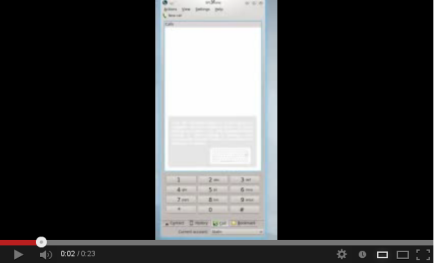
Today, we are proud to announce the release of the 1.2.1 version of SFLPhone, SFLPhone-Gnome and SFLPhone-KDE. For this cycle, our main focus was usability improvments and bug fixes. I spent hours on IRC with Nuno (thanks!) to try to make this release the best one ever. The main new feature is the inclusion of a new view subsystem for displaying on-canvas background information. It is used both for visual feedback and informative tips. See the video bellow for an overview of the feature.

snapshot25

snapshot26

This feature is 100% abstracted, so if other developers are interested, you are free to use it for your own application. It can be integrated in any Qt views (QTableView, QTreeView, QListView, etc) with only a couple of lines. I will blog about this feature design in a later blog post. The other big new feature is an on-canvas toolbar to replace the traditional QToolBar. This feature was done because the older toolbar had a different set of actions for different call states and was often larger than the window width, causing discoverability and usability issues. Given that the next iteration will focus on Plasma-Active/Mer/Ubuntu mobile integration, this will also prove very useful in mobile contexts (I don’t plan to port the call view to QML just yet).

snapshot27snapshot28

Other noteworthy improvements include:

* Ability to edit numbers

* New “Reload all accounts” button in the statusbar

* Required fields in wizard and configuration dialog (prevent the creation of invalid accounts)

* Caps lock auto detection when entering passwords

* Reduced CPU usage

* Automatic selection of the call tab when there is a new incoming call

* Improved DTMF handling

* Bug fixes

snapshot25

SFLPhone is available for Ubuntu as a PPA and the source code is available from http://sflphone.org/ and http://download.kde.org/stable/sflphone/ (coming soon). The next version should focus on reviving the QML version and improve our mobile support. We may also enable the video by default (currently available via compilation option) and have a better command line interface (for KAddressBook/KDEPIM integration)). I hope you enjoy this version.

snapshot26


Source: FULL ARTICLE at Planet KDE