
I realized I haven’t written a blog post to highlight the latest changes in KWin for quite some time. The reason for this is that we currently are mostly focused on getting KWin to work on Qt 5/KDE Frameworks 5. As I have mentioned already in the past KWin is a little bit special in the transition to Qt 5 as we used the low level native, non-portable functions provided by Qt (last week I found one usage of a native function which is not even documented). For us it mostly means that we transit from XLib to XCB and remove code which uses methods which got removed or replaced.
Although that means that we hardly have any new features there are quite some improvements all over KWin. Having to touch the code anyway allows us to also rethink how we tackle a problem.
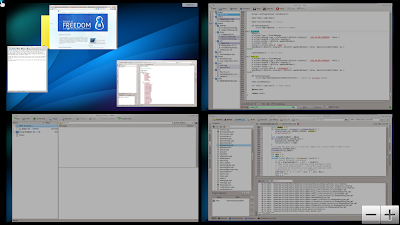
For example we use Plasma functionality at a few places. The code got added before QtQuick existed so it uses QGraphicsView. With libplasma2 the QGraphicsView support is going to be removed which means we need to adjust our code. Over the last years some areas in KWin already made the transition from Plasma styled QGraphicsView to QtQuick, such as our Window Switcher or the Desktop Change OSD. But some areas remained: the close button in Present Windows and the add/remove desktop button in Desktop Grid. Here we have now a nice improvement ready for 4.11: these elements got rewritten in QML and they look way better now.
| Aus KWin |
For comparison just do Ctrl+F8 or Click here.
This was AFAIK the last bits of UI in KWin which hasn’t done the transition to QML yet. By using QML for all of our UIs the code becomes much easier to maintain, easier for users to improve it, easier to style it. The last point is really important for KWin adjustments for non-Plasma environments like Razor-Qt. Though they use a fair bit of Plasma styling already and with KF5 libplasma2 will be so small that it hardly matters
The screenshot also shows another new improvement thanks to the transition to XCB. In the left upper corner a glow is shown when approaching the corner with the mouse cursor. If you use auto-hiding Plasma panels you already know this glow. This change became possible because the screen edge related code was one of our strongest user of XLib and a refactoring was needed anyway to support the world after X. The new design follows an approach which will make it easy to add support for a new windowing system – even if I do not know how exactly that will look like in a Wayland world (currently Qt5 is the highest priority). Also we plan to make KWin take care of the screen edges needed for the Plasma Panel. This removes quite some duplicated functionality from Plasma and solves the general “problem” that Plasma cannot listen to just all mouse events in a Wayland world.
One …read more
Source: FULL ARTICLE at Planet KDE